.png)
 简体中文

You do not need a professional studio to start doing ASMR on TikTok LIVE. A smartphone, a stable stand, a quiet corner, and a few well-chosen triggers can be enough. The main challenge is making those sounds enjoyable for viewers listening through their phones.
A ceramic mug may produce a satisfying tapping sound in your room, but someone watching your LIVE might hear something thinner or less detailed. Fine brushing, quiet paper crinkles, and subtle mouth sounds can also lose some of their texture during live playback.
To improve the experience, choose sounds that translate well to live playback, position your microphone carefully, and test your audio before viewers join. A simple session plan also helps you perform triggers without constantly adjusting equipment or interrupting the experience to read comments.
This guide explains how to do ASMR on TikTok LIVE, which triggers to try, how to manage microphone settings, and how to plan your first 30-minute stream. It also covers the benefits and limitations of a smartphone wireless microphone such as the Hollyland LARK A2.
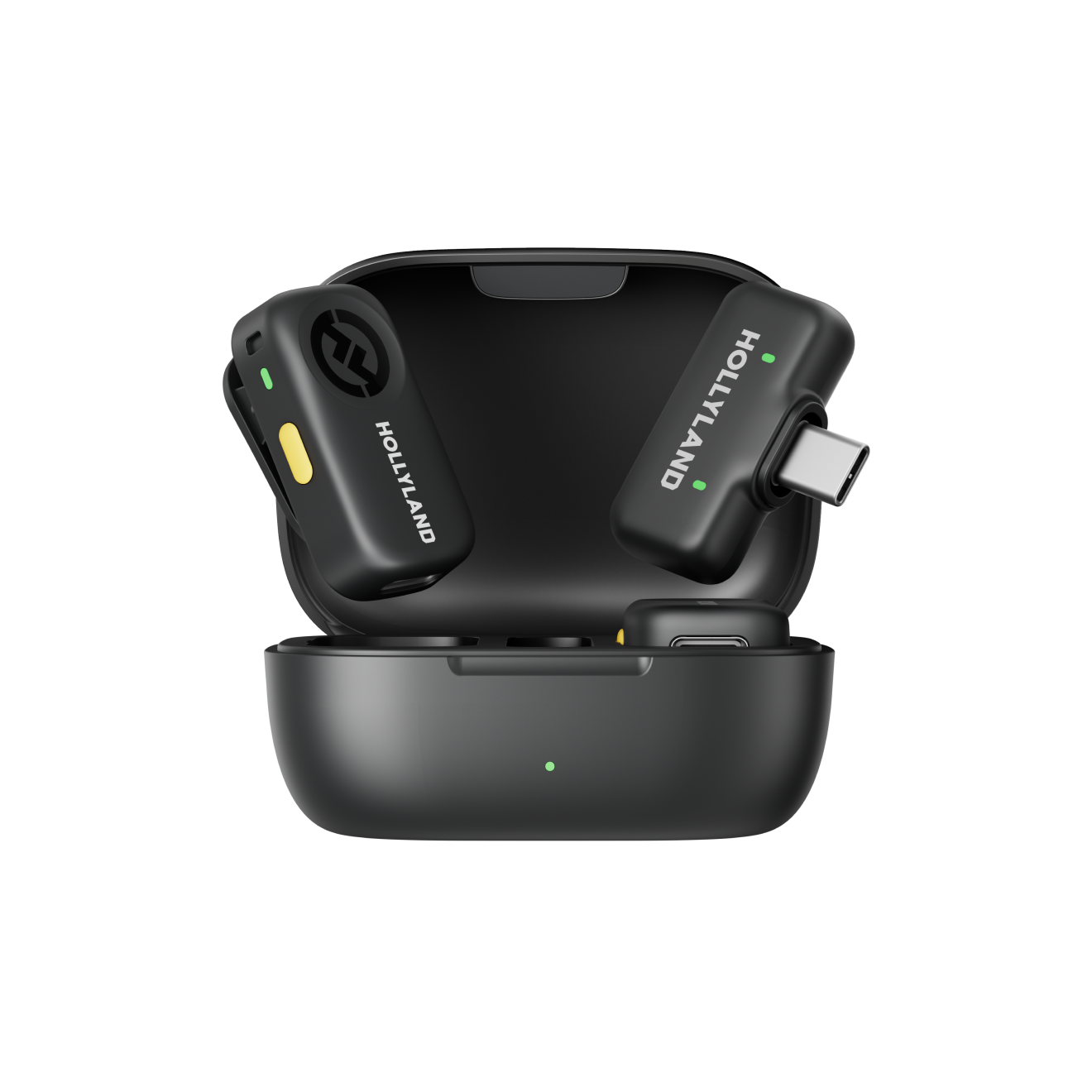
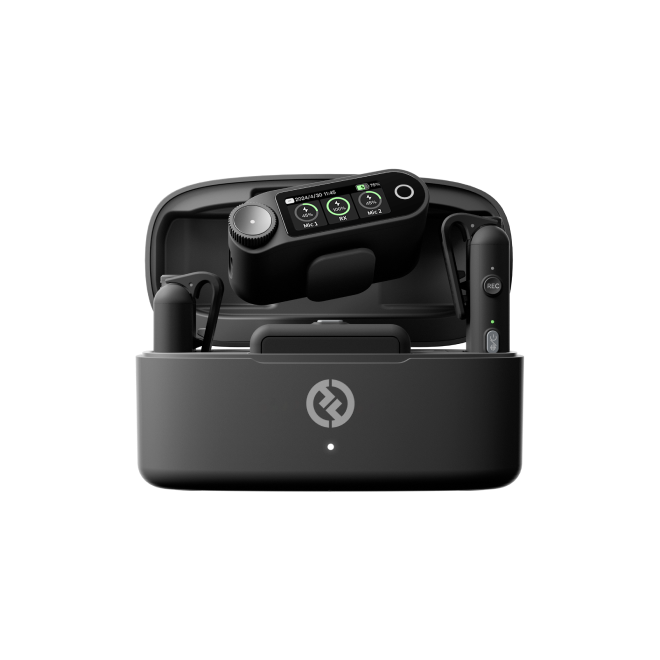
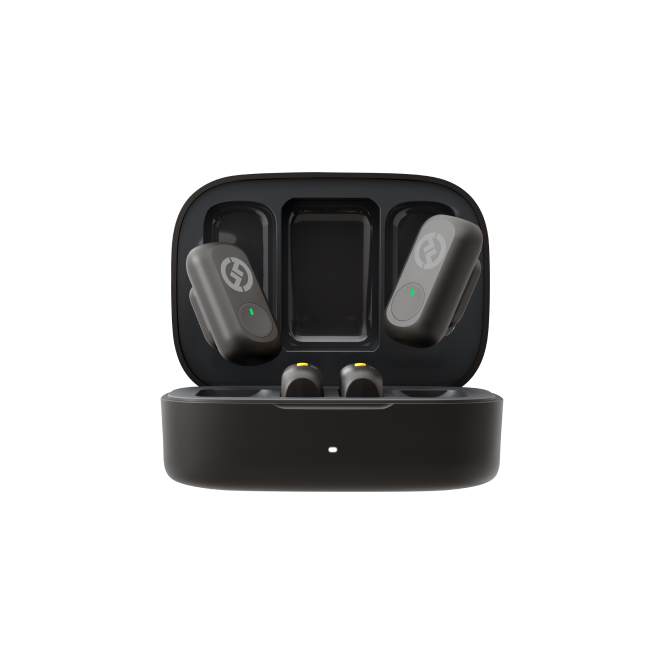
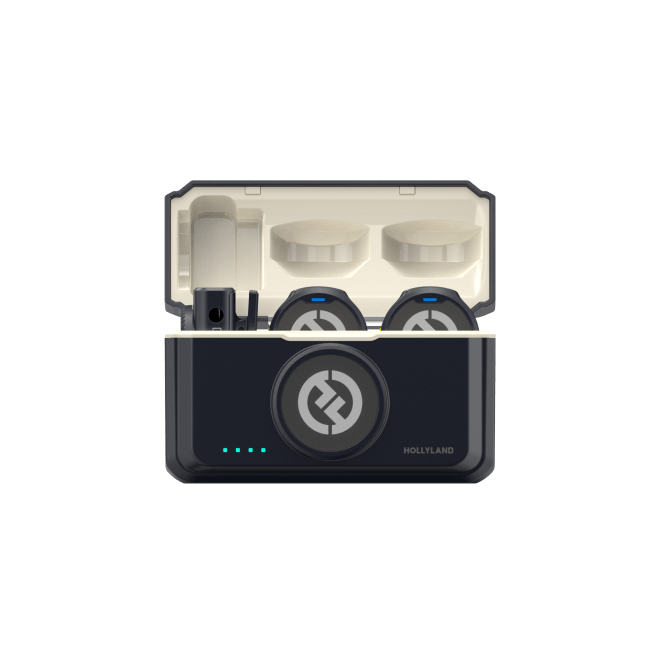
Hollyland LARK A2 - Clip-on Microphone
An ultra-light 8.5g wireless microphone engineered for effortless mobile recording, featuring smart AI noise cancellation and studio-grade sound.
Key Features: 8.5g Clip & Go | AI Noise Cancellation | 42 Hours Battery
Can You Go LIVE on TikTok for ASMR?

TikTok LIVE allows eligible creators to interact with viewers in real time through whispering, tapping, personal-attention role-play, and other ASMR styles. Before preparing your microphone and triggers, make sure your account qualifies.
TikTok generally requires creators to be at least 18 years old to go LIVE. You must also meet the applicable follower-threshold requirement, which can vary by region. Additional account-specific or local requirements may apply, and eligibility rules can change.
Check TikTok’s official LIVE eligibility and troubleshooting guidance for the requirements that currently apply to your account.
Once you have LIVE access, keep your first session simple. Choose three triggers, place them within reach, and prepare a short sequence for each. This makes it easier to focus on the sounds and respond to comments without losing your rhythm.
How to Build a Simple ASMR LIVE Setup at Home
Your first setup can be inexpensive. Focus on a stable phone position, a quiet environment, and a clear view of the objects producing the sounds.
Position Your Phone at Eye Level
Place your phone on a stable tripod or stand at a height that gives viewers a clear view of your face, hands, and trigger objects. For tabletop ASMR, angle the camera slightly downward so viewers can follow your movements without losing sight of the objects.

Before going LIVE, check three things:
- Framing: Keep your face or hands and all trigger objects within the camera frame.
- Stability: Make sure the stand remains steady throughout the session.
- Power: Check your battery level and arrange any charging cable safely.
Keep liquids and cleaning products away from your phone, and leave enough room to handle your props comfortably.
Reduce Background Noise

A microphone captures unwanted sounds that can drown out the triggers you want viewers to hear. Air conditioning, a running fan, traffic through an open window, and nearby appliances can compete with quiet ASMR.
Choose a room where you can control these distractions. If traffic is loud, close the window, silence unnecessary notifications, and, when possible, move away from appliances that produce a steady hum.
Soft furnishings can help reduce harsh sound reflections. You do not need to make the space completely silent; the goal is to reduce distracting noise without making the setup uncomfortable.
Prepare Three Triggers Within Reach
Place your objects on the table before the stream begins. This saves you from reaching across the phone, moving the stand, or leaving long gaps while you search for the next item.
A practical beginner selection includes:
- Ceramic mug: Slow fingernail tapping around the rim and sides.
- Kraft paper bag: Gentle crinkling with small, controlled movements.
- Silicone-bristled brush: Slow brushing against a folded cotton towel.
These triggers create different sound patterns without requiring complicated equipment. You can later experiment with wooden-table scratching, book-cover tapping, page-turning, or gentle patting once you know which sounds your audience enjoys.
Which ASMR Sounds Work Well on TikTok LIVE?
Not every ASMR trigger translates equally well to a live stream. A sound that feels detailed during a close-up recording may be harder to distinguish through a viewer’s phone speaker.
For your first session, focus on triggers with clear beginnings and endings, recognizable rhythms, and enough variation to remain interesting without becoming harsh.
Start With Tapping and Patting
Tapping is a useful first trigger because individual sounds have distinct beginnings and endings. Try tapping a ceramic mug with one fingernail, patting a padded book cover, or tapping a wooden tabletop with two fingers.
Keep the rhythm slow enough for viewers to distinguish each tap. If you tap too quickly or forcefully, the sounds may blend or become uncomfortable to hear.
Begin with a few gentle taps, pause, and repeat at a slightly different pace. These small variations create a more engaging sequence than continuously tapping at the same speed.
Use Paper Crinkles and Brushing Carefully
Kraft paper bag crinkling, book page-turning, and silicone-bristle brushing can create relaxing textures. However, very fine details may be less noticeable during LIVE playback.
Hold the paper bag still for a moment before crinkling it. Move it slowly, then pause so the sound can settle. For brushing, try a soft makeup brush against a folded cotton towel instead of rubbing fabric directly against a clip-on transmitter.
If viewers report that a sound is too quiet, adjust the source position or switch to a more distinct trigger. Avoid increasing the volume so much that sharper sounds become uncomfortable.
Keep Whispering Close and Controlled
Whispering and soft-spoken personal attention can work well when your microphone is positioned correctly.
As a practical starting point, keep the microphone about one palm’s width from your mouth and slightly off to the side rather than directly in front of your breath. This can help reduce harsh bursts of air, often called plosives, while keeping your voice present.
Test a short sentence and a few whispered phrases before the stream begins. Listen for breath blasts, clothing noise, and sudden volume changes when you turn your head.
How to Keep Your ASMR Audio Clear While Streaming
Clear ASMR audio depends on microphone placement, appropriate noise cancellation, and a short test using the setup you intend to stream with.
Position Your Microphone Correctly
For object-based ASMR, begin with the microphone approximately 5–15 cm from the sound source. Adjust this distance according to the object’s volume and the clarity of the captured audio.
A wireless lavalier microphone such as the Hollyland LARK A2 is primarily designed for wearable voice capture. It may not capture tabletop tapping or brushing with the same detail as a dedicated microphone positioned beside the object.
For whispering, place the microphone about one palm’s width from your mouth and angle it slightly away from direct airflow. If loud taps or sharp crinkles sound harsh, move the microphone farther away and test again.
Know When to Use Noise Cancellation
AI noise cancellation can help your voice stand out from a noisy room. However, it can also reduce subtle textures that ASMR listeners want to hear.
Use this simple rule:
- Whispering, soft-spoken speech, and talking: Turn noise cancellation ON when room noise is distracting.
- Tapping, scratching, paper crinkling, and ambient sounds: Turn it OFF or use the lowest available level to preserve natural textures.
The Hollyland LARK A2 includes AI noise cancellation that can be adjusted through the Hollyland app. Available controls depend on the supported setup and app version.
Do not assume the strongest noise-cancellation setting produces the best ASMR audio. It may make a paper bag sound thinner or reduce the detail in soft brushing. Test the actual trigger before your audience joins.
Check Audio From a Viewer’s Perspective
Your headphones may reveal details that a viewer using a phone speaker will not hear. Before going LIVE, listen to a short test recording on your phone and, if practical, check the sound on a second device.
A useful pre-live check takes about a minute:
- Say a short sentence at your normal streaming volume.
- Tap your ceramic mug five times at a steady pace.
- Crinkle your kraft paper bag gently for five seconds.
- Listen for clipping, hum, breath noise, and excessive processing.
- Adjust one setting and repeat if needed.
This test cannot guarantee that every viewer hears identical audio, but it helps catch common problems before you commit to a longer stream.
How to Manage Your TikTok LIVE Session
Good ASMR LIVE sessions need more than clear audio. You also need a comfortable rhythm that gives viewers time to enjoy the sounds and interact with you.
When to Read Comments
Check comments during natural pauses rather than while making a delicate sound. For example, after a 30–60-second mug-tapping sequence, stop tapping, glance at the chat, and respond briefly before starting the next pattern.
If someone requests a trigger you have available, acknowledge the request and try it for a short sequence. If several people ask for different sounds, choose one and save the others for later rather than switching every few seconds.
Keep your phone and microphone in their original positions while reading comments. Moving the phone stand or handling the transmitter can create loud knocks and fabric noise.
What to Do When Viewers Say the Audio Is Too Quiet
Do not immediately turn every setting to maximum. First, determine whether the problem affects all sounds or only one trigger.
If your voice is quiet but tapping is clear, adjust your speaking distance or microphone placement. If tapping is quiet while your voice sounds normal, bring the object closer to the microphone or change its position.
If the sound becomes harsh after increasing the level, return to the previous setting and try a more controlled source position. Clear ASMR usually comes from a good relationship between the sound source and microphone, not simply from making everything louder.
Is the Hollyland LARK A2 Suitable for TikTok LIVE ASMR?

The Hollyland LARK A2 is a compact wireless microphone system designed for smartphone-first creators. It may be a practical first wireless microphone for creators who want to speak, whisper, or move naturally during a live session without relying entirely on their phone’s built-in microphone.
However, a wearable lavalier captures sound around the person wearing it. It is not a substitute for a dedicated microphone positioned beside every tapping, brushing, or scratching object.
Connect the Matching Receiver to Your Phone
The LARK A2 is available in USB-C and Lightning versions. Choose the version that matches your phone’s port, then plug the receiver directly into the phone.
It is plug-and-play, and you do not need the Hollyland app just to begin recording. However, the A2 is smartphone-only. It does not have a camera version or a 3.5 mm camera output.
Before using it for TikTok LIVE, connect the receiver, switch on the transmitter, and confirm that your phone and streaming workflow are capturing the intended microphone. Make a short test using the same setup you plan to use for your stream.

Understand the Safety Track Limitation
The Hollyland LARK A2 includes AI Auto-Limit Clip and Safety Track features to help protect recordings from sudden loud sounds. Safety Track provides a lower-level backup recording for supported setups, but it does not automatically fix distorted audio during TikTok LIVE.
To prevent harsh or clipped sounds:
- Whispering: Keep the microphone about one palm’s width from your mouth and slightly off-axis.
- Tapping: Start gently and increase intensity gradually.
- Paper crinkling: Use controlled movements instead of sudden, loud crinkles.
- Before going LIVE: Test your loudest trigger and listen for distortion.
Check the Battery and Run a Pre-LIVE Test
The LARK A2 transmitter is rated for approximately seven hours per charge, with a quick-charge time of around 1.5 hours. Actual operating time can vary with use and conditions.
A fully charged transmitter can cover a typical 30-minute or one-hour session. Charge it before streaming and keep the charging case available for recharging between sessions.
Before starting, confirm that:
- The receiver is connected to the correct phone port.
- The transmitter has sufficient charge.
- The microphone is not rubbing against clothing.
- The noise-cancellation setting suits your trigger.
- A short test confirms that the live workflow is using the intended microphone.
Is the LARK A2 Worth Buying for ASMR Beginners?

The LARK A2 is worth considering if you are a smartphone-first beginner looking for a compact wireless microphone for whispering, soft-spoken conversation, or talking-led ASMR. Its lightweight 8.5 g transmitter, 48 kHz/24-bit audio, omnidirectional pickup, and AI noise cancellation make it a convenient option for mobile content creation.
Frequently Asked Questions
1. Can You Do ASMR on TikTok LIVE Without Showing Your Face?
Yes. You can create hands-only ASMR streams by directing your camera toward your tabletop and trigger objects. Keep your movements visible and arrange your props within the frame so viewers can follow each activity without needing a face-to-camera presentation.
2. Should You Use Background Music During an ASMR LIVE?
Background music is optional. Many ASMR creators prefer natural sounds because music can compete with subtle triggers such as whispering, tapping, and brushing. If you decide to include music, use audio you own or have permission to broadcast.
3. How Can You Encourage Viewers to Participate in an ASMR LIVE?
Invite viewers to suggest their preferred triggers or choose between two available sounds. You can acknowledge requests during natural pauses and incorporate suitable suggestions into later parts of the session.
4. What Should You Do If Your TikTok LIVE Stream Gets Interrupted?
Stay calm and check your internet connection before attempting to restart the stream. Once you regain access, briefly welcome returning viewers and continue with your prepared trigger sequence rather than rushing through the remaining activities.
5. How Can You Make Different ASMR LIVE Sessions Feel Unique?
Give each session a simple theme, such as paper sounds, gentle tapping, personal attention, or everyday object demonstrations. Changing the theme and trigger combinations gives returning viewers something different to experience without requiring an entirely new recording setup.
These are proposed editorial additions rather than facts established by the current article. Check TikTok’s current LIVE guidance before publishing platform-specific troubleshooting advice.
Conclusion
You can start doing ASMR on TikTok LIVE without a studio full of equipment. Begin with a stable phone setup, reduce distracting room noise, and prepare three recognizable triggers. Test your microphone with the actual sounds you plan to use, and keep your first stream to a manageable 30-minute session.
Remember the central audio rule: use noise cancellation when room noise interferes with your voice, but turn it off or keep it low when you want delicate object sounds to retain their natural texture. Live playback may not preserve every subtle detail, so prioritize clear, recognizable triggers and adjust based on what viewers can actually hear.
If you want a simple wireless option for smartphone-based, voice-led ASMR, the Hollyland LARK A2 is worth considering. If your goal is binaural or highly detailed spatial sound, a dedicated microphone setup may suit you better. Choose equipment that matches the ASMR you want to create, then build your setup around careful placement, short tests, and consistent practice.