.png)
 简体中文
简体中文 
Vox pops are one of the most engaging formats in video production, but they are also one of the easiest to get wrong. The street is an acoustically unpredictable environment, and the wrong microphone choice can turn compelling interview footage into unusable noise. This guide covers everything you need: a clear breakdown of mic types, a practical decision framework, field technique, and a pre-shoot checklist to get you camera-ready fast.

What Is a Vox Pop (and Why Audio Can Make or Break It)?
“Vox pop” comes from the Latin phrase vox populi, meaning “voice of the people.” In production terms, it refers to a short sequence of spontaneous, opinion-based street interviews edited together to represent a range of public views. The format originated in broadcast news and now appears across documentaries, brand videos, YouTube channels, and social media.

Unlike a studio interview, a vox pop happens in real-world conditions where traffic, wind, construction, and crowd noise all compete with your subject’s voice. Bad audio is the most common reason usable footage ends up cut from the final edit.
That is why microphone selection matters more in a vox pop context, not less.
The Four Microphone Types Used in Vox Pops
Not every microphone belongs in a vox pop kit. Here is an objective breakdown of the four types practitioners actually reach for, along with a comparison table to help you evaluate them quickly.
| Mic Type | Polar Pattern | Crew Required | Wind Handling | Best Use Case |
| Handheld reporter mic | Omnidirectional | 1–2 | Moderate (foam windscreen) | Broadcast news, corporate |
| Wireless lavalier | Omni or cardioid | 1 | Good (with clip placement) | Run-and-gun, social, documentary |
| Shotgun (camera-mount or boom) | Supercardioid / lobar | 1–2 | Poor (requires dead-cat) | Documentary, cinematic |
| Smartphone adapter mic | Omni or cardioid | 1 | Limited | TikTok, Reels, YouTube Shorts |
Handheld Reporter Microphone
The handheld dynamic mic is the classic vox pop tool for good reason. Its omnidirectional polar pattern picks up sound evenly from all sides, which means the interviewer can bring the mic close to each subject without repositioning awkwardly between responses. The dynamic capsule handles loud urban environments without distorting, even when subjects speak at high volume near traffic or crowds.
Broadcast-branded mics serve a secondary purpose: they signal authority on camera, which often makes interviewees more comfortable and more likely to give considered responses. The main trade-off is that the interviewer must hold the mic throughout, limiting multi-subject setups unless a second crew member is available.
A basic foam windscreen is sufficient for moderate conditions. For heavy wind, upgrade to a furry dead-cat cover before you leave the building.
Wireless Lavalier (Clip-On) Microphone
A wireless lavalier clips to a subject’s collar or lapel and transmits audio wirelessly to a receiver on your camera or recorder. This setup leaves both hands free, keeps the frame clean, and cuts the time between subjects significantly. For solo operators, it is often the most practical choice available.

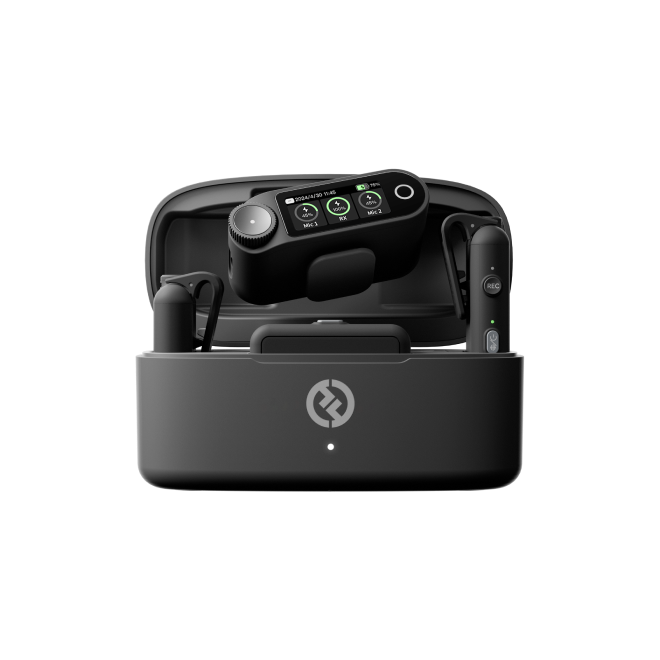
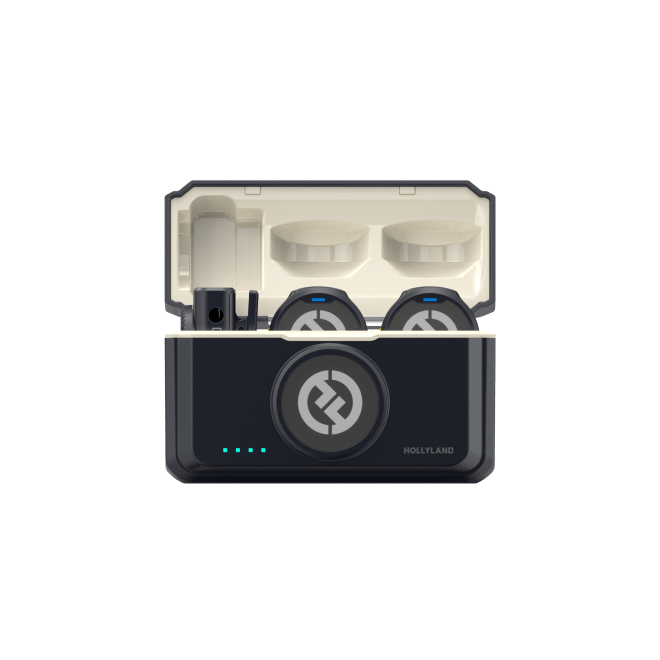
Modern wireless lav systems have closed the quality gap with traditional handheld mics considerably. The Hollyland LARK M3 is a strong example of where the category now sits. Its transmitters weigh just 9 grams, light enough that subjects often forget they are wearing one. The system supports up to four transmitters paired to a single receiver, so you can simultaneously mic an interviewer and multiple subjects during rapid street interviews without reconfiguring gear between takes. Adaptive AI noise cancellation is built in specifically for noisy outdoor environments, and a 300-meter transmission range gives you genuine freedom of movement on busy locations.
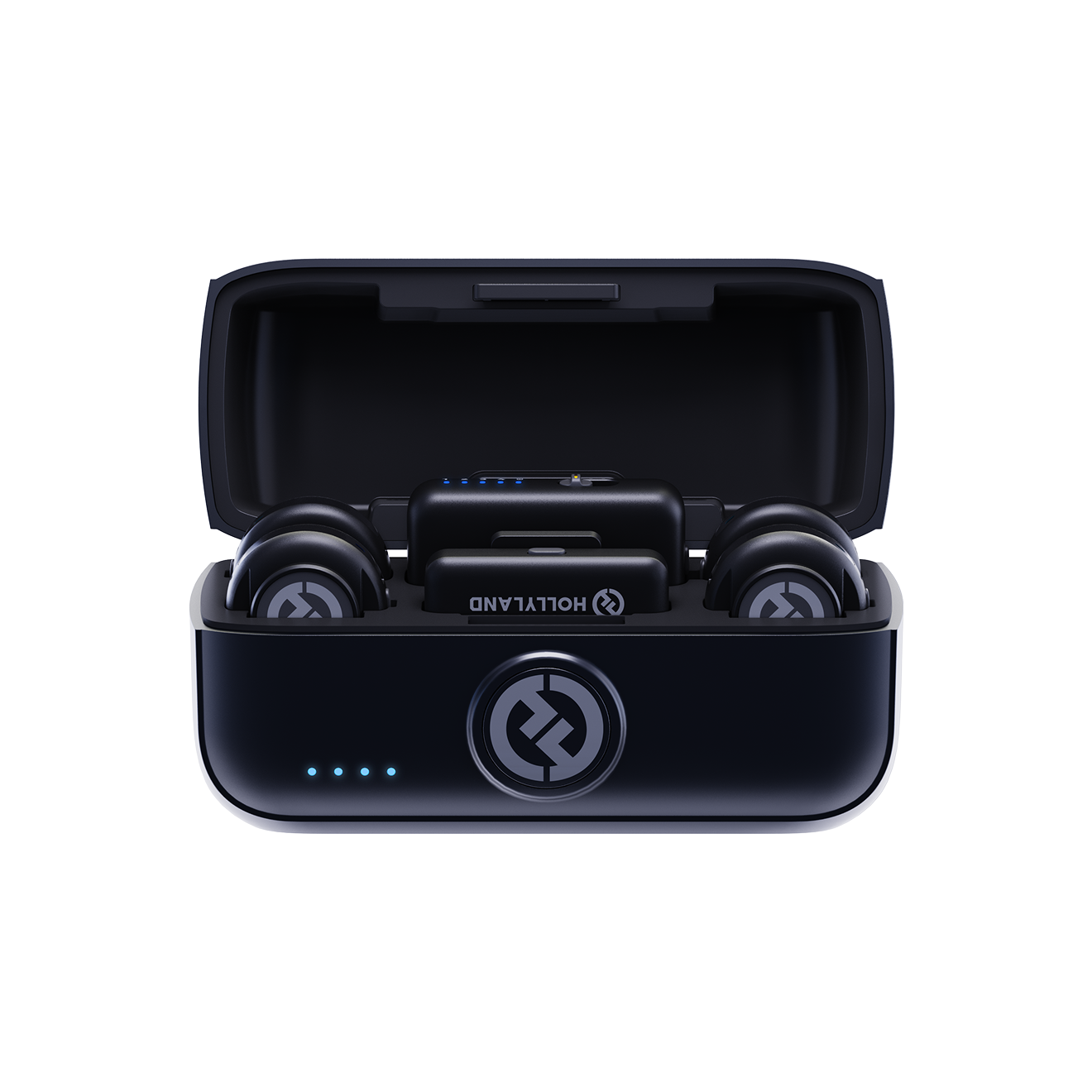
Hollyland LARK M3 - 32-Bit Float Mini Microphone
An ultra-compact 9g wireless microphone system featuring 32-bit float recording and 4-channel scalability for professional, zero-distortion sound.
Key Features: 32-Bit Float Recording | Up to 4 TX & 4 RX | 300m Range

The main outdoor consideration is wind exposure on the capsule. Clipping the transmitter inside a jacket lapel, rather than directly on a shirt collar, provides a physical barrier that reduces wind noise substantially.
Shotgun Microphone (Camera-Mounted or Boom)
A shotgun mic uses a supercardioid or lobar polar pattern to reject off-axis noise while focusing on sound from directly in front. This makes it well-suited to documentary-style vox pops where a natural, cinematic audio quality is the goal rather than the polished broadcast look.
In a fast-paced street interview context, proximity becomes a limiting factor. A camera-mounted shotgun needs to be within roughly one meter of the speaker for a clean capture, which forces the operator to push the camera uncomfortably close. A boom-held shotgun solves that problem but requires a dedicated second crew member to operate it properly. In either case, a dead-cat windshield is essential outdoors, even in a light breeze.
Smartphone + Lightning/USB-C Adapter Mics
For mobile-first creators producing content for TikTok, Instagram Reels, or YouTube Shorts, a smartphone-compatible wireless microphone is the most practical entry point. Modern receivers connect directly via USB-C or Lightning, eliminating the need for additional adapters or recorders.
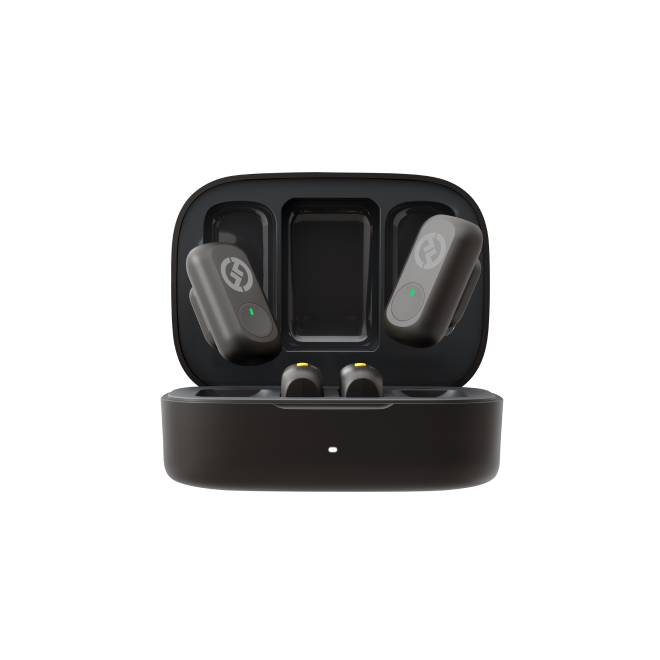
The Hollyland LARK A2 fits this workflow precisely. At 8.5 grams, it clips onto a subject without adding visible bulk. It connects to a smartphone through a compact wireless receiver, provides 200 meters of transmission range, and includes dual anti-clipping protection that prevents audio from distorting when a subject raises their voice in a loud street environment. For a solo creator running quick social-format vox pops, the entire setup takes under a minute.
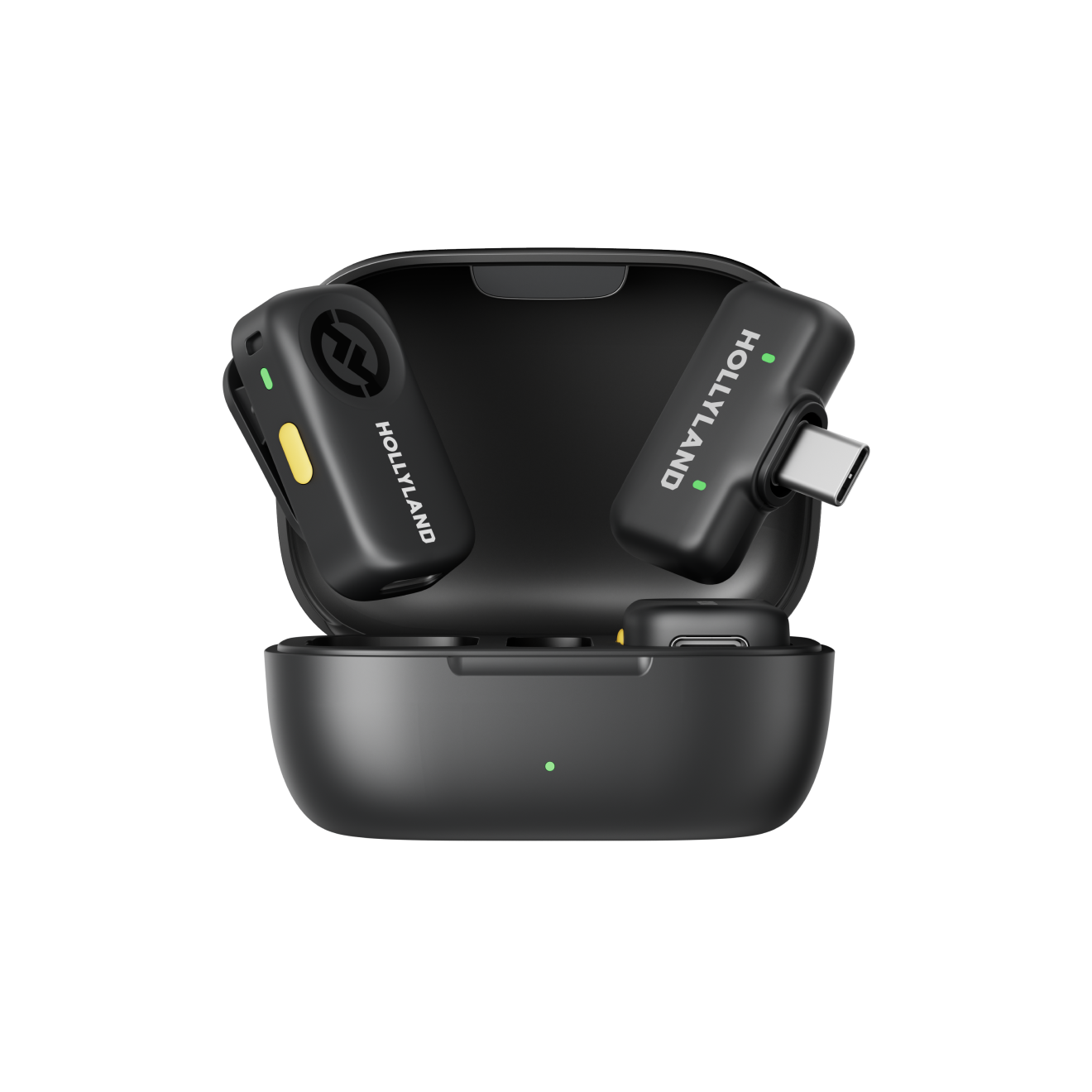
Hollyland LARK A2 - Clip-on Microphone
An ultra-light 8.5g wireless microphone engineered for effortless mobile recording, featuring smart AI noise cancellation and studio-grade sound.
Key Features: 8.5g Clip & Go | AI Noise Cancellation | 42 Hours Battery
How to Choose the Right Vox Pop Microphone for Your Setup
Choosing the right mic is not about finding the most expensive option. It comes down to three practical variables: your crew size, your recording device, and the platform you are producing for.
1. Crew size
A solo operator needs a hands-free solution. A wireless lavalier system allows you to focus entirely on framing and conversation without managing a handheld mic. If you have a second crew member, a handheld mic with one person interviewing and one operating the camera is a proven and fast-moving workflow.
2. Camera or smartphone?
Camera users should confirm their input type before purchasing accessories. XLR inputs offer the cleanest signal path and professional-grade gain control. A 3.5 mm TRS input works well for compact wireless receivers. Smartphone users need either a TRRS-compatible receiver or a USB-C wireless system to avoid frustrating adapter compatibility issues in the field.
3. Distribution platform
Broadcast and corporate productions benefit from the authority look of a branded handheld mic on camera. YouTube and social video creators find that a discreet wireless lav keeps the frame looking modern and uncluttered. Neither choice significantly affects audio quality at the point of capture, so let your visual brand guide the decision.
4. Environment
High-wind coastal or elevated locations favour a dynamic handheld mic with a dead-cat cover, or a wireless lav clipped inside a jacket. Moderate urban ambient noise is well-managed by AI noise-cancelling wireless systems. Very loud environments such as festivals or busy intersections require close-proximity capture, making handheld mics or tightly clipped lavs the safest choice.
| Scenario | Best Mic Type | Why |
| Solo creator, smartphone | Wireless clip-on lav | Hands-free, minimal setup |
| Two-person news crew | Handheld reporter mic | Professional look, no clipping |
| Documentary vox pop | Boom + shotgun | Natural, cinematic feel |
| Multi-person rapid interview | Multi-TX wireless lav system | Scalable, fast clip-on/off |
Dealing with Wind Noise and Outdoor Audio Challenges
Wind noise is the single biggest technical failure point in outdoor audio. The good news is that it is almost entirely preventable with the right preparation.

- Match windscreen to mic type. A foam windscreen provides adequate protection up to around 15 mph. Above that, a furry dead-cat windshield is essential for handheld and shotgun mics. Wireless lavs benefit from being physically shielded by clothing.
- Angle the mic correctly. Hold a handheld mic at a slight downward angle rather than pointing it directly into the wind. This small adjustment reduces the direct pressure wave hitting the capsule.
- Position lavs strategically. Clipping inside the fold of a jacket lapel or just under a collar creates a physical barrier that reduces wind rumble on the recording, even without additional acoustic wind protection.
- Use AI noise cancellation when available. Wireless systems with built-in noise processing can reduce ambient background chatter and moderate wind interference at the transmitter level, before the signal even reaches your camera.
- Monitor in real time. Plug in-ear monitors into your camera or recorder’s headphone output during the interview. You will catch wind noise, handling noise, and gain problems while the subject is still in front of you, rather than in the edit suite.
- Position your subject thoughtfully. Where possible, place the subject with their back to the wind source to shield both the mic and the capsule from direct exposure.
Note: Post-production tools like iZotope RX or Adobe Premiere Pro’s noise reduction can rescue a mildly noisy recording, but they are a last resort. Heavy wind noise degrades the underlying signal in ways that software cannot fully repair.
Vox Pop Interview Technique: Getting the Best Responses on the Street
The best microphone in the world cannot compensate for a poorly conducted interview. Here is how to get responses that are genuinely usable in the edit.

1. Choose the right location
Pedestrian zones, market squares, and quiet plazas offer foot traffic without overwhelming background noise. Avoid busy intersections, underpasses, or any location with persistent mechanical sound. The visual environment should also reinforce the topic you are covering, since it will appear behind every talking head in your final cut.
2. Approach subjects confidently and transparently
A brief, honest introduction works far better than a vague or tentative approach. State your name, explain what the footage is for, and indicate roughly how long the conversation will take. Most people decide within the first five seconds whether they will participate, so clarity and warmth are your most effective tools.
3. Ask open-ended questions
“What do you think about X?” generates a far more usable response than “Do you agree with X?” Yes-or-no answers are difficult to cut into a vox pop sequence. Frame every question to require at least two or three sentences in response, giving yourself material to work with in the edit.
4. Get mic placement right
Hold a handheld mic approximately 15 to 20 centimetres from the subject’s mouth. If using a lavalier, make the clip-on process brief and visible on camera. A lav that is clearly attached also serves as an implicit visual consent signal. Frame the shot so the mic does not block the subject’s face or mouth.
5. Obtain consent
For editorial content, verbal on-camera consent at the start of the interview is standard practice. For commercial use, including brand videos or paid advertising, a written release form is advisable and in many regions legally required. Keep printed or digital release forms accessible in your kit at all times.
6. Record more responses than you need
Aim to capture 8 to 10 responses for every 3 or 4 you plan to use in the final sequence. Some subjects will give unusable audio despite good technique. Others will deliver a perfect 10-second soundbite on the first take. Having surplus material gives your editor genuine choices rather than forcing them to use weak responses to fill the sequence.
Quick Vox Pop Setup Checklist (Field-Ready in Under 5 Minutes)
Use this checklist before every vox pop shoot. Bookmark it on your phone for easy access on location.
- ☐ Mic fully charged or fresh batteries installed
- ☐ Gain and input level tested at normal speaking volume (no peaks in the red)
- ☐ Windscreen or dead-cat attached and secured
- ☐ Wireless receiver paired to transmitter and signal lock confirmed
- ☐ Audio monitored through headphones or IEM before the first interview begins
- ☐ Camera white balance and exposure set for current outdoor light conditions
- ☐ Memory card formatted and sufficient storage confirmed
- ☐ Release form process understood by every crew member
- ☐ Safety or backup recording track enabled if your device supports it
FAQ: Vox Pop Microphone Questions Answered
What microphone do TV journalists use for vox pops?
Most broadcast journalists use an omnidirectional dynamic handheld mic. These mics handle loud, unpredictable environments without distorting and display the broadcaster’s logo clearly on camera. For run-and-gun crews and solo reporters, wireless lavalier systems are increasingly common because they deliver clean audio without requiring a second operator to manage the microphone.
Can I use a wireless lavalier instead of a handheld for vox pops?
Yes, and for many creators it is the better choice. A wireless clip-on gives you freedom of movement, keeps the frame visually clean, and speeds up the workflow between subjects. Systems like the Hollyland LARK M3 add multi-transmitter capability, so you can simultaneously mic both the interviewer and the subject without any additional complexity on location.
How do I reduce background noise in vox pop recordings?
Position the mic as close to the speaker as practically possible, use a windscreen in outdoor conditions, and choose a recording location with manageable ambient noise. If your wireless system includes AI noise cancellation, enable it. Post-production tools like iZotope RX can reduce residual noise, but prevention on location is always more effective than software repair after the fact.
What polar pattern is best for vox pop microphones?
It depends on the mic type. Omnidirectional patterns work well for close-held handheld mics because they pick up sound evenly and are less susceptible to wind-induced low-frequency rumble than cardioid designs. For boom-held or camera-mounted shotgun mics, a supercardioid pattern provides better rejection of off-axis street noise and environmental background sound.
Do I need a separate audio recorder for vox pops?
Not for most productions. A camera with a 3.5 mm or XLR input, or a smartphone paired with a wireless receiver, provides adequate recording quality for vox pop use. A dedicated field recorder adds a useful backup safety track, but it also increases setup time and kit weight, which can slow down a fast-paced street shoot noticeably.
Get Shooting
The right vox pop microphone comes down to three questions: How large is your crew? What device are you recording to? And how acoustically demanding is your location? Wireless lavalier systems have narrowed the quality gap with handheld mics enough that most solo and small-crew productions will benefit from going wireless. Nail the audio on location, and everything else in post becomes easier. For a deeper look at field-ready wireless options, explore our full wireless interview microphone comparison guide.