.png)
 简体中文
简体中文 
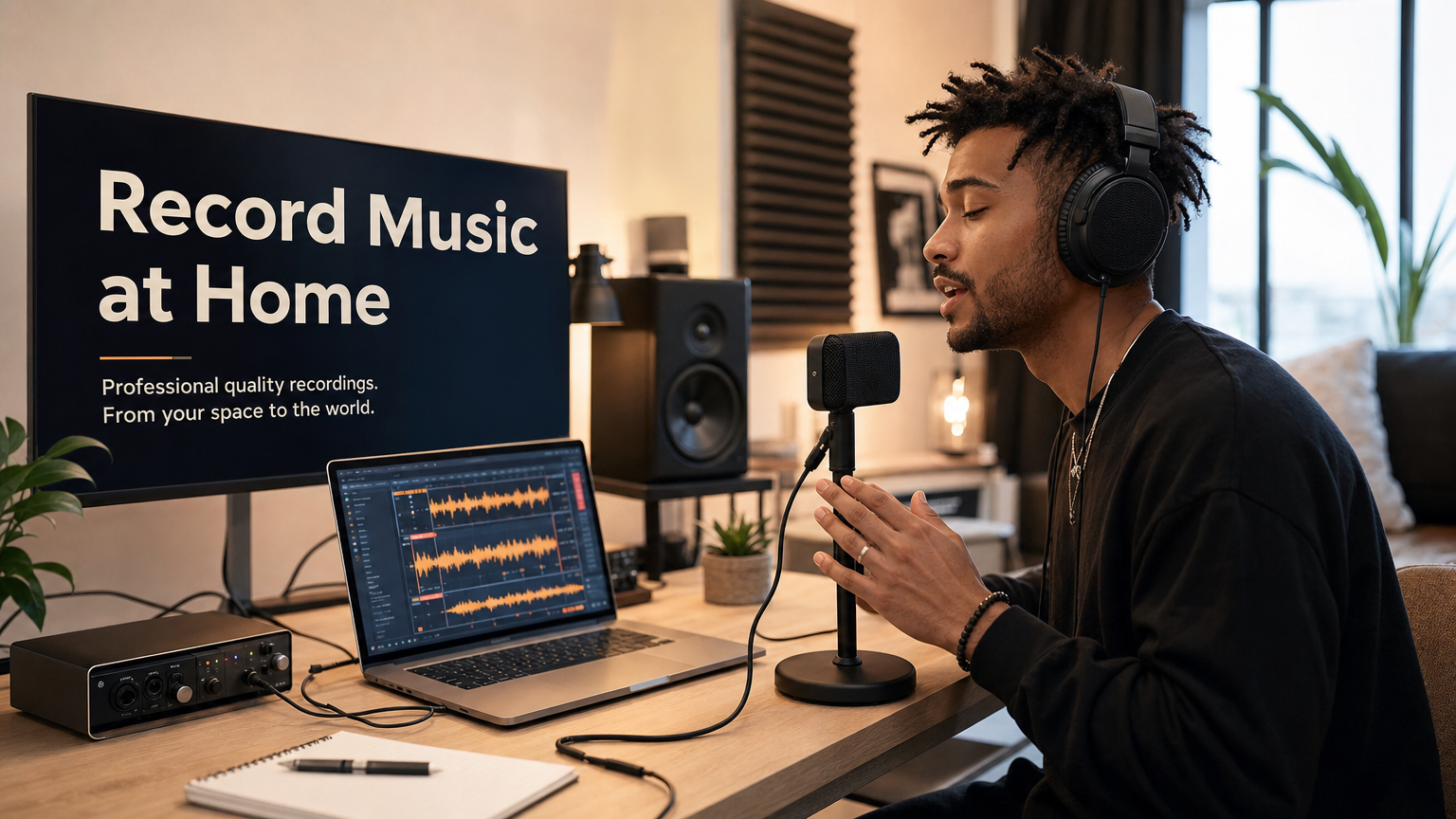
If you have just bought a microphone and discovered it won’t plug into your laptop, you’ve already found the problem an audio interface solves. Or maybe your recordings sound thin and noisy through your computer’s headphone jack. Either way, understanding audio interfaces is the first step toward building a real home studio setup. This guide explains what an audio interface is, why you need one, and how to choose the right type for your recording goals.

What Is an Audio Interface in Music Recording?
An audio interface is basically hardware connecting your mic, guitar, and computer. Think of it like the middle point between real-world sounds and software. Your voice and instruments create analog signals in the physical world. The interface turns those signals into digital audio your computer understands. Then your DAW can record, edit, and produce everything properly. Basically, it connects your recording gear with your computer system.

The word “interface” just means a connection between two systems. In music recording, those systems are physical sound and digital software. Your microphone sends audio toward the interface first during recording. The interface then sends that audio into your computer. Without it, your microphone and computer cannot communicate properly.
At its core, an audio interface does three things:
- Converts analog signals to digital (ADC): Your microphone captures sound as an analog electrical signal. The interface’s analog-to-digital converter translates that into binary data your computer can work with.
- Converts digital signals back to analog (DAC): When you play back your recording through headphones or monitors, the digital-to-analog converter turns that data back into an electrical signal your speakers can reproduce.
- Amplifies weak microphone signals via built-in preamps: Microphones produce very low-level electrical signals. The preamp inside your interface boosts that signal to a usable level before conversion happens.
Why Do You Need an Audio Interface for Music Recording?
computer’s built-in audio hardware was not designed for music production. Here is why that matters.

- Built-in laptop sound cards are made for casual use, not clean recording. Laptop motherboard audio circuits are optimized for video calls and media playback. They introduce noise, lack proper headroom, and color the signal in ways that hurt a recording. A dedicated audio interface removes your signal from that noisy environment entirely.
- Most professional microphones cannot physically connect to a computer without one. Condenser and dynamic microphones use XLR connectors. Your laptop has a 3.5 mm combo jack at best. You need an interface with an XLR input to bridge that gap, and there is no workaround that preserves audio quality.
- Condenser microphones require phantom power, which your computer cannot provide. Phantom power (48V) is a small electrical charge sent through the XLR cable to power condenser microphones. It is only available from an audio interface, a mixer, or a standalone preamp. Without it, your condenser mic will not produce usable audio.
- Interfaces enable real-time, low-latency monitoring. When you record without a proper interface, you may hear a noticeable delay between when you sing or play and when audio comes back through your headphones. Audio interfaces support direct monitoring, routing your signal to your headphones before it even reaches the computer, creating effectively zero delay.
- Professional interfaces deliver far superior audio quality. A quality interface records at 24-bit/96 kHz or higher, capturing a wide, clean dynamic range. Your laptop’s built-in audio is often limited to lower bit depths and compromised further by electrical interference from the motherboard, resulting in more noise and a noticeably inferior recording.
How Does an Audio Interface Work? (The Signal Chain Explained)
Every recording follows a path called the signal chain. Understanding this chain shows you exactly where the audio interface fits and why removing it degrades your results. Here is the full path from performance to playback:

- Sound source: Your voice, guitar, keyboard, or any acoustic instrument produces sound waves.
- Microphone: The mic captures those sound waves and converts them into a weak analog electrical signal.
- XLR or instrument cable: The cable carries that analog signal from the mic or instrument into the interface.
- Preamp (inside the interface): The built-in preamp boosts the weak mic-level signal up to a stronger line-level signal ready for conversion.
- ADC (inside the interface): The analog-to-digital converter translates the amplified analog signal into digital data at your chosen sample rate and bit depth (for example, 24-bit/48 kHz).
- USB or Thunderbolt cable: The digital data travels from the interface to your computer.
- DAW (on your computer): Software like Ableton Live, Logic Pro, or GarageBand receives and records the digital audio.
- DAC (inside the interface): When you hit play, the DAC converts digital audio back to an analog signal.
- Headphones or studio monitors: You hear the result through your interface’s headphone output or connected speakers.
Note: Phantom power (48V) enters the chain at step 4. It travels back down the XLR cable from the interface to power your condenser microphone, before the signal even reaches the preamp.
Picture it as a straight line: Sound Source → Mic → Cable → Interface (Preamp → ADC) → Computer/DAW → Interface (DAC) → Headphones/Monitors. Every element depends on the one before it, and the interface sits at the critical center.
Key Features of an Audio Interface You Should Understand
When you start shopping or reading product descriptions, the same set of terms comes up repeatedly. Here is what each one means in plain language.

Inputs and Outputs (I/O)
I/O refers to how many audio sources you can connect simultaneously. A 2-in/2-out interface, the most common beginner option, supports two inputs and two outputs for monitors or headphones. If you plan to record a full band or multiple microphones at once, you will need an interface with more inputs, such as an 8-in/8-out model. Most solo artists starting out will never need more than four inputs.
Preamp Quality
The preamp is a basic but super important interface component. A good preamp captures your microphone’s full dynamic range cleanly. It also keeps noise low while preserving your performance’s natural character. These days, budget interfaces already include seriously clean preamps. Many even offer professional-level transparency without costing a ton. Higher-end models mainly give you more clean gain headroom. They also include better digital converters for cleaner audio processing. Some even have built-in DSP for vintage analog-style modeling. That modeling recreates the warmth and clarity engineers often want.
Sample Rate and Bit Depth
Sample rate (measured in kHz) determines how many snapshots of your audio are captured per second. Bit depth determines the dynamic range of each snapshot. A setting of 44.1 kHz/24-bit is the minimum standard for modern music production and is more than sufficient for most home studio work. Higher sample rates like 88.2 kHz or 96 kHz are useful in professional post-production workflows where pitch shifting and time-stretching benefit from additional audio data. 32-bit float is an emerging standard that essentially eliminates clipping during recording.
Phantom Power (48V)
Without phantom power, a condenser microphone will not produce usable audio. Most audio interfaces include a 48V phantom power switch, labeled “48V” or “+48V.” Dynamic microphones do not require phantom power and are generally unaffected by it being switched on, though it is good practice to enable it only when needed.
Direct Monitoring / Zero-Latency Monitoring
When your audio signal travels from the interface to your computer and back through the DAW, processing introduces a small delay called latency. Direct monitoring bypasses that path, sending the input signal directly to your headphone output before it reaches the computer. This lets you hear yourself instantly while recording without delay. That matters for staying on pitch and keeping timing accurate. It also helps you feel more confident during performances.
Connection Type
USB is the standard connection for home studio interfaces and works with virtually any modern computer. Thunderbolt interfaces offer faster data transfer and lower latency, making them better suited for recording many tracks simultaneously in professional sessions. For most beginners, USB is entirely adequate and far more convenient.
Headphone Output
Nearly every audio interface includes at least one dedicated headphone output with its own volume knob. This lets you monitor your recording in isolation or check your mix without external speakers, which is essential for late-night sessions or rooms without acoustic treatment.
Types of Audio Interfaces: Which One Fits Your Setup?
| Type | Best For | Trade-off | Typical Connection |
|---|---|---|---|
| Desktop USB Interface | Home studios, solo artists, beginners | Limited I/O on budget models | USB-A or USB-C |
| Thunderbolt Interface | Professional studios, large track counts | Higher cost, requires Thunderbolt port | Thunderbolt 3 or 4 |
| Rack-Mount Interface | Commercial studios, live sound | Not portable, requires rack housing | Thunderbolt or PCIe |
| Mobile / iOS Interface | Smartphone and tablet recording on the go | Fewer inputs, no phantom power on some models | Lightning or USB-C |
For most beginners building a first home studio, a compact desktop USB interface in the 2-in/2-out or 4-in/4-out range covers recording vocals, guitars, keyboards, and a MIDI controller without overcomplicating the setup.
Audio Interface vs. Mixer vs. USB Microphone vs. Sound Card
These four terms confuse beginners more than almost anything else in home recording. Here is a clear breakdown of what each device actually does.
Audio Interface vs. Mixer
A mixer is designed to blend multiple live audio sources together and route them, primarily for live sound or submixing purposes. An audio interface is primarily a conversion device. It translates analog signals to digital data for recording into a DAW, and back again for playback. Some modern products called hybrid mixer-interfaces combine both functions, but a traditional mixing console is not a substitute for an audio interface when recording to a computer.
Audio Interface vs. USB Microphone
A USB microphone has a miniature audio interface built inside the mic body. It handles ADC conversion internally and connects straight to your computer’s USB port, which makes it convenient for single-voice podcasting or simple demos. There’s one big hurdle! You’re stuck with one microphone. You can’t connect instruments or add extra microphones either. You also can’t swap out the microphone capsule later. A traditional interface with an XLR mic is far more flexible for music production work.
Audio Interface vs. Built-In Sound Card
Your computer’s built-in sound card is designed for consumer playback. It processes audio using shared motherboard components that introduce electrical noise, offers limited dynamic range, and provides no proper balanced XLR connectivity. A dedicated audio interface is purpose-built for recording, with low-noise preamps, balanced inputs, professional sample rate and bit depth support, and a clean headphone output meant for critical listening.
| Device | Primary Purpose | Recording Quality | Flexibility |
|---|---|---|---|
| Audio Interface | Studio recording / ADC-DAC conversion | Professional | High |
| Mixer | Live blending and routing | Variable | Moderate |
| USB Microphone | Single-source plug-and-play recording | Good (limited) | Low |
| Built-In Sound Card | Consumer media playback | Consumer grade | Low |
Do You Always Need a Traditional Audio Interface for Music Recording?
Not in every scenario. USB microphones remove the need for a separate interface when recording a single source, such as a podcast episode, a voice memo, or a quick songwriting demo. Mobile recording apps paired with iOS-compatible microphones can also produce workable results without a traditional desktop interface in the signal chain.

There is also a growing category of all-in-one portable studio tools aimed at musicians who record outside a fixed setup.
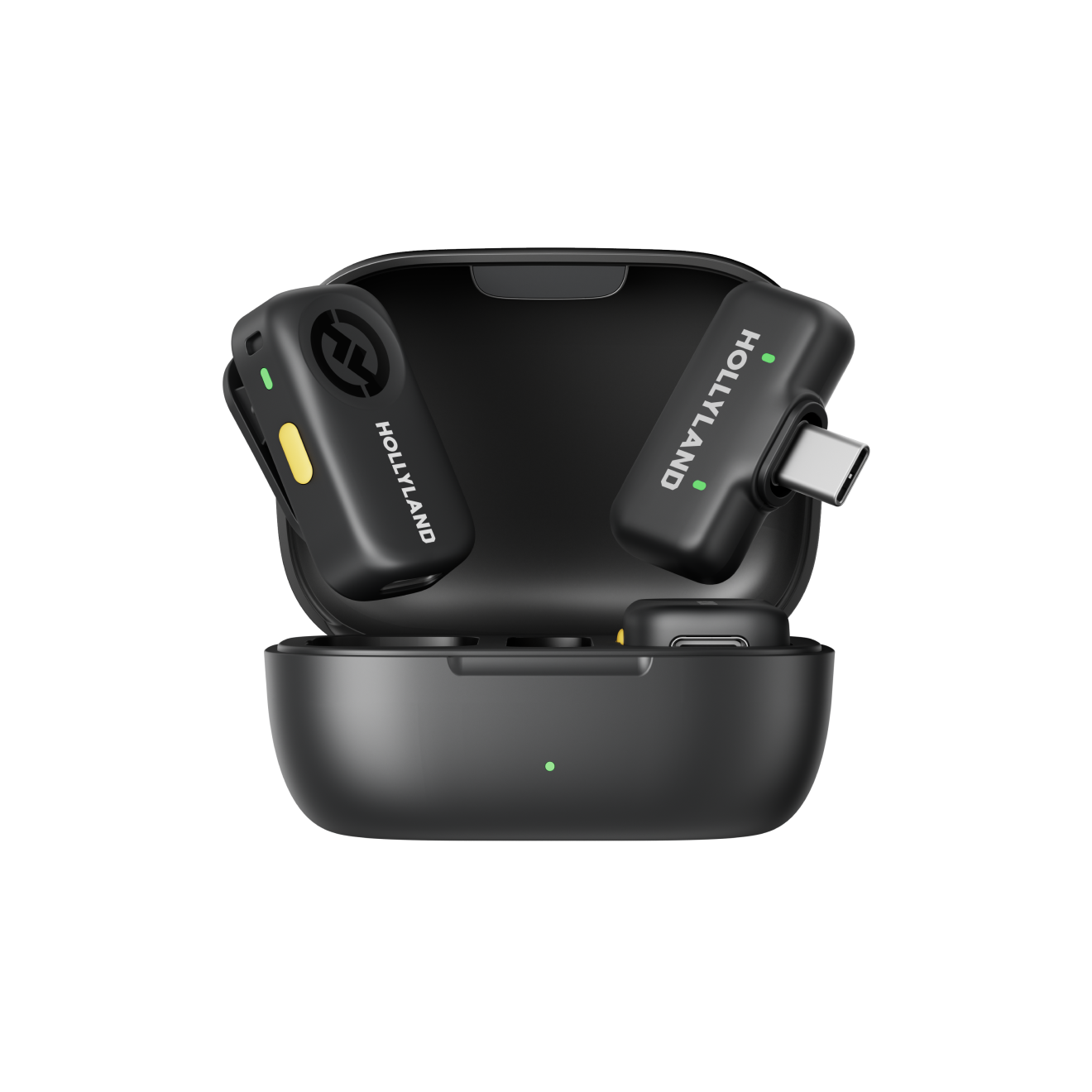
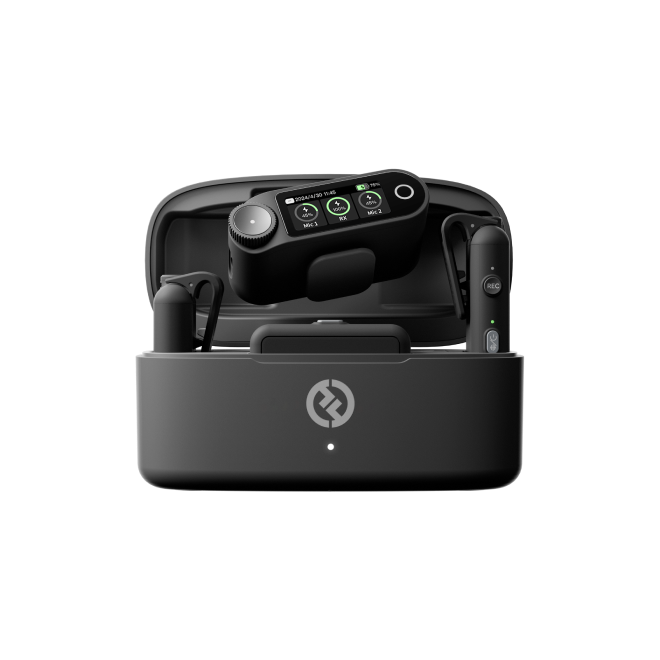
The Hollyland MELO P1 is a good example. It combines a built-in 1-inch large-diaphragm condenser microphone, a dual-DSP Smart Audio mixer, 32-bit Float recording, and a 3.5mm instrument input in a single portable unit designed specifically for singer-songwriters and street performers. For musicians who want studio-quality vocal capture while traveling, busking, or producing mobile demos without assembling a full interface-and-DAW chain, tools like this offer a genuinely practical alternative workflow.
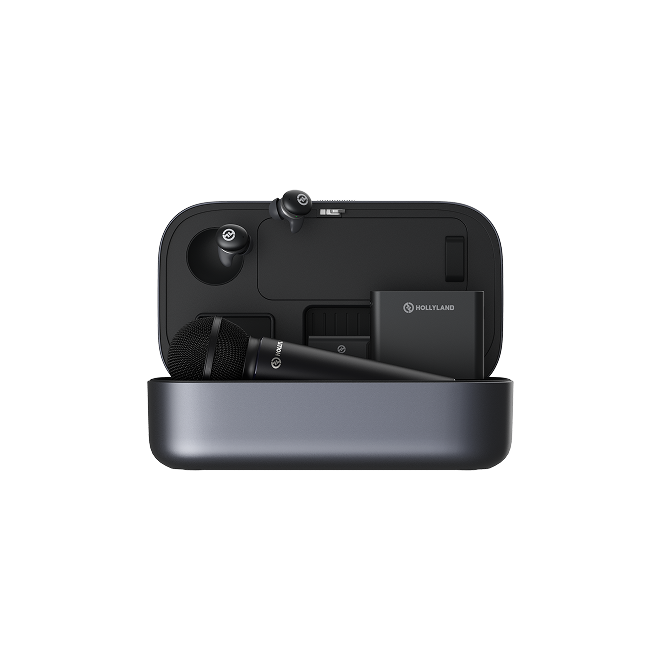
Hollyland MELO P1 - All-in-One Wireless Audio Studio
A revolutionary all-in-one wireless studio system combining handheld vocal capture, smart DSP mixing, and zero-latency monitoring in a single portable case.
Key Features: All-in-One Wireless Studio | 32-Bit Float Recording | 40 Hours Total Battery
That said, for most home studio setups where the goal is recording into a DAW with professional microphones, instruments, and studio monitoring, a traditional audio interface remains the standard and recommended approach. The flexibility, input count, and signal quality of a dedicated interface cannot be matched by all-in-one alternatives when it comes to full music production.
Frequently Asked Questions
Can I record music without an audio interface?
Yes, in limited scenarios. A USB microphone handles single-source recording and connects directly to your computer without a separate interface. All-in-one portable recording tools can also bypass the traditional interface-DAW chain. Both options limit your flexibility in a few important ways. You can’t connect multiple XLR microphones at once. Swapping microphone capsules isn’t possible with either option. You also can’t route instruments and vocals together into your DAW.
What’s the best audio interface for beginners?
For most beginners, a 2-in/2-out USB interface in the $100 to $200 range covers everything needed for home studio recording. When comparing options, focus on these key specs first. Look for clean preamps that keep unwanted noise low. Make sure they support 24-bit/96 kHz recording for quality. USB bus power means no wall adapter is needed. Also, check whether there’s a direct monitoring switch included. A second headphone output is a useful bonus if you ever record with another person in the room.
Does an audio interface improve sound quality?
Yes, noticeably. The upgrade mainly comes from three different areas working together. Better preamps capture signals with more clarity and dynamic range. Clean ADC and DAC conversion also keeps audio quality high. Professional bit depths and sample rates improve digital audio quality. Physical separation also keeps electrical noise away from recordings. Even basic dedicated interfaces can sound cleaner than laptop audio.
What cables do I need to connect a microphone to an audio interface?
Most professional condenser and dynamic microphones connect to an interface using a standard XLR cable with three-pin balanced connectors. Electric guitars and bass guitars connect via a quarter-inch TS instrument cable plugged into the interface’s Hi-Z instrument input. The interface then connects to your computer using the included USB or Thunderbolt cable.
Conclusion
An audio interface is the essential bridge between acoustic sound and your DAW, giving home studio musicians the preamp quality, XLR connectivity, phantom power, and low-latency monitoring that a computer’s built-in audio simply cannot provide. Understanding what it does and why it matters makes every other part of your studio setup easier to figure out.