.png)
 简体中文
简体中文 
How to Create Stunning Vocal Sound Effects Live — No Studio Required
Vocal Sound Effects: How Singers and Performers Can Create Them Anywhere, Anytime
You have a performance in two hours. You want that haunting echo on your chorus. You want the layered harmony that makes the crowd stop scrolling and actually listen. But your studio is at home, your DAW is on your laptop, and your rack gear weighs more than your luggage.
This is the gap that kills creativity — not lack of talent, but lack of the right tool at the right moment.
Vocal sound effects are no longer just a studio luxury. The best performers today use them live, on camera, in rehearsal, and everywhere in between. The question is no longer whether to use them — it’s how to use them without being chained to a desk.
This guide walks you through everything: what vocal sound effects actually are, why conventional setups fail real-world performers, and exactly how to get professional-grade vocal effects anywhere you go.

What Are Vocal Sound Effects (And Why They Matter More Than You Think)
Vocal sound effects are real-time audio processes applied to the human voice — shaping, coloring, and transforming raw vocal sound into something that carries more emotion, more depth, or simply more presence.
They fall into four broad categories:
- Pitch-based effects — harmony generation, pitch shifting, auto-tune correction
- Time-based effects — reverb, delay, echo
- Texture-based effects — chorus, flanger, distortion
- Creative/special effects — vocoder, robot voice, telephone filter, lo-fi treatment
But here’s what most tutorials miss: vocal effects are not decoration. They are communication tools.
A well-placed reverb tells the audience they’re in a cathedral. A subtle harmony makes a single voice sound like a choir. A distorted vocal creates urgency, tension, or raw emotion that a clean signal simply cannot carry. In modern music — from pop to indie folk to electronic — vocal effects are part of the compositional language itself.
For live performers, this means vocal effects are no longer optional. They are part of the performance identity. For content creators, they define a recognizable sonic brand. For songwriters, they help translate the idea in your head into something other people can actually feel.
The problem is getting access to them without a full studio setup.
The Problem with Most Vocal Effects Setups
Let’s be honest about why most singers avoid vocal effects live: the traditional tools are a nightmare outside the studio.
DAW + Audio Interface: Powerful, yes. But you need a laptop, an interface, a mic, cables, software, and at least 20 minutes of setup. One software crash mid-set and your effect is gone.
Rack-mount Processors: Professional grade, but expensive, heavy, and designed for permanent installation. Not practical for a touring musician, a rehearsal room, or a spontaneous recording session.

Phone Apps: The latency alone disqualifies them for serious use. Most apps introduce 40–100ms of delay — enough to completely destroy the feel of a live performance.
The missing middle has always been a device that is:
- Professional in sound quality
- Portable enough to take anywhere
- Simple enough to use in real time
- Versatile enough to cover multiple use cases
That gap is exactly what the Hollyland MELO P1 was built to fill.
Meet MELO P1 — A Vocal Effects Processor Built for Modern Performers
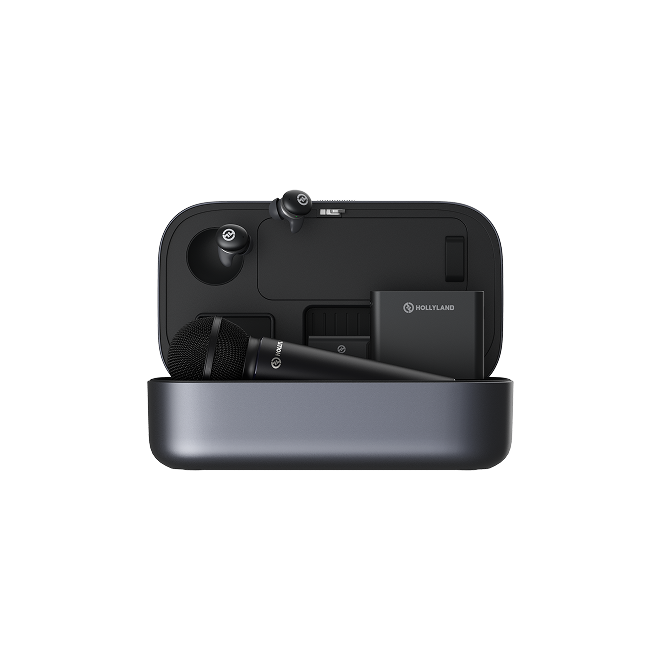
The Hollyland MELO P1 is not a novelty gadget or a stripped-down phone accessory. It is a purpose-built vocal effects processor designed for singers, performers, and creators who need professional vocal sound effects in the real world — not just inside a studio.

What Makes MELO P1 Different
Most vocal processors force a trade-off: power versus portability. MELO P1 refuses that compromise.

It is compact enough to clip onto a stand, a strap, or fit in a jacket pocket — yet it delivers real-time audio processing with the kind of sound quality you’d expect from studio-grade equipment. It connects to both wired and wireless setups, supports microphone and line inputs, and outputs directly to a PA system, audio interface, or camera — making it equally useful on a stage, in a content studio, or in a rehearsal room.
What sets it apart technically is the zero-latency feel of its real-time processing. There is no perceivable delay between your voice and the effect output — which is the single most important technical requirement for any live vocal effects device. The moment that sync breaks, the performance breaks with it.
It is designed for performers who move, think fast, and can’t afford to stop mid-song to troubleshoot gear.
MELO P1’s Preset Library — Your Shortcut to Professional Sound Effects
This is where MELO P1 becomes genuinely powerful for creators and performers at every skill level.

The built-in preset library is a curated collection of professionally designed vocal effect combinations — ready to use instantly, without any programming, routing knowledge, or audio engineering background.

Presets are organized across multiple categories:
- Performance presets — designed for live stage use: warm reverbs, tight harmonies, presence-boosting EQ
- Studio presets — cleaner, more controlled effects suited for recording and production
- Creative / Special FX presets — telephone filters, lo-fi textures, robot/vocoder effects, dramatic distortion
The real-world value of a preset library is speed. In a live performance, you don’t have time to dial in reverb decay while the intro is playing. With MELO P1, you tap a preset and it’s done — the right sound for the right moment, instantly.
For more advanced users, presets are not a ceiling — they are a starting point. You can fine-tune parameters and save your own customized versions, building a personal library that reflects your unique vocal style. A singer-songwriter might save a “signature reverb” preset they use every show. A YouTube creator might lock in one clean-enhancement preset that makes their voice sound identical across every video — building that recognizable sonic identity episode by episode.
The preset library also solves one of the most overlooked problems in live performance: consistency. Every night sounds like the last. Every video sounds like the brand.
How to Set Up and Use MELO P1 for Vocal Sound Effects (Step-by-Step)
Getting started with MELO P1 is straightforward. Here is the complete setup and use workflow.
Step 1 — Signal Chain Setup
The MELO P1 sits between your microphone and your output destination. The basic signal chain looks like this:
Microphone → MELO P1 → [PA System / Audio Interface / Camera]
For live performance: Connect your mic to MELO P1’s input, then run the output to your PA system or mixing board. If you use a wireless system, MELO P1 integrates cleanly into both wired and wireless signal paths.
For content creation: Connect MELO P1’s output to your audio interface or directly into your camera’s audio input for processed vocal recording in real time.
For rehearsal and songwriting: Use headphone monitoring directly from MELO P1 to hear your processed vocal privately while experimenting with sounds.
Compatible mic types include dynamic and condenser microphones — covering the vast majority of stage and studio setups without requiring adapters or specialty cables.

Step 2 — Choosing the Right Vocal Effect for Your Context
Not every effect works in every context. Here is a practical reference guide:
| Context | Recommended Effect Type | MELO P1 Feature to Use |
| Live performance | Reverb + Harmony | Performance preset bank |
| Content creation (YouTube/TikTok) | Warmth + Presence | Studio / Clean presets |
| Telephone / Lo-fi aesthetic | Telephone filter | Creative FX presets |
| Songwriting session | Echo + Delay | Real-time processing |
| Podcast / Voice acting | EQ enhance + warmth | Clean enhance presets |
| Dramatic/cinematic effect | Distortion + echo | Special FX preset bank |
The rule of thumb: start with a preset that is 80% right, then adjust from there. Do not try to build a complex effect from scratch under time pressure. The preset library exists precisely so you do not have to.
Step 3 — Real-Time Adjustment During Performance
One of MELO P1’s most practical advantages is that it does not require you to stop, look down, and navigate complex menus during a performance.
On-device controls allow you to:
- Switch presets between songs or between sections of a song
- Adjust key parameters (reverb depth, harmony blend, effect intensity) on the fly
- Bypass all effects instantly for clean vocal sections without changing any settings
A few practical tips for live use:
Gain staging matters. Before you go on stage, test your input gain level at performance volume — not soundcheck whisper volume. Most feedback problems come from gain that was set too low during check and then pushed during the show.
Preset-switch timing. If you plan to switch presets mid-song, rehearse the transition. Know which button, know the timing, and make it part of the performance rather than an awkward technical moment.
Less is more. The most common mistake new users make is stacking too many effects. A single well-chosen reverb or harmony layer will do more for your sound than four competing effects fighting for space.
Creative Ways to Use Vocal Sound Effects Beyond the Stage
MELO P1’s portability opens up use cases that go well beyond traditional live performance. Here is how different creators are using vocal sound effects in their work:
YouTube and TikTok Creators
Your vocal tone is part of your brand. A consistent, warm, slightly reverb-enhanced vocal across all your videos creates a professional signature that viewers recognize before they even see your face. Use MELO P1’s studio presets to lock in that sound and replicate it every single session — no matter where you record.
Podcasters and Voice Actors
Vocal effects are not just for music. A horror podcast can use subtle distortion and delay to create atmosphere during a dramatic scene. A narrator can use warm EQ enhancement to make their voice feel closer, more intimate. Voice actors can use telephone or radio filters to portray characters communicating over distance. MELO P1’s creative preset library covers all of these scenarios without requiring post-production editing.
Songwriters and Producers
When you are writing a song, hearing your voice with the right effect applied in real time changes the creative process. Melodies feel different with reverb. Harmonies suggest new chord directions. The MELO P1 lets you write with the sound, not just toward it — which often leads to stronger, more intentional compositions.
Streamers
Live streaming audiences respond to sonic variety. Using MELO P1 to switch between a natural voice for commentary, a filtered voice for character moments, and a dramatic effect for cinematic game sequences adds production value that sets a stream apart from the thousands of others using only a raw microphone input.
Frequently Asked Questions
What are the most popular vocal sound effects?
Reverb, delay, pitch shift, harmony, chorus, and distortion are the most widely used in both live performance and recorded music. Reverb and harmony are the two most impactful for live singers specifically.
Can I use vocal effects without a computer?
Yes. Devices like the Hollyland MELO P1 process vocal effects in real time with no DAW, no laptop, and no software required. You plug in, select a preset, and perform.
What is the difference between a vocal effects pedal and a vocal processor?
A pedal typically handles one effect at a time and is operated by foot. A vocal processor like MELO P1 combines multiple effects, preset management, signal routing, and real-time adjustment in a single compact device — significantly more flexible for both stage and studio use.
Are vocal effect presets good for beginners?
Presets are one of the best features for beginners precisely because they deliver professional-sounding results without requiring technical knowledge. You can start performing with great sound on day one and learn the details over time.
Can MELO P1 be used for both recording and live performance?
Yes. MELO P1 supports both scenarios through its flexible output options. Connect to an interface for recording or to a PA system for live performance — the device handles both without reconfiguration.
How do I avoid feedback when using vocal effects live?
Proper gain staging before the show is the most effective prevention. Keep your microphone away from monitor speakers, use a directional (cardioid) mic pattern, and test every effect preset at full stage volume before the performance begins.
Conclusion
Vocal sound effects have moved from the studio rack to the performer’s pocket. They are no longer a technical extra — they are a core part of how modern singers, creators, and performers communicate, connect, and build identity.
The tools that once required a full studio setup, a sound engineer, and hours of preparation are now available in a single compact device that fits in your bag and sets up in minutes.
MELO P1 bridges the gap between what you hear in your head and what your audience actually experiences — with zero compromise on sound quality, zero tolerance for latency, and a preset library deep enough to cover every context from stadium performance to solo podcast recording.
Your voice is already the instrument. MELO P1 is how you shape it.
Ready to Hear What Your Voice Can Really Do?
Explore the Hollyland MELO P1 — its full preset library, real-time processing, and portable design built for performers and creators who refuse to be limited by their gear.


Subscribe us
to get the latest news!


