.png)
 简体中文
简体中文 
Video podcasts are more popular than ever. In 2025, they’ve gone beyond audio—most top shows now include video. YouTube has surpassed Spotify and Apple, and Spotify’s video catalog has nearly tripled in size over the past two years.
This guide shows you how to start your video podcast from scratch.
Note: No links or products here are sponsored. We only recommend what works.
What is a Video Podcast?
A video podcast is self-explanatory. It’s a podcast with visual elements. This could include the hosts on camera or visuals such as slides and B-roll. Platforms like Spotify and YouTube host video podcasts. The visual component of video podcasts changes how your audience connects.
Tip: Camera-shy or too much hassle at the start? Start with a static image or animated waveform. It still counts as a video podcast. The goal is to reach a wider audience.
Video vs. Audio Podcasts
Here’s how video podcasts stack up against traditional audio-only formats:
| Feature | Audio-Only Podcast | Video Podcast |
| Engagement | Lower (28%) | Higher (87% on YouTube) |
| Discovery | Limited to podcast apps | Found on YouTube, TikTok, more |
| Monetization | Mostly sponsorships | Ads, brand deals, short-form clips |
| Connection | Just voice | Visual cues, faces, personality |
| Editing Effort | Lower | Higher, but worth it |
Tip: Even if your podcast starts audio-only, consider adding video later to grow faster on platforms support video podcasts.
Why Start a Video Podcast in 2025?
In 2025, video-first platforms, including YouTube, Spotify, TikTok, and even Reddit, all favor video content. The tools are easier to use, the platforms are optimized for creators, and the audience is already watching. Now is the perfect time to jump in.
Tip: Start simple and stay consistent. You can upgrade gear later—what matters is showing up and publishing.
How to Make Your Video Podcast in Se7en Easy Steps
It may seem complex, but it’s one of the easiest things to do. To make the whole process quite approachable and digestible for beginners, we have broken it down into seven easy steps.
1. Essential Equipment and Software
You don’t need top-tier gear to start podcasting. Just get solid gear in three categories: video, audio, and software.
Budget Setup Gear Guide
| Category | Recommended Gear | Why It Works / Tip |
| Camera | Smartphone (min. 1080p rec.) / Logitech C920 webcam | Modern phones shoot quality video and webcams like C920 are plug-and-play — great lighting makes them shine. |
| Lighting | Ring light or desk lamp with soft white bulb | Soft white lighting with bounce is a big improvement without investing in expensive gear. |
| Tripod / Mount | GorillaPod or phone stand | Stabilizes your shot. Eye-level framing matters. |
| Mic | Fifine K669B USB / Blue Yeti | Easy to plug in. K669B is cheaper with solid sound. |
| Headphones | Any wired headphones | Fixes echo issues fast — ask guests to use them too. |
| Recording | OBS Studio (Free) | Great for solo/desktop setup with flexible scenes. |
| Video Editing | iMovie / CapCut / Clipchamp | Covers basic cuts and exports with ease. |
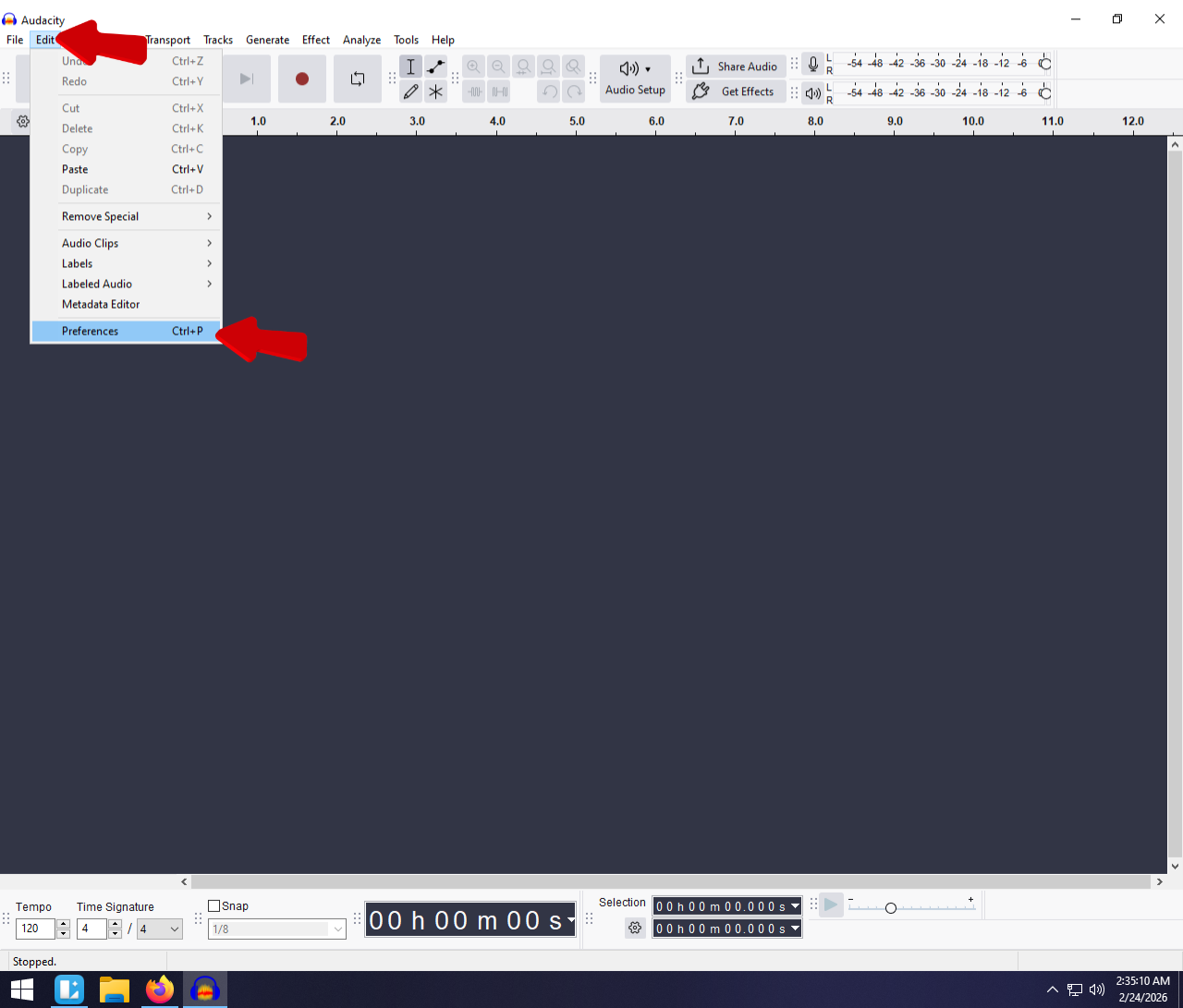
| Audio Editing | Audacity (Free) | Clean up noise, volume, and silences — start with a 1-second blank. |
Pro Setup Gear Guide
| Category | Recommended Gear | Why It Works / Tip |
| Camera | Canon M50 Mark II / Sony ZV E10 | Both are mirrorless, easy to use, and deliver great image quality. |
| Lighting | Three-point kit (e.g., Neewer, GVM) | Key + fill + backlight gives a polished look. |
| Tripod / Mount | Manfrotto Compact tripod or similar | Sturdy, flexible, and reliable. |
| Mic | Shure SM7B + Focusrite Scarlett interface or Rode PodMic | Broadcast quality audio; SM7B is top-tier . |
| Headphones | Audio-Technica ATH-M50x | Excellent sound isolation for mixing. |
| Recording | OBS + Riverside.fm / Zencastr / SquadCast | SquadCastMulti-cam, remote guest support, local backups. |
| Video Editing | DaVinci Resolve or Premiere Pro | Professional-grade tools with powerful features. |
| Audio Editing | Adobe Audition | Deep control over noise, EQ, and compression. |
2. Setting Up Your Recording Space
You can achieve professionalism without a fancy studio—find a quiet corner, and with a bit of creativity, you will do just fine. Here’s how to prep your space for crystal-clear audio and visually engaging video.
First, kill the echo. Find a room that doesn’t echo like a cave. It can creep in when you least expect it and ruin your audio.
- Choose a smaller room with carpet or curtains. Avoid empty rooms with bare walls.
- Add soft materials, such as rugs, curtains, couch cushions, or acoustic foam panels, to absorb reverb and background noise.

Second, whatever’s in your camera frame becomes part of your brand. That could be a shelf of books, a neon sign, or just a clean wall. Hence, keep the background tidy and brand-consistent with your vibe.
Third, lighting changes everything. A well-lit shot instantly makes your podcast look pro—even with a basic webcam. Avoid backlighting from windows—unless you want to look like a mysterious silhouette. Face the light instead.
Go beyond the ring light. Try the 3-point lighting setup:
- Key Light: Main light, placed 45° in front of you.
- Fill Light: Use a softer light on the opposite side to reduce shadows.
- Back Light (Hair Light): Positioned behind you to separate you from the background.

[Image alt text: Simple diagram showing 3-point lighting with labeled arrows for key, fill, and backlight.]
Once your setup is in place:
- Perform a test recording to check mic clarity, video frame, and lighting balance.
- Sit and talk naturally—if you’re not comfortable, your audience will feel it too.
Tweak as needed. Sometimes, even a $20 investment can take your production quality from mediocre to wow. Invest smart!
3. Planning and Scripting Your Episodes
Great video podcasts start with clear plans—not word-for-word scripts. First, pick a topic. Consider audience interests—learning, entertainment, or industry updates. Decide your episode length and focus on a specific theme or trending issue. Need ideas? Refer to relevant YouTube comments or Reddit discussions for additional information.
Next, outline talking points. Prepare bullet points instead of complete scripts. This keeps conversations natural and focused.

[Image alt text: Sample outline for a video podcast. Topic: Why Consistency Builds a Loyal Audience]
If you plan to invite guests to your podcast, send them the key discussion points beforehand. Let guests know it’s fine to pause or wander slightly—you’ll gently guide them back.
Finally, plan episodes in advance to stay consistent and stress-free. Simple tools like Google Sheets, Notion, or Trello help greatly. Good planning separates hobbyists from those who grow their podcasts. You can always wing it—but planning ensures you nail it.
4. Recording Your Video Podcast
Your gear is ready. Your script is outlined. Now it’s go-time.
Recording is where the magic happens. But before you hit that red button, let’s make sure nothing goes wrong—because nothing kills a good episode like finding out your mic was muted the whole time.
We recommend preparing a technical checklist, something like:
| Podcast Tech Prep – Ep 04 | |
| ☑ | Mic plugged in and picking up sound |
| ☑ | Camera connected and focused |
| ☐ | Framing looks right (eye level, no head cut-off) |
| ☐ | Lighting is even and turned on |
| ☐ | Laptop plugged in and performing smoothly |
| ☐ | All unnecessary apps closed |
| ☐ | Test recording complete (audio + video) |
| ☐ | Guest connected and setup confirmed (if remote) |
| ☐ | Backup recording active or ready |
You can put a checkmark against each one to ensure everything is set up and ready to go. Don’t skip this. As you might have guessed by now, how important it is.
Recording with a Guest?
If your guest is remote, use Zoom or Riverside.fm, Zencastr, whatever — don’t assume they know anything. Send them a message before the call. Something like:
“Greetings; we request you to use headphones, check your mic, and find a perfect cozy spot. If you can record a backup on your phone, even better.”
Before you start recording, test their audio and video. Fix it before you waste a good conversation with garbage quality. If you have a multi-cam or multi-mic setup, clap your hands on the camera at the start. That’s your sync point for editing later. It’s an old-school film trick, and it always works.
Messed Up a Line? No Problem. Just pause and repeat the line. Retakes are normal. Don’t try to fix bad delivery later — redo it clean on the spot. It’s easier to edit and sounds better. Every time you mess up, snap your fingers, or clap — it gives you a marker to cut from later.
Sh*t Happens, Be Ready
Battery dies? Storage full? Neighbor starts vacuuming? Don’t panic. Just pause, collect yourself, snap or clap to mark it. Fix it and keep going. If something completely fails — like your guest’s internet drops or your camera crashes — fall back to your backup plan. Or reschedule. That’s just part of the game.
A pro tip! Your energy drives the entire episode. You’re the host, so set the tone. People relax when they know they won’t be judged for screwing up. Make it easy for them.
After you are done, stop the recording, save it immediately, name your files properly, and create a backup. The editing room can work miracles, but only if you give it something usable.
5. Editing and Post-Production
You’ve recorded the episode. Good job. Now it’s time to clean it up and turn it into something people will want to watch or listen to.
Editing can be overwhelming — but you don’t need to master cinematic transitions or color grading. You need to cut the junk, tighten the flow, and make it sound good.
First, import all your files (video, audio, backup recordings) into your editing software (Premiere Pro, DaVinci Resolve, Final Cut, or whatever you’re using). Sync them if needed — use your clap or snap from the beginning to align everything. Then, pick your central video angle and drop it onto the timeline. Now you’re ready to edit.
Next, review the episode and remove the unnecessary content (dead air, awkward pauses, tangents that lead nowhere, technical issues, and retakes). Don’t butcher it so much that it feels robotic — but don’t let it drag either. Keep it tight but human.
Add lower thirds (such as name tags, social handles, etc.) if needed, as well as your branded intro and outro. Please don’t overdo it. One or two is enough. If it’s going on YouTube, create a thumbnail (Canva is your friend) and consider adding a short end screen or call-to-action.
If you’re discussing a topic that would be more effective with a visual, show it. Talking about a website? Show the screen. Mentioning a product? Drop in a photo or short video of it. Got a funny reaction? Meme it. Don’t force it, but when it makes sense, it adds a lot.
Fix Your Audio (Do Not Skip This)
This is not optional. People will watch a video with poor quality but good sound. But no one’s tolerating garbage audio on a podcast. Here’s the basic audio editing flow:
- Noise Reduction – Remove background hiss or hum
- Leveling – Make sure your volume is consistent
- Cut Filler Sounds – Ums, uhs, coughs, dead air
- EQ (Optional) – Boost clarity if your voice sounds muddy
- Compressor/Limiter – Keep loud parts in check, boost quiet ones
Use Audacity (free) or Adobe Audition (paid) if your video editor’s audio tools suck.
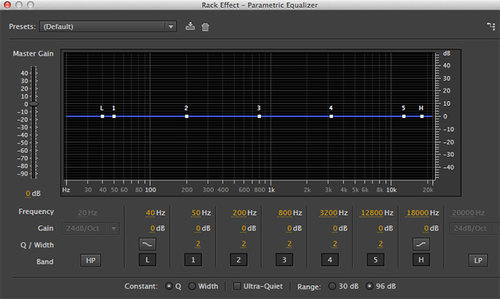
[Image alt text: EQ in Adobe Audition]
To go in-depth on how to make your podcasts sound better, we recomment reading this guide from glow.fm.
Tip: If you recorded decent sound in a good room, you won’t have to do much here.
Add Subtitles or Captions
Subtitles help with accessibility, boost engagement, and improve SEO — especially on YouTube. Use tools like Descript, CapCut, or YouTube’s auto-captioning feature, and then refine them. You can either burn them into the video or upload a separate .srt file.
Further readings:
Descript guide on how to add subtitles to video
Riverside.fm guide on how to add subtitles in CapCut
Prepare the Final Cut
Now after everything said and done, watch the whole episode front to back and look for:
- Random cuts or jumps
- Audio out of sync
- Visual glitches
- Any missed sections or half-edited messes
- Once it looks good, export it. Recommended export settings for YouTube/Spotify:
- Format: MP4
- Codec: H.264
- Resolution: 1920×1080
- Bitrate: ~10–15 Mbps
- Audio: 128–192 kbps MP3 or AAC
Create the Audio-Only Version
Strip the audio from your final video and export it as MP3 (or WAV if needed). This is what goes to Apple Podcasts, Spotify (if you’re not using video), Pocket Casts, and other platforms. Keep it clean. No long silences. No weird audio transitions. No dead space.
Further reading: Guide on how to extract audio from video
When it’s done, save everything. Then back it up. Use a cloud drive, external hard drive, whatever — just don’t let a crash nuke your work.
Editing is where your podcast actually becomes a podcast. Do it right, and people will stick around. Do it lazy, and they’ll bounce halfway through. You don’t need to be an editor to make it work. Just care enough to fix the basics.
6. Publishing and Distribution
Publishing your podcast isn’t hard — the tricky part is figuring out where to put it and how to get it seen. In 2025, it’s all about reaching both watchers and listeners, and that means understanding the difference between platforms and formats.
Choose Your Platforms
Let’s break it down. For video podcasts, YouTube is the most important platform. Create a dedicated channel for your podcast episodes. Don’t just dump them on your main account — keep things clean and organized.
Second to YouTube is Spotify, which now supports full video episodes. Spotify for Podcasters allows you to upload videos directly. Viewers can either watch or listen — the same file, with a broader reach.
Other options, such as Vimeo or Facebook, exist, but honestly? Stick to YouTube and Spotify when you’re just starting out. They’re where the people are. For audio-only platforms like Apple Podcasts, Google Podcasts, Amazon Music, Pocket Casts, Overcast, and many others require an RSS feed, and you’ll need a podcast hosting service to create one.
Use a Hosting Platform for Audio RSS
If you want people to find your audio podcast on Apple, Google, Spotify (audio), etc., you’ll need a host. Use Podbean, Libsyn, Buzzsprout, or Spotify for Podcasters. Here’s how it works:
First, upload your audio-only version to your host. It generates an RSS feed automatically. That feed gets submitted to all the major podcast directories. And that’s it. Now, your podcast is out there. Listeners can subscribe, and new episodes drop automatically.
Note: Not all directories support video. For example, Google Podcasts does not support video feeds. Apple Podcasts technically does, but it’s clunky. For simplicity, treat your podcast as audio and video, with the video content hosted on YouTube or Spotify and the audio content available everywhere else.
Publishing Workflow
Here’s what publishing looks like for each episode:
- Publish the audio via your host (Podbean, Buzzsprout, etc.). This pushes to Apple, Google, etc.
- Upload the video to YouTube.
- (Optional) Upload the video to Spotify via Spotify for Podcasters (if you want both video + audio support on Spotify).
- (Optional) Share the YouTube link on Facebook, Twitter, Reddit, wherever your people hang out.
- (Optional) If you’ve got a website, embed the video and audio players on an episode page.
- That’s it. You’re live.
You don’t need to publish on 15 platforms. Just get your video on YouTube, your audio hosted with an RSS feed, and promote it smartly. That’s enough to grow from zero.
7. Promotion and Audience Engagement
So, you made a podcast. Cool. But if no one listens to it, did it even happen?
Growing your podcast means getting loud — without being annoying. You’ve to promote it, share it, and engage with the people watching.
Your first audience is already around you. Friends. Family. Co-workers. Don’t spam them, but let them know. That first 50–100 views? It’s most likely coming from people who know you. And that’s fine. It’s a start.
No one’s watching an hour-long video from a stranger. But a 30-second clip? That might catch attention. Go through your episode and grab a moment. Cut it. Caption it. Post it on TikTok, YouTube Shorts, Reels, Twitter. That’s how people find you.
Got a comment? Reply to it. Got a message? Answer it. Got 10 subscribers? Treat them like gold. The more engaged you are, the more loyal they become — and loyal followers share your stuff. You’re not just growing a podcast. You’re building a little tribe.
Once you have a few solid episodes, you can run ads — but don’t waste money too early. When you do:
- Boost a high-performing clip on Instagram or YouTube
- Target fans of similar podcasts
- Keep it short and snappy — this isn’t the place for 2-minute trailers
- You don’t need a big ad budget. Just something that gets new people in the door.
In 2025, content doesn’t promote itself — even if it’s good. The internet is flooded. The people who win are the ones who put their work in front of eyeballs and actually show up for their audience.
Promote smart. Engage often. Don’t beg for attention — earn it.
Conclusion
Last word of advice: have fun with it! It doesn’t have to be that complicated or mind-boggling; go with the flow and see where it lets you. Video podcasting can be incredibly rewarding; all you get to be is creative. Any time is the right time to start your first podcast, but in 2025, it’s the best time.
FAQs
Q: What equipment is essential for starting a video podcast?
At minimum: a quality mic, webcam or phone (HD), headphones, basic lighting (ring or softbox), tripod, and editing software. Upgrade later as needed.
Q: Can I repurpose my audio podcast into a video format?
Add a static image to your audio for quick uploads, or start filming new episodes with a webcam or phone. For remote guests, record video calls.
Q: How do I choose the right platform for my video podcast?
YouTube is essential. Spotify also supports video. Keep distributing audio via Apple, Google, etc., to reach both video and audio audiences.
Q: What are the best practices for engaging with my audience?
Look at the camera, ask questions, reply to comments, use CTAs (like/subscribe), and build a community (Discord/Facebook). Be authentic and consistent.
Q: How can I monetize my video podcast effectively?
Grow first. Then try sponsorships, YouTube ads, Patreon, merch, affiliate links, or live events. Monetize slowly, prioritize content, and track analytics.