.png)
 简体中文
简体中文 
Sound is often overlooked when creating short-form videos. Many creators focus mainly on visuals and captions. But audio can also affect how people discover and watch your content. The right sound at the right moment can help your video reach more viewers. This guide explains how to find trending sounds early. It also covers how to pick sounds that match your content. You will learn how to sync video clips with audio effectively. It also shows how to create original audio for future videos.
Why Sounds Drive Virality (It’s Not Just Trend-Chasing)
Platforms like TikTok, Instagram Reels, and YouTube Shorts treat audio as a content clustering signal. When a sound gains traction, the algorithm groups all videos using that sound into a shared discovery pool.
A viewer who watches one video using a trending audio clip gets served more videos tagged to the same sound, creating a rolling carousel effect that funnels new viewers to your content without any additional effort on your end.

Audio also triggers recognition and emotional responses faster than visuals. When a viewer hears a sound they already associate with a feeling, whether that is excitement, nostalgia, or humor, they stop scrolling. That pause boosts watch time metrics, which platforms read as a signal of quality and reward with broader distribution. TikTok’s own research found that 88% of users say sound is essential to the platform experience, reflecting how deeply audio is wired into the engagement loop.
There is a third dimension worth understanding: original audio. When you create a sound that others adopt, you own the discovery chain. Every video made using your audio includes a link back to your sound page and, by extension, your profile. This is why creators who launch a sound trend often see follower growth that far outpaces those who simply ride one.
How to Find Trending Sounds Before They Peak
The key advantage is timing. Finding a sound three days before it peaks gives you a placement opportunity that arriving late simply does not.
TikTok
- Open TikTok Creative Center at ads.tiktok.com/creative/creativeCenter and navigate to Trends, then the Songs tab.

- Apply the “Breakout” filter to isolate sounds that are rising quickly but have not yet reached saturation. These represent the early-adopter window.

- Manually scroll your For You Page and note any audio that appears across multiple unrelated accounts. Repetition across different niches is a reliable early signal of a sound breaking through.
Instagram Reels
Method 1:
- While scrolling Reels on Instagram, tap on the audio track name that appears at the bottom of the playing Reel to see its dedicated audio page.

- Check how many times the audio has been used in videos to get a sense of its popularity.
- If you think it’s the right choice, tap the bookmark icon to save it for later use in your videos.
Method 2: Recommended
- Open your Instagram account and tap on the “+” icon in the top-left corner of the interface.

- Select the “REEL” tab from the bottom.

- Tap on the “Audio” option (musical note icon) on the screen.

- Select the “Trending” tab to view all the popular sounds. Instagram marks trending audio right in the app with an upward arrow badge.

- Tap on the audio to use it on your video.
YouTube Shorts
- Method 1: While watching Shorts, pause the video and tap “Trends” at the top. You can then browse trending sounds and get ideas based on your interests.

- Method 2: Open the Shorts camera, tap “Add Sound,” and browse the trending section within the Shorts audio library. YouTube updates this section regularly based on engagement data.
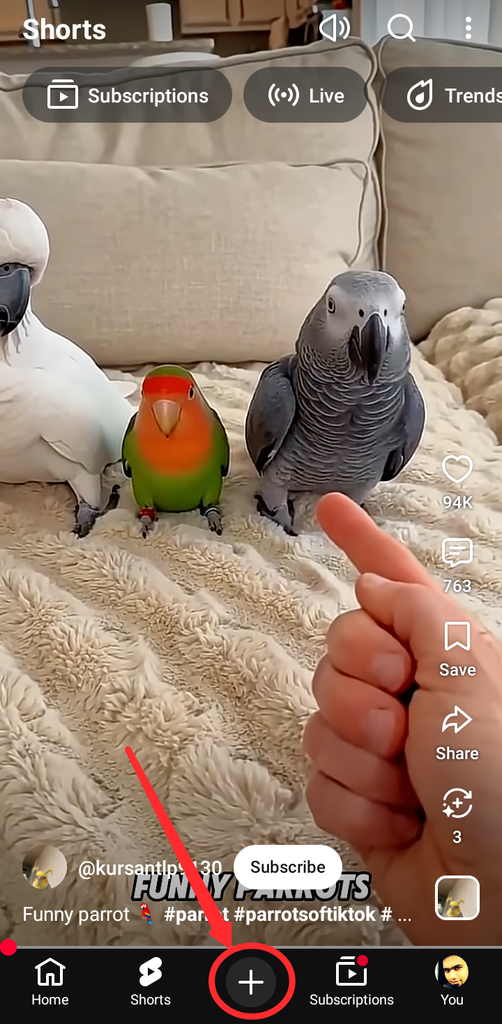


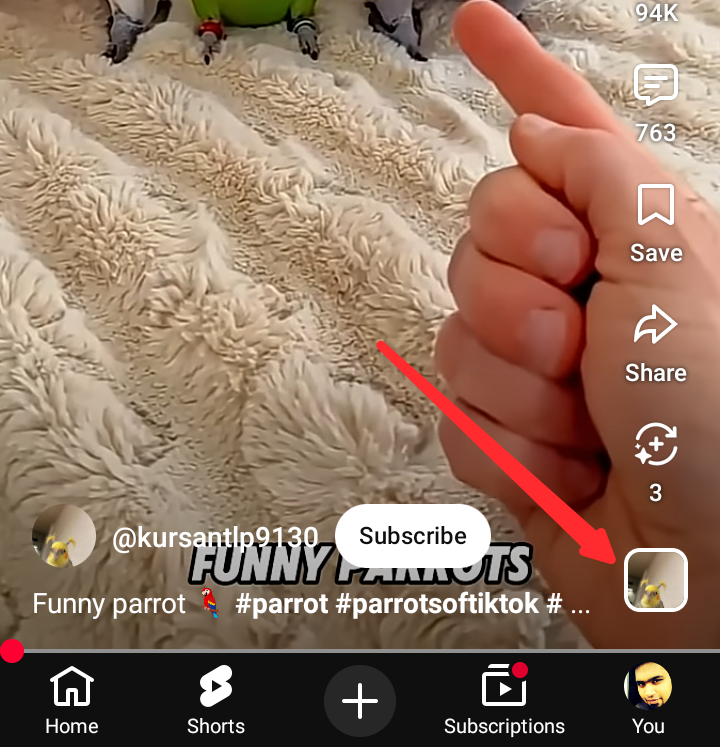
- Method 3: Another option is scrolling through the Shorts feed and checking the audio credit chip. It appears at the bottom right of videos gaining many views. Tap the chip to open the audio page. There, you can check its popularity and save it for later.
Third-Party Tools
Tools like TrendTok Analytics and Tokboard aggregate trending audio data with growth-rate graphs that are more granular than native platform interfaces. These tools can help identify breakout sounds 24 to 48 hours earlier than they surface organically on your feed.
Quick Discovery Checklist:
- Check TikTok Creative Center Audio tab (Breakout filter on)
- Spend 10 minutes on the FYP noting repeated sounds
- Review Reels trending audio labels in the creation tool
- Check YouTube Shorts audio library trending section
- Run a weekly scan in TrendTok Analytics or Tokboard for early signals
How to Choose the Right Sound for Your Content
Finding a trending sound is only half the equation. Using the wrong sound, or using a good sound at the wrong stage in its lifecycle, wastes effort and can undermine credibility. Apply this three-part filter before committing to any audio.
The Timing Window: Early, Peak, or Saturated?
Every sound moves through three stages:
- Early Adopter: Usage count is growing but still relatively low (under 50,000 videos on TikTok is a useful rough benchmark). Competition for feed placement is limited, but there is a risk the sound never reaches mass adoption.
- Peak: Growth rate is climbing steeply, and the sound appears regularly across multiple niches. This is the highest-reach window. Move quickly.
- Saturated: Usage has slowed down, or the sound mostly appears in repetitive posts. At this point, your video enters a crowded group of content. Getting noticed becomes harder, and its impact starts to drop quickly.
To estimate which stage a sound is in, check the usage trend graph in TikTok Creative Center. A steep upward curve signals Peak. A flat or declining curve signals Saturation.
Brand and Mood Fit
A trending sound that clashes with your content’s tone does more harm than using no sound at all. Before committing, ask two questions:
- Does this sound reflect the feeling this video is meant to create?
- Does the lyric, voiceover, or musical mood align with what is happening on screen?
A wellness brand using an aggressive hype track loses trust even if the clip gets views. A comedic creator using a melancholy ballad lands awkwardly unless the contrast is intentional and structured. Fit matters more than trend status.
Audience Familiarity
A sound can trend widely but still miss your specific audience. Your main viewers may respond better to familiar sounds in your niche. Those sounds can get more saves, shares, and follows than popular viral tracks. Check the audio pages of five leading niche accounts. Note which sounds keep appearing in their most-viewed videos.
Sound Selection Decision Table:
| Factor | Green (Use It) | Yellow (Proceed with Caution) | Red (Avoid) |
|---|---|---|---|
| Timing | Early Adopter or Peak | Early peak, growth hard to confirm | Saturated or declining |
| Brand/Mood Fit | Strong alignment with video tone | Neutral, no clear conflict | Tone mismatch or off-brand |
| Audience Familiarity | Active in your niche | Popular but niche-adjacent | Unrelated to your audience |
How to Sync Your Video to a Sound for Maximum Impact
The most common audio mistake is adding sound at the end. Creators often finish the video before picking the audio. A better approach starts with the sound itself. Then, you can build the video around its timing and rhythm. This can make the final post feel more natural and engaging.

Hook in the First 2–3 Seconds
The opening moment must deliver a visual payoff that aligns with the audio’s entry point. If the sound opens with a sharp beat drop or a punchy lyric, cut to your most compelling shot at exactly that moment. When a viewer’s visual experience reinforces what they are hearing, the brain registers the combination as satisfying, which directly improves retention metrics.
To build this correctly:
1. Identify the first significant audio moment (beat hit, lyric, sound effect).
2. Plan a visual action, reveal, or transition that lands precisely on that moment.
3. Watch the first three seconds in silence, then with sound. If the audio adds nothing to the opening three seconds, rework the entry point.
Beat-Matching and Lyric Triggers
- Cut on the beat. Edit transitions to fall on downbeats or drum hits. This creates kinetic energy and makes the video feel polished even with minimal production resources.
- Use lyric moments as visual cue points. When a lyric says “look at this,” the viewer expects something to appear on screen. Map high-impact visuals to high-impact lyrics with intention.
- Time transitions to bass drops or rhythm shifts. A zoom, cut, or effect that lands on a major rhythm change creates the satisfying “sync” feeling that drives replays and shares.
Using Sound as a Storytelling Device
Audio does not always need to match the visuals directly. Some popular short-form videos create interest through contrast. For example, calm music can play over fast, energetic footage. A confident voiceover can also play over an opposite scene. Then, the visual reveal changes what viewers expected. The “expectation vs. reality” format depends heavily on this contrast. It creates a gap between the audio and visuals. So, ask whether the sound fits more than the scene. Ask whether the sound helps tell your video’s story.
How to Create Your Own Original Audio And Why It Multiplies Reach
Riding a trending sound is a short-term reach strategy. Creating original audio is a long-term compounding asset. Every time another creator uses your sound, their video displays a link to your audio page, directing their audience back to your profile. Creators who start a sound trend can see sustained discovery for weeks or months after the original post, far beyond what any single trending audio can deliver.

For original audio to spread to other creators, it needs three things. First, it should have a memorable hook within two seconds. Second, it should create an emotional or funny reaction. This makes people want to add it to their own content. Finally, it should work across different types of videos. This gives creators more reasons to reuse the audio.
Recording quality is not optional. Audio that sounds thin, echoey, or wind-distorted signals low production value regardless of how strong the visuals are. At minimum, record in a quiet space away from HVAC systems and traffic noise. For creators shooting on-location content for TikTok or Reels, a compact wireless microphone eliminates ambient noise without disrupting frame composition or adding a visible recording setup to the shot.
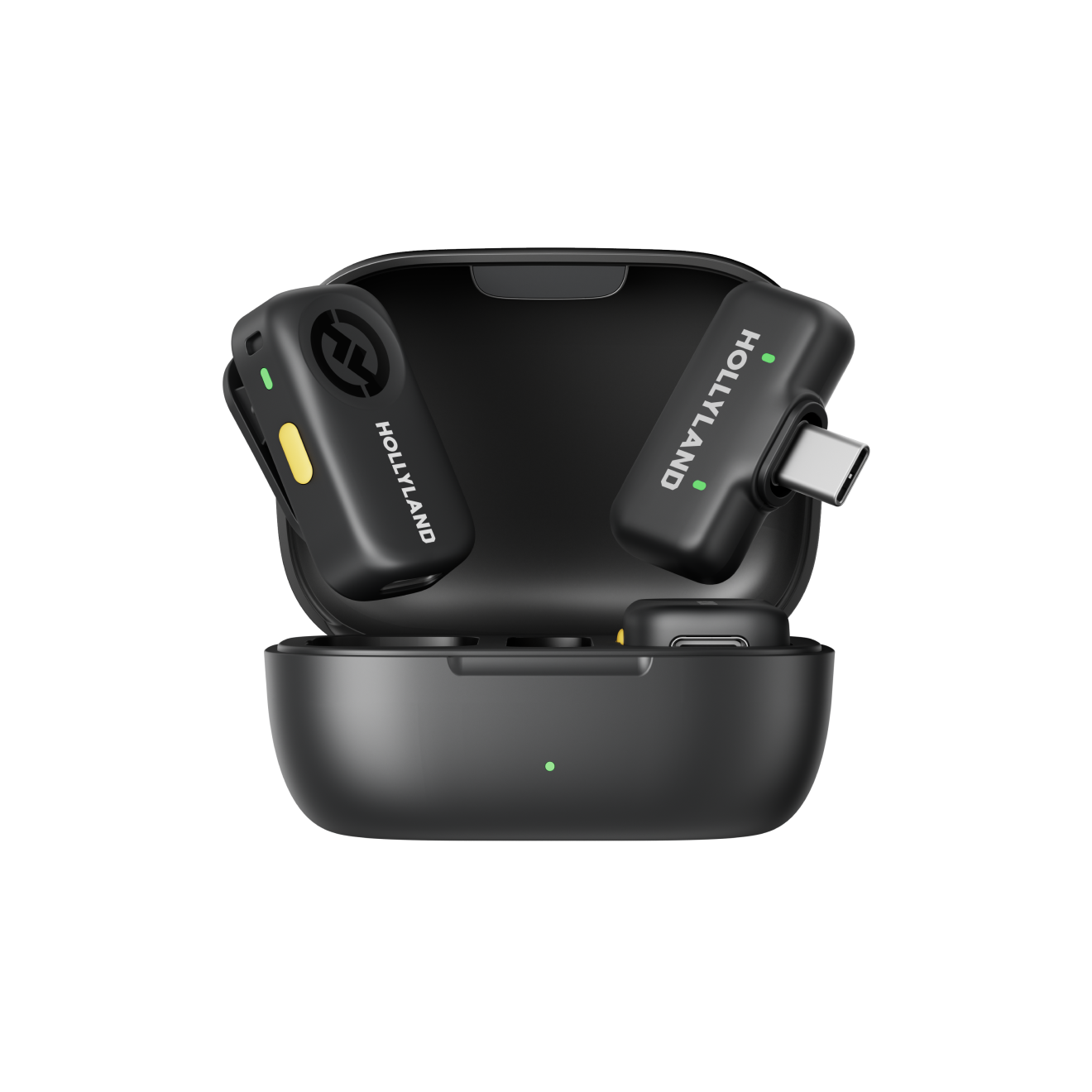
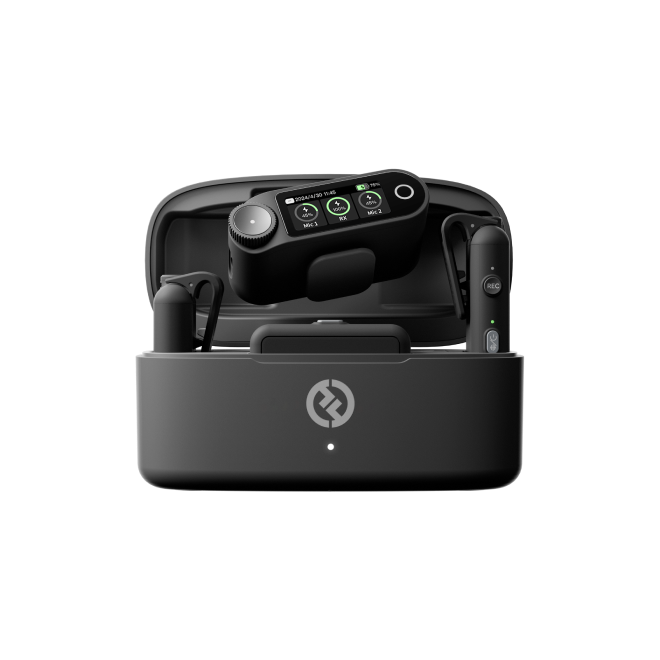
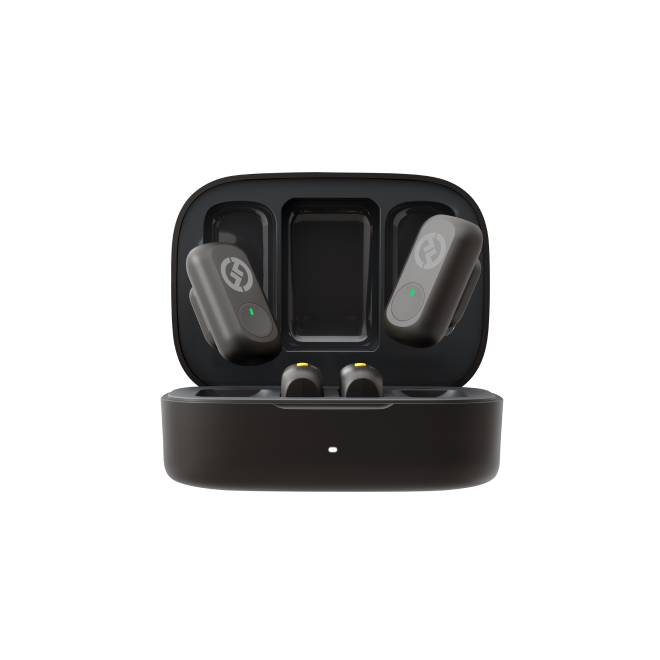
The Hollyland LARK M2S is designed for this scenario. At 7g with a no-logo invisible clip-on design, it disappears entirely into the shot, and its 30-hour battery life covers a full day of location shooting without a recharge.
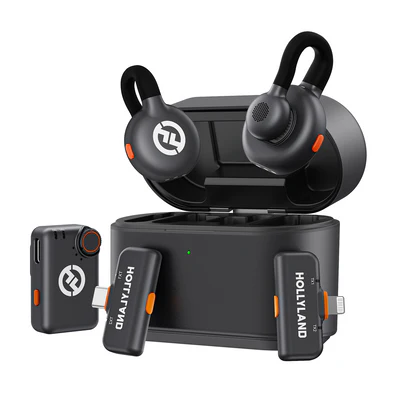
Hollyland LARK M2S - Wireless Hidden Microphone
An ultra-discreet wireless microphone featuring a clip-on transmitter for an “invisible” fit.
Key Features: No-Logo Fit | Ti+ Design | 48 kHz/24-bit
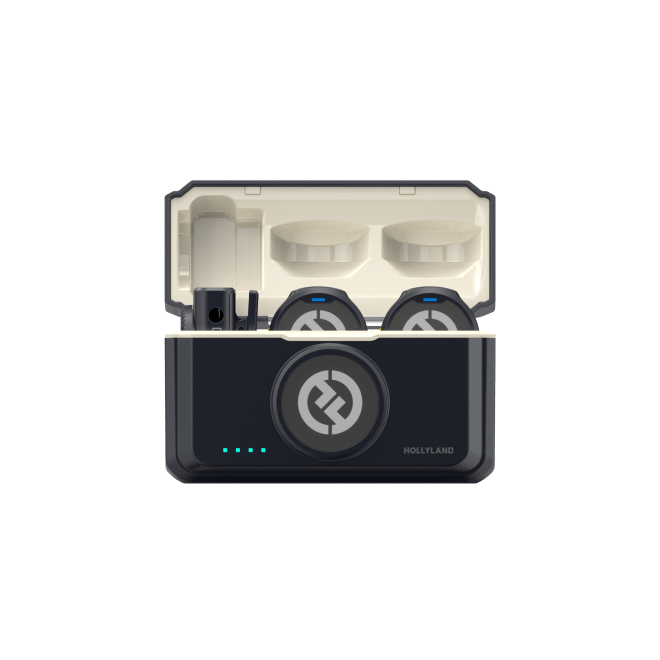
Smartphone-first creators can also look at the Hollyland LARK A1, which connects directly to mobile devices and captures audio at 48kHz/24-bit with 3-Level Intelligent Noise Cancellation, delivering studio-grade clarity from a pocket-sized device.

Hollyland LARK A1 - Affordable Wireless Microphone
A perfect starter mic for creators on a budget. It’s simple to use and features effective noise cancellation.
Key Features: 48kHz/24-bit | 3-Level Noise Cancellation | 54-Hour Battery
Pro Tip: Name your original audio intentionally before posting. A clear, searchable name makes it easier for other creators to discover and reuse, which directly accelerates the compounding profile discovery effect.
Platform-Specific Sound Features to Know
Each platform has audio tools that, when used correctly, add an extra layer of discoverability. Here is a fast reference:
| Platform | Key Feature | Tactical Tip |
|---|---|---|
| TikTok | Sound pages, Duet audio | Save trending sounds to Favorites early, keep your account public, and allow others to use your original audio for Duets and Stitches. |
| Instagram Reels | “Add to Reel” from Explore | Use audio from trending or high-performing Reels with clear topics and strong retention hooks to help the algorithm test your video with a wider audience |
| YouTube Shorts | Shorts audio library, Remix | Remix adds attribution and links your Short to the sound’s Sound Library page. Tools like Cut, Collab, Green Screen, and Reimagine link viewers to the original video, helping drive traffic to its creator |
Copyright and Licensing: The Short Version
Platform-cleared audio libraries are the safest option for all account types. TikTok’s Commercial Music Library, Instagram’s licensed audio catalog, and YouTube’s Audio Library all offer content that is cleared for platform use without risk of muting or removal.
Using unlicensed popular music risks automated content muting, takedown notices, or account strikes, and these consequences fall harder on commercial accounts than on personal ones because different licensing rules apply. Many songs available to personal accounts are explicitly restricted for business use.
Copyright caution checklist:
- Use platform-native libraries or paid services like Epidemic Sound and Artlist for any branded or monetized content
- Confirm audio license type before posting with a business account, since “personal use cleared” does not mean “commercial use cleared”
Frequently Asked Questions
Does using a trending sound guarantee more views?
No, but it can act as a cultural signal for the algorithm. A rising sound does more than group videos on one sound page. It also helps the algorithm quickly understand your video’s vibe. This allows it to test your video with a relevant group of non-followers. Still, watch time, completion rates, and shares guide long-term distribution. The trending sound helps categorize your audience faster. Your hook and content still need to keep viewers watching.
When is a sound too saturated to use?
If a sound has surpassed several hundred thousand videos and the usage growth rate has flattened out, reach potential drops sharply. Use the usage trend graph in TikTok Creative Center to check trajectory before committing. A flat or downward curve is a clear signal to move on.
Can businesses and brands use trending sounds on TikTok and Instagram?
Commercial accounts have restricted access to many popular songs that personal accounts can use freely. TikTok’s Commercial Music Library and Instagram’s branded content audio tools provide legally cleared options built for business use. Using unlicensed music on a business account carries a meaningfully higher takedown risk than on a personal account, and the consequences compound if the account is monetized.
Is it better to use an existing trending sound or create my own?
Both strategies serve different goals. Trending sounds maximize short-term reach within an existing discovery cluster. Original audio builds a long-term compounding asset where every creator who reuses your sound drives ongoing traffic back to your profile. The strongest approach is to rotate both strategies rather than treat them as mutually exclusive.
Conclusion
The process of using sounds for viral videos starts early. Use TikTok Creative Center and platform tools to find rising sounds. Focus on sounds in the Early Adopter or Peak window. Before choosing, check their timing, fit, and audience familiarity. Then build your video around the audio from the second one. Do not add sound later as an afterthought. Creating original audio can also support long-term discovery. It can become a reusable asset between your regular posts.


