
.png)
 简体中文
简体中文 
How to Make Karaoke Sound Better at Home
Ever wonder why karaoke bars make even average singers sound good, while your home setup makes even good singers sound average?
It’s not your voice. It’s your setup.
Most home karaoke sounds flat, echoey, or unbalanced because the audio fundamentals — room acoustics, microphone technique, volume balance, and vocal effects — are never properly addressed. Fix those, and the difference is immediate and obvious.
This guide walks you through every layer, from free zero-effort changes to smarter gear choices, in the exact order that makes the most impact. We’ll also show how the Hollyland MELO P1 Wireless Music Creation System is specifically designed to solve these problems in one integrated package.
Start With the Room and Your Microphone Technique
Before touching a single setting, look at your environment and how you’re holding the mic. These two factors shape your sound more than any EQ slider or effects preset — and both are completely free to fix.

Fix Your Room Acoustics First
Hard, bare surfaces are the enemy of good karaoke sound. Tile floors, glass windows, painted concrete walls — they all reflect sound waves back into the microphone, creating that hollow, echoey quality that makes home karaoke feel cheap.
The fix is simpler than it sounds: soft surfaces absorb those reflections.
A carpeted living room with sofas and curtains is a naturally decent acoustic space. A bedroom with a bed, wardrobe, and thick curtains is even better. A bathroom or tiled kitchen, no matter how good your mic is, will always fight you.
A few practical rules:
- Avoid corners and bare walls — singing directly into them amplifies unwanted reflections
- Close the curtains — heavy fabric significantly reduces room echo
- More furniture means better sound — don’t clear the room to “make space” for karaoke

You don’t need acoustic foam panels. You just need to choose the right room.
Microphone Technique That Actually Changes How You Sound
How you hold the mic has a bigger impact on vocal clarity than most people realise.
For a dynamic microphone: Hold it 3–10 cm from your mouth. Closer gives a fuller, warmer sound. This is what you see performers do on stage — they work the mic deliberately.
For a condenser microphone: Keep 10–20 cm of distance. Condensers are far more sensitive than dynamics, so you don’t need to be close. Getting too close overloads the capsule and makes your voice sound harsh.
For both types: tilt the microphone 15°–30° downward rather than pointing it straight at your mouth. This simple angle change reduces plosive pops on “p” and “b” sounds and makes the overall vocal tone more natural and transparent.
One critical rule: never point your mic directly at your speakers. That’s how feedback happens — the sharp, painful howling that kills the mood instantly.

Choose the Right Microphone Capsule for Your Situation
Not all microphones suit every home karaoke scenario. The two main types — dynamic and condenser — serve genuinely different environments, and knowing which to use is half the battle.
Dynamic vs. Condenser — Which One Suits Your Environment?
Dynamic microphones are robust and less sensitive. They don’t pick up every background detail, which makes them ideal when the room isn’t quiet — group parties, singing competitions with kids running around, or any situation where ambient noise is unavoidable.
Condenser microphones are highly sensitive and capture the full texture of your voice — the subtle breath, the gentle vibrato, the quiet notes at the end of a phrase. They’re ideal for quieter rooms and for singers who want their voice to sound detailed and expressive.

Most home karaoke systems force you to choose one type and stick with it. If you want the flexibility to switch between the two depending on the occasion, look for a microphone system that supports swappable capsules — that way, you can use a dynamic capsule for a loud Saturday night group session, then swap to a condenser for a quieter, more intimate recording. One mic body, two completely different sonic characters.

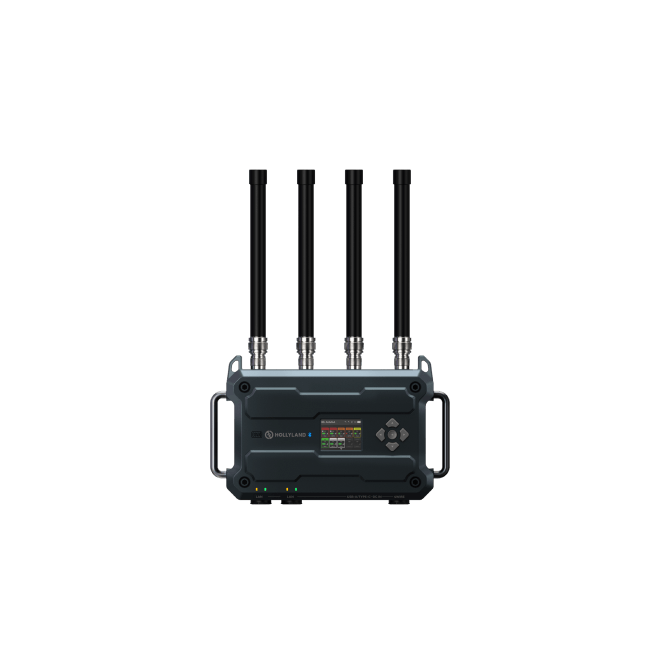
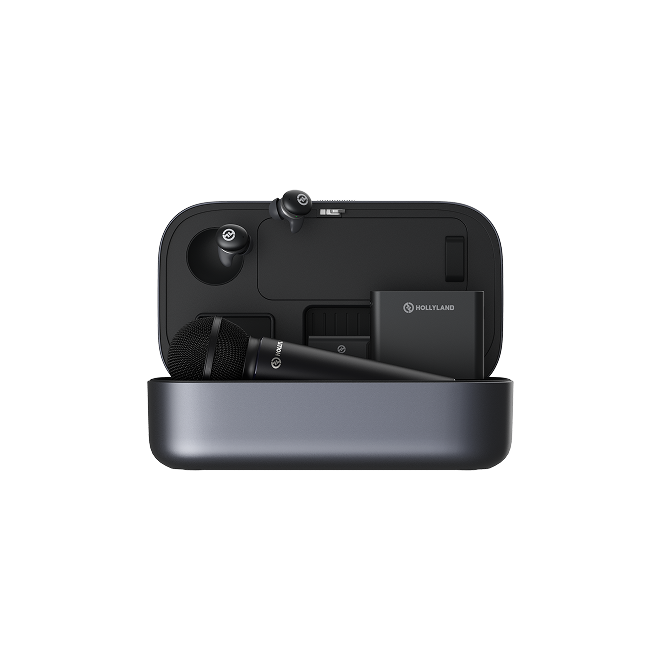
This is precisely the kind of problem that Hollyland designed the MELO P1 Wireless Music Creation System to solve. Hollyland is a professional audio and wireless transmission brand that has spent years developing gear for creators, performers, and broadcasters — building a reputation for combining broadcast-grade audio quality with practical, user-friendly design. The MELO P1 is their answer to the home performer’s dilemma: a complete wireless music creation system with swappable condenser and dynamic capsules, a Smart Audio Mixer, wireless in-ear monitoring, and a Bluetooth remote — all working together as one integrated setup.
The MELO P1’s dynamic capsule covers 50Hz–17kHz with a maximum SPL of 145dB, handling loud, energetic performances without distortion. The condenser capsule covers the full 20Hz–20kHz range at 132dB SPL — genuinely professional specifications in a handheld form.
Noise Cancellation — The Underrated Setting
Home environments are rarely quiet. Air conditioning, street noise, a TV in the next room, people talking — all of it bleeds into the microphone and muddies the vocal signal.
The MELO P1 offers up to 25dB of noise cancellation, toggled with a single button press on the microphone body. For indoor use, approximately 10dB is the recommended setting. Outdoor or particularly noisy environments may benefit from up to 15dB.

This works at the capture stage — before your voice hits any effects processing — which means cleaner raw audio going into every part of the signal chain. No amount of EQ or reverb can fix background noise baked into a poorly captured vocal. Noise cancellation prevents the problem rather than trying to correct it afterward.
Balance Your Vocal and Music Levels
Here is the truth about home karaoke sound quality: poor volume balance is the single biggest reason it sounds amateur. Fix the balance between your voice and the backing track, and you’ve solved most of the problem in one step.
The Core Principle — Vocals Slightly Above the Music
Your voice and the backing track need to coexist, not compete. The vocal should sit just slightly above the music level — present and clear, but blended, not shouted over the top of the track.
The two most common imbalance problems:
- Music too loud: Your voice disappears during the chorus. You push harder to compensate, which makes you sound strained and off-pitch.
- Vocals too loud: The music becomes a distant afterthought. The performance sounds disconnected and karaoke-cheap.
The simplest test: sing through the loudest part of a song. Your voice should still be the most audible element — but only just. If the music overwhelms you, lower the backing track. If you can barely hear the music, bring it up slightly.
Recommended Volume Settings for the MELO P1
Rather than guessing, start from these settings when using the HollyAudio App with the MELO P1:
| Setting | Condenser Mic (Indoor) | Dynamic Mic (Indoor) |
| Mic Gain | Medium | Medium |
| Vocals Volume | 10–12 | 11–13 |
| Backing Track | 13 (recommended) | 13 (recommended) |
| Monitoring Volume | 36 (adjustable) | 36 (adjustable) |
| USB Output | 15–20 | 15–20 |
One important note on USB output: keep it at or below 20. Going higher can trigger automatic audio compression by streaming platforms and recording apps, which noticeably reduces clarity — the opposite of what you want.
Each channel is adjusted independently via the HollyAudio App, giving you precise control over every element of the mix without affecting anything else.
Use “Record for Preview” to Nail Your Mix Without Guessing
There is a well-known problem with mixing your own voice: you cannot objectively evaluate it while you’re actively singing. Bone conduction — the way you hear your own voice through your skull — makes your voice sound very different to you than it does to everyone else.
The MELO P1’s “Record for Preview” feature solves this directly.

Record a 30–60 second clip of yourself singing — either dry vocals alone, or a full performance with the backing track playing. Then loop it back through your wireless monitoring earphones. While the clip plays, you can adjust levels, switch presets, and fine-tune EQ in real time, hearing exactly what your audience would hear — not what bone conduction tells you.
This is how you stop guessing and start making decisions based on what the mix actually sounds like. Complete your setup this way before connecting to a recording device or starting a live stream.
Use Reverb and Vocal Effects Intentionally
Reverb and EQ are powerful — but they’re the most frequently misused settings in home karaoke. Applied well, they add professional warmth and presence. Applied carelessly, they hide nothing and ruin everything.
Reverb — Match the Effect to the Genre
Reverb controls how much acoustic “space” surrounds your voice. More reverb creates the sense of a larger room; less reverb puts your voice right in front of the listener, dry and close.
Here’s a practical guide by genre:
- Low reverb (dry/intimate): Pop, rap, folk, acoustic singer-songwriter. Keeps every word sharp and clear. This is the right setting far more often than most people think.
- Medium reverb (natural/stage): R&B, ballads, retro pop. Adds a sense of stage presence while keeping vocal detail intact.
- High reverb (spacious/ethereal): Anthems, classical, choir, cinematic. Creates atmosphere — but use it carefully, because too much reverb blurs pitch imperfections and muddies consonants.
The MELO P1 Bluetooth remote includes a physical reverb dial on the side, so you can adjust reverb level in real time without opening the app or interrupting the session. This is particularly useful during a group karaoke night where different singers suit different reverb amounts.
EQ Basics — Shaping Your Voice for Clarity
EQ shapes the tonal character of your voice across the frequency spectrum. You don’t need to understand audio engineering to use it well — just understand what each control does:
- Low/Bass: Adds warmth and body. Too much makes the voice sound muddy and boomy. Adjust within ±30% of the preset’s default value.
- Mid/Presence: Controls how “forward” your voice sits in the mix. Too much causes harshness and listener fatigue. Adjust within ±25%.
- High/Treble: Adds air, detail, and brightness. Too much creates a sharp, sibilant quality that becomes unpleasant quickly. Adjust within ±30%.
- Compression: Smooths out the volume difference between quiet and loud moments, helping your voice blend naturally with the backing track. Adjust in increments of 1–7 from the preset default — subtle changes make a significant difference.

Apply and Personalise Presets in the HollyAudio App
Rather than building EQ settings from scratch, start with a preset from the HollyAudio App’s library — every preset is professionally tuned and designed as a complete starting point for a specific vocal style or music genre.

The workflow:
- Use “Record for Preview” to capture a vocal clip
- Loop it back through your monitoring earphones
- Cycle through presets in the Library and “Hot” sections while the clip plays
- When you find a preset that suits your voice, fine-tune the EQ sliders to personalise it
- Save the final result to “My Presets” for instant recall

During a session, the remote’s “Music” and “Vocal” preset buttons can be mapped to your saved presets — so switching your sound mid-song takes one button press, not a phone navigation session.
Monitor Yourself in Real Time While You Sing
This is the professional technique that virtually every home karaoke setup is missing — and it explains more “why do I sound off?” moments than almost anything else.
Without monitoring, you hear yourself only through the room: delayed, shaped by the acoustics, and mixed with the backing track in a way that gives you no useful feedback about what you actually sound like. The natural response is to push harder — sing louder to hear yourself better — which strains the voice and throws off pitch.
The MELO P1’s TWS wireless monitoring earphones connect to the Smart Audio Mixer via 2.4G for low-latency real-time monitoring. What you hear in the earphones is exactly what the microphone is capturing, with all your effects applied — the same signal that goes to your speaker or recording device.

Critically, monitoring volume is adjusted independently from your main output mix. Turning up your in-ear volume doesn’t affect what your audience hears. The remote’s left-side volume control or the HollyAudio App volume section handles this separately.
The practical result: you relax, sing at your natural volume and pitch, and make real-time decisions about your performance based on what you actually sound like — not what the room tells you.
Frequently Asked Questions
Why does my karaoke voice sound bad at home compared to a karaoke bar?
Karaoke bars use professional audio mixers, treated room acoustics, and in-ear monitoring for their singers. At home, untreated rooms create echo, most mics lack proper EQ, and there’s no real mixing happening between voice and music. Addressing room acoustics, mic technique, volume balance, and using a proper audio mixing system closes that gap significantly.
What reverb setting is best for home karaoke?
Medium reverb works for most singing styles. For pop, rap, or folk, use low reverb to keep vocals crisp. For ballads or R&B, medium reverb adds natural stage warmth. Avoid high reverb settings unless you’re singing large, dramatic pieces — it blurs vocal detail in most home rooms.
How do I stop my karaoke mic from sounding echoey?
Echo almost always comes from the room, not the microphone. Move to a carpeted, furnished space and reduce digital reverb in your settings. On the MELO P1, start with a low-reverb preset and enable noise cancellation if ambient noise is part of the problem.
Can two people do karaoke at home with the MELO P1?
Yes. The Smart Audio Mixer supports two simultaneous wireless microphones with independent volume and mute control per channel. The Ducking feature on the remote automatically lowers the backing track when a voice is detected, keeping both singers clear in the mix.
The Difference Is in the Details
Great home karaoke sound isn’t the result of one expensive purchase or one secret setting. It’s the result of getting several fundamentals right — in the right order.
Start with the room. Fix your mic technique. Balance vocal and music levels before touching effects. Apply reverb and EQ intentionally, starting from a preset rather than building from scratch. And monitor yourself in real time so you’re making decisions based on what you actually sound like.
The Hollyland MELO P1 is built to support every one of these steps — with swappable condenser and dynamic capsules, a Smart Audio Mixer for precise per-channel control, the HollyAudio App’s preset and tuning system, wireless in-ear monitoring, and a Bluetooth remote for hands-free adjustment during a session. It’s not a karaoke toy. It’s a complete audio system that happens to make home karaoke genuinely excellent.
Your next session can sound meaningfully better. The fundamentals are all here.
Ready to upgrade your home karaoke experience? Explore the Hollyland MELO P1 Wireless Music Creation System →


Subscribe us
to get the latest news!


