.png)
 简体中文
简体中文 
ASMR has gone from a niche internet curiosity to one of the most-watched content categories on YouTube, with millions of viewers tuning in nightly for the satisfying crunch of food, the soft rustle of tapping fingers, or the calm intimacy of a whispered voice. If you have been thinking about starting your own channel, the question is not whether to build a kit — it is where to begin.
That is where most beginners get stuck. The truth is simpler: the right gear depends almost entirely on the type of ASMR content you want to create. A slime creator and a whispering creator share almost no equipment priorities, even at the same budget.
This guide cuts through that noise. You will learn what equipment categories actually matter, how to choose a microphone that suits your specific content style, and how to put together a practical kit — whether you are spending $100 or $1,000. The goal is to help you make informed decisions, not to send you home with gear you do not need.
What Equipment Do You Actually Need for ASMR?
Before comparing specific products, it helps to understand what each piece of equipment does for your recordings and which categories genuinely matter at the start.

| Category | Role in ASMR Recording | Priority |
| Microphone | Captures trigger sounds — the most critical item | Essential |
| Recording device | Phone, camera, or computer — determines your workflow | Essential |
| Camera/smartphone | The visual component; many viewers watch, not just listen | Important |
| Tripod or arm mount | Keeps the camera stable; overhead rigs suit food and slime | Important |
| Lighting | Soft, diffused light flatters close-up ASMR shots | Recommended |
| Pop filter or windscreen | Reduces breath pops, especially for whispering content | Recommended |
| Acoustic treatment | Reduces room echo; blankets and foam panels both work | Helpful |
| Monitoring headphones | Lets you check audio quality during and after recording | Helpful |
| Props and surfaces | Textured objects and materials that generate trigger sounds | Content-specific |
A few things stand out here. First, the microphone is the single piece of equipment most worth spending on early. ASMR is fundamentally an audio experience, and the quality of your sound capture affects viewer retention more directly than anything visual. Second, lighting is low-cost but high-impact — a $40 ring light makes a visible difference in perceived production quality. Third, you do not need everything on this list to start. Most beginners build from the top down: microphone first, then camera, then everything else as the channel grows.
One more point worth making early: acoustic treatment can be free. Recording in a small carpeted room, draping duvets around your space, or setting up inside a wardrobe full of clothes are all legitimate techniques that meaningfully reduce echo at no cost.
Choosing a Microphone for Your ASMR Style
The microphone decision is where most beginners either get it right or spend money on something that does not suit them. The core principle is straightforward: match the microphone to the sound source, not to the genre label. ASMR encompasses very different recording scenarios, and the right mic type shifts accordingly.
Whispering and Voice-Led ASMR
Voice-led ASMR depends on capturing subtle breath textures and delicate vocal nuance. The microphone needs to sit close to the source and respond sensitively across the mid and upper frequency range.
Large-diaphragm condenser microphones are a popular choice for this style, particularly for creators recording at a fixed desk. Wireless lavalier microphones offer a different kind of practicality — because the transmitter clips close to the voice source and travels with the creator, they suit sessions where movement is involved or a cable-free setup is preferred.

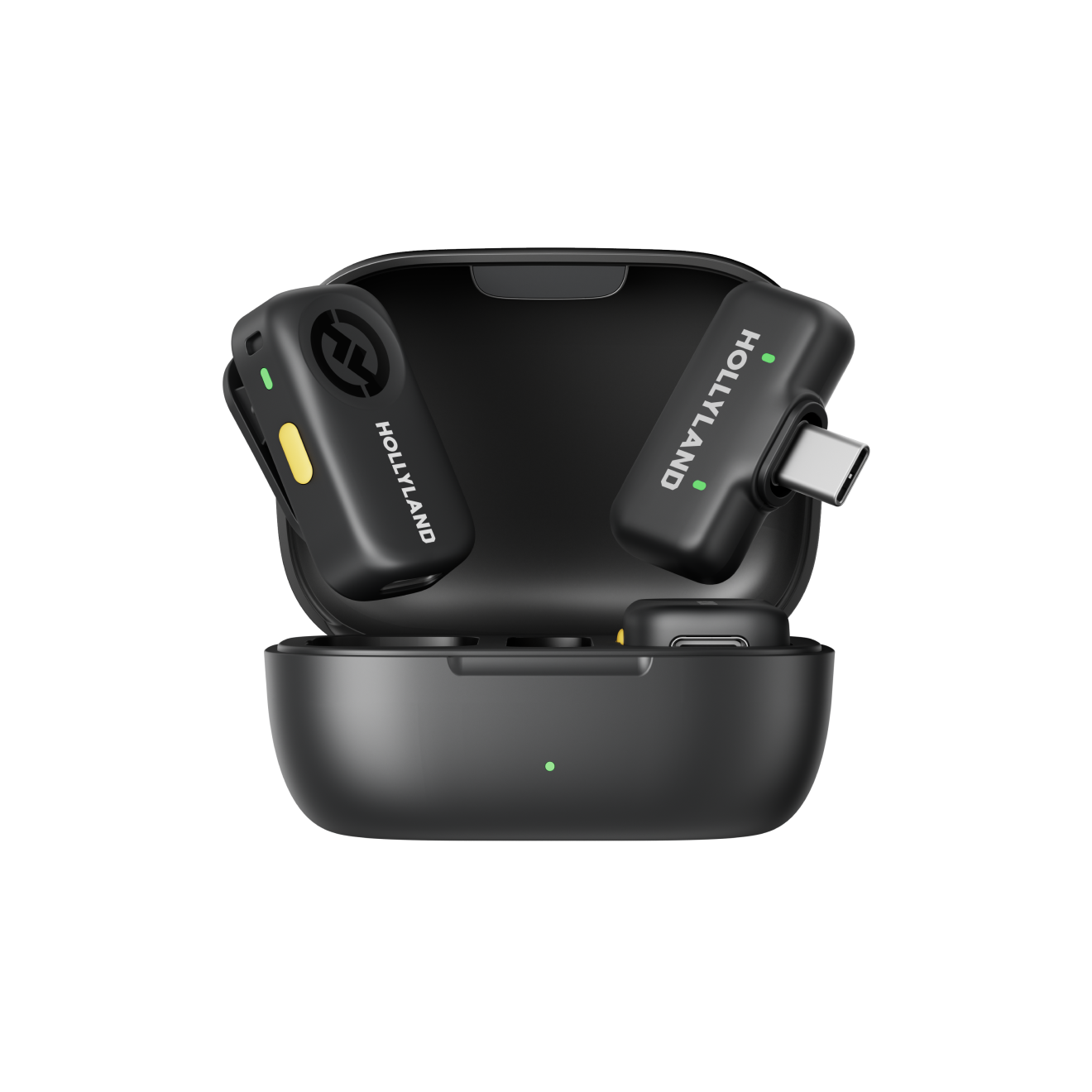
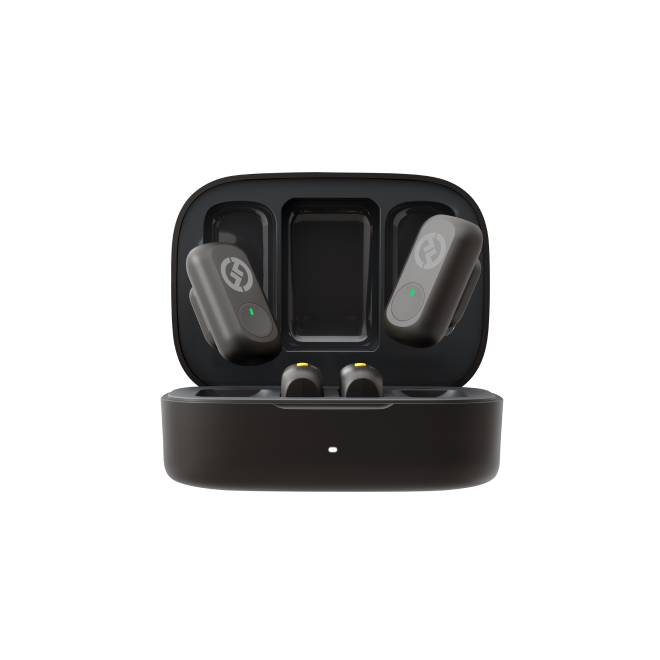
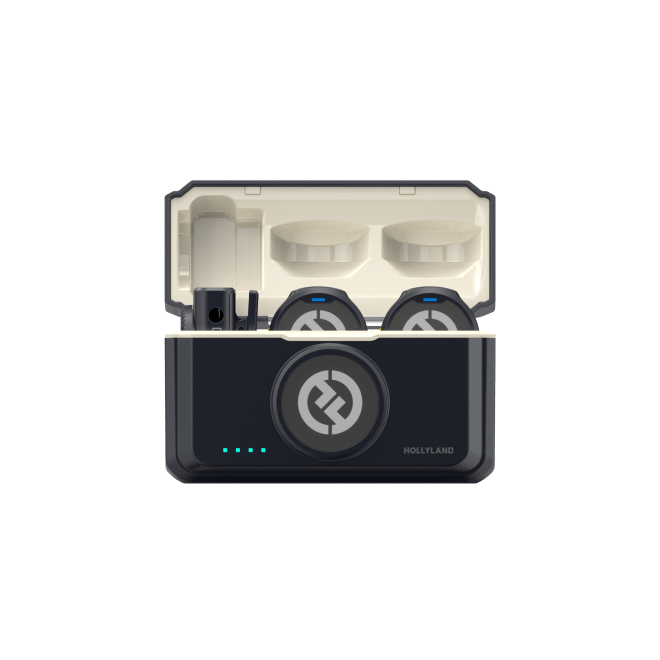
The Hollyland LARK A2 fits this use case well. Its three-level noise cancellation lets you dial back room tone without stripping the intimacy from a whispered performance, and the Balanced voice preset helps manage sibilance — a common problem when a sensitive microphone sits close to the mouth. The AI Auto-Limit Clip automatically guards against unexpected peaks if you shift between whispering and a normal speaking voice mid-session.
One honest note: for pure binaural whispering where the spatial effect of sound moving between ears is central to the experience, a dedicated binaural microphone positioned at mouth level will typically produce a more immersive result. The LARK A2 is strong for voice-led content; it is not a substitute for a binaural rig.
Food ASMR

Eating sounds — crunching, chewing, slicing — are high-frequency transient sounds that require a microphone with a fast transient response and, critically, close proximity to the source. A sensitive cardioid condenser on a desk boom arm, positioned above or beside the plate, is the standard approach for capturing fine textural detail.
A lavalier microphone can also work for food ASMR. Clipped to a collar or positioned near the chest, it picks up both eating sounds and voice in a single track — a practical compromise for creators who narrate throughout their sessions. For recordings where eating sounds alone are the focus, positioning a stationary mic closer to the plate will yield more detail, but a well-placed lavalier is a valid and convenient alternative.
Slime, Tactile, and Object ASMR

Slime, foam, tapping, and similar texture-based content all share one challenge: the sounds originate at hand level, and both hands are typically occupied. A condenser microphone on a boom arm aimed at the work surface is the most reliable solution, keeping the capsule close to the action regardless of what the hands are doing.
Lavalier microphones can work in this context with thoughtful placement. A transmitter clipped to a shirt cuff, positioned near the wrist, will capture hand-level sounds more effectively than one clipped at the collar. Some creators have also had success attaching a small lavalier to the side of a container or prop surface to capture sounds directly at the source. Experimentation with placement will determine what works for your specific content.
For object tapping and crinkling, a stereo or binaural recording setup is worth considering early if the three-dimensional spatial effect — sound moving from ear to ear — is central to your style.
Building Your ASMR Kit: Five Practical Setups
With the microphone fundamentals in place, here is how to translate those choices into complete, workable kits at different stages and content styles.
Kit 1: The Beginner Starter Kit
Best for: Anyone testing the format before committing significant budget.
| Item | Recommendation |
| Microphone | USB condenser mic (cardioid) or smartphone built-in |
| Recording device | Smartphone |
| Camera | Same smartphone |
| Tripod | Flexible mini tripod with phone mount |
| Lighting | Natural window light or a single LED ring light |
| Acoustic treatment | Small carpeted room or wardrobe |
The goal at this stage is to understand which content style you enjoy making and whether your audience responds to it. Most of the gear decisions ahead will make more sense once you have recorded a few sessions and identified what your specific setup actually needs.
Kit 2: Voice and Whispering ASMR Kit
Best for: Guided relaxation, soft-spoken storytelling, personal attention roleplay.
| Item | Recommendation |
| Microphone | Large-diaphragm USB condenser or wireless lavalier |
| Pop filter | Foam windscreen or fabric pop filter |
| Recording device | Smartphone or laptop |
| Camera | Mirrorless or DSLR for close-up face shots |
| Tripod | Full-size tripod with fluid head |
| Lighting | Softbox or ring light at low intensity |
For creators who record at a fixed position, a USB condenser is the straightforward choice. For those who move between setups or prefer a wireless workflow, a lavalier keeps the mic consistently close to the voice source without cable management. The LARK A2’s 8.5 g transmitter is light enough to forget you are wearing it across a long session.
Kit 3: Food ASMR Kit
Best for: Mukbang, eating sounds, cooking preparation content.
| Item | Recommendation |
| Microphone | Sensitive cardioid condenser on a boom arm, or wireless lavalier |
| Microphone stand | Desk boom arm for stationary condenser positioning |
| Recording device | Camera with external mic input, or smartphone |
| Camera | Overhead rig or mirrorless with wide-angle lens |
| Lighting | Two-point soft lighting to minimise harsh shadows on food |
| Backdrop | Clean neutral surface or natural wood table |
The most impactful upgrade for food ASMR is not a more expensive microphone — it is better microphone placement. A mid-range condenser positioned correctly above the plate will outperform a more expensive microphone clipped to a shirt. That said, a lavalier worn close to the mouth and plate area remains a practical and cable-free option, particularly when voice and food sounds are both part of the recording.
Kit 4: Slime and Tactile ASMR Kit
Best for: Slime, foam, kinetic sand, water beads, and similar texture-based content.
| Item | Recommendation |
| Microphone | Condenser on a boom arm or lavalier with creative placement |
| Camera mount | Overhead rig or articulating arm |
| Recording device | Camera with direct audio input or separate audio recorder |
| Lighting | Ring light or overhead panel for even, shadow-free coverage |
| Work surface | Non-reflective matte tray or cutting board |
For this style, both the camera and the microphone ideally point downward toward the hands. An overhead rig that holds both simultaneously simplifies setup considerably. If you are using a lavalier, experiment with placement — clipping the transmitter to a cuff or attaching it near the work surface can bring it significantly closer to the sounds you are trying to capture.
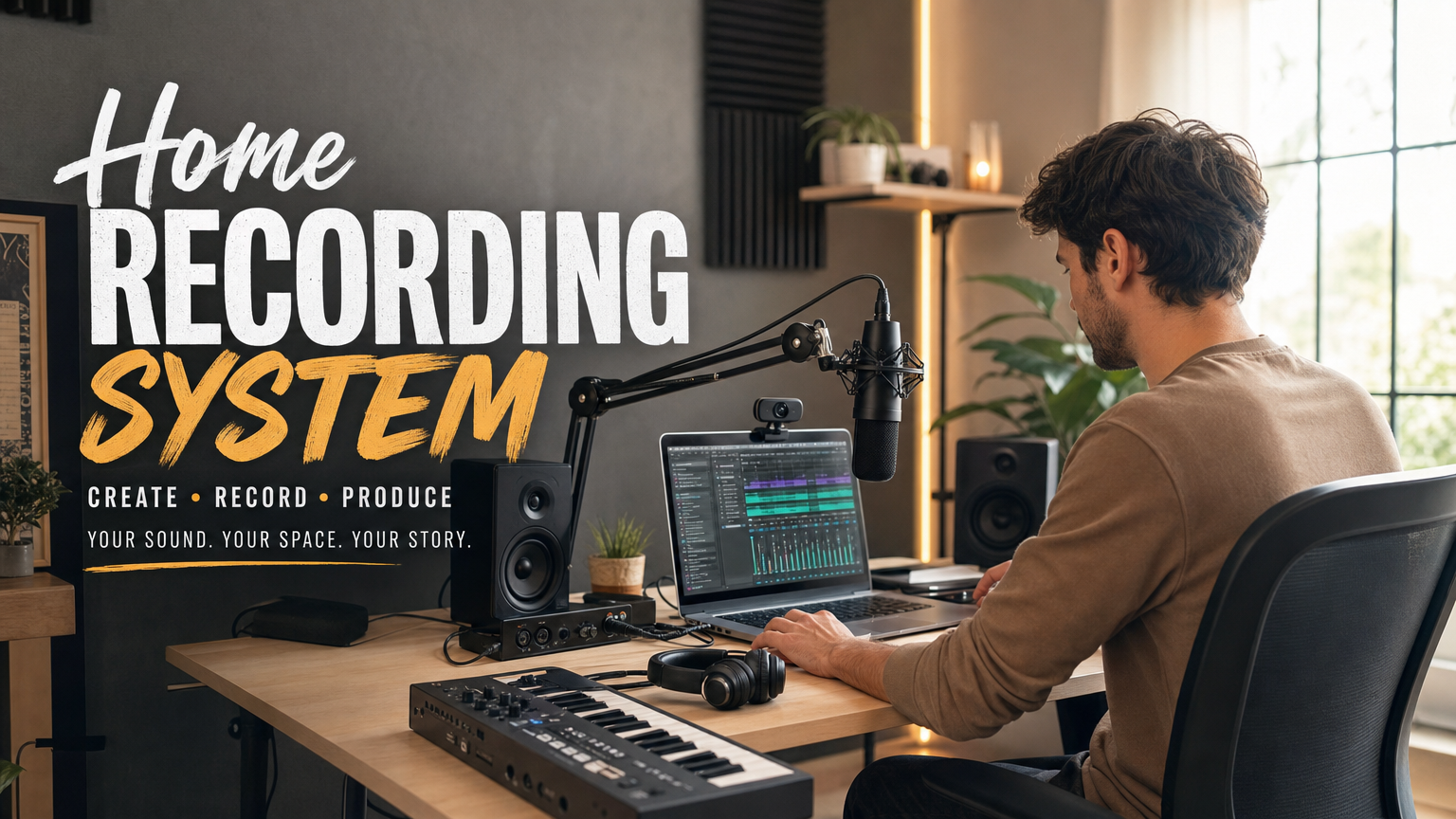
Kit 5: Advanced Home Recording Setup
Best for: Established creators moving toward broadcast-quality production.
| Item | Recommendation |
| Primary microphone | XLR large-diaphragm condenser microphone |
| Secondary microphone | Binaural in-ear mic system |
| Audio interface | USB audio interface (single or dual channel) |
| Wireless mic (secondary) | Hollyland LARK A2 |
| Camera | Mirrorless camera with 4K video capability |
| Lens | 50 mm or 85 mm prime lens for close-up detail shots |
| Lighting | Three-point dimmable LED setup |
| Acoustic treatment | Foam panels or portable vocal booth |
| Monitoring headphones | Closed-back reference headphones |
| Editing software | DAW or video editing application of your choice |
At this level, the LARK A2 earns a useful secondary role: intro and outro segments, on-camera commentary, or recording in a second location without dismantling the main XLR rig. Its Safety Track mode records a parallel audio track at 6 dB lower than the primary, providing a reliable backup during unmonitored sessions — a practical advantage in any complex multi-mic setup.
Budget Considerations: What to Spend and Where
Spending more does not automatically mean better ASMR. Spending on the right things does.
| Tier | Approximate Budget | What You Can Realistically Achieve |
| Basic | 50–150 | Smartphone plus entry USB mic plus basic lighting. Enough to test your niche and begin building an audience. |
| Intermediate | 150–500 | Dedicated condenser or wireless lavalier plus camera plus ring light plus tripod. A noticeable quality jump that suits most YouTube and TikTok needs. |
| Advanced | 500–1,500+ | XLR microphone chain, audio interface, mirrorless camera, and acoustic treatment. Broadcast-quality results. |
A few principles worth keeping in mind as you plan:
Spend most on your microphone first. Audio quality has the greatest measurable impact on ASMR viewer retention. A good microphone paired with a smartphone will consistently outperform a great camera paired with poor audio.
Lighting is the highest-value, lowest-cost upgrade. A 30–60 ring light or a well-positioned daylight bulb makes a visible difference in perceived production quality without requiring any technical knowledge to set up.
Free acoustic treatment is real. Recording in a small room with carpet, curtains, and soft furniture naturally reduces echo. Exhaust those options before spending money on foam panels.
Versatile equipment holds long-term value. Gear that works across multiple content types — a quality boom arm, a reliable tripod, a good pair of monitoring headphones — serves you better over time than highly specialised items that only suit one scenario.
Setting Up and Testing Your Equipment
Unboxing gear is the easy part. Getting it configured correctly before your first proper session is where a little patience pays off.
Step 1: Treat Your Room First
The microphone records your room as much as it records your content. Before touching any audio settings, take five minutes to prepare the space:
- Turn off fans, air conditioning, and any appliances that hum or click
- Close windows and doors
- If the room feels echoey, hang a duvet on the wall behind you or move to a smaller space
Then record 10 seconds of complete silence and listen back on headphones. If you hear background noise — hum, air conditioning, street traffic — address it now. This one check prevents a common beginner frustration: recording a full session, then discovering in post that persistent background noise runs through every clip.
Step 2: Position Your Microphone Correctly
Mic placement has more impact on ASMR audio than any setting, filter, or post-processing technique.

- Voice and whispering: 5–15 cm from the mouth. Closer adds intimacy; further reduces breath noise.

- Food and object sounds: Ideally 10–20 cm above or beside the sound source for maximum detail. A lavalier clipped to the collar or chest is a practical alternative that can deliver good results, particularly when voice and food sounds are being captured together.

- Slime and tactile content: Boom arm aimed directly at the work surface, or lavalier clipped to a cuff or positioned near the point of contact.
A simple rule: the closer the microphone is to the sound source, the more detail it will capture. Every centimetre of distance costs you something — plan your placement accordingly.
Step 3: Check Your Recording Levels
Before recording anything you intend to keep, run a level check:
- Aim for audio peaks around -12 dBFS to -6 dBFS — present and clear without distorting
- Watch the level meter in your recording app during a short test run; red means clipping, so back off the gain
- If you are using the LARK A2, the AI Auto-Limit Clip and Safety Track features — both enabled via the companion app — provide a practical safeguard against unexpected peaks, worth switching on before any unmonitored session
Step 4: Record a Test Take and Listen Back
Record 60–90 seconds of real content, then stop and listen on headphones before continuing.
Listen for:
- Clean, detailed sound with no distortion
- Background noise that is absent or barely audible
- Your voice or trigger sounds sitting clearly and naturally in the mix
- Crackling or clipping — reduce gain; enable limiting if available
- Hollow, echoey room tone — move to a softer or smaller space
- Handling noise or fabric rustle — reposition the mic or add a windscreen
One short test take costs two minutes. Skipping it and discovering a problem halfway through a 45-minute session costs much more.
Quick-Start: Using the LARK A2 With Your Phone
If the LARK A2 is part of your setup, the initial configuration takes under two minutes:
- Remove the transmitter and receiver from the charging case — they power on and pair automatically
- Plug the receiver into your phone’s USB-C or Lightning port; it will charge your phone simultaneously while in use
- Clip the transmitter to your collar, pickup hole facing upward
- Select your noise cancellation level — one button press on the transmitter cycles through Low, Medium, and High
- Triple-press the transmitter button to start and stop recording
Frequently Asked Questions
What is the most essential piece of equipment for ASMR?
The microphone. Audio quality affects the viewer experience more directly than any other variable in ASMR content. Start by choosing a mic appropriate for your content type before investing in cameras, lighting, or accessories.
Can I record ASMR with just a phone?
Yes, and many successful creators started exactly that way. Modern smartphones capture reasonably clean audio in quiet environments. Adding an external microphone — wired or wireless — makes a noticeable improvement, but a phone alone is a legitimate and practical starting point.
What type of microphone is best for ASMR whispering?
Large-diaphragm condenser microphones are the most common choice for voice-led ASMR because they capture subtle vocal textures. A quality lavalier worn close to the mouth is a practical wireless alternative for creators who move during recording. In both cases, the most important factor is keeping the mic close to the source — proximity creates the intimacy that defines the style.
Is a wireless microphone suitable for ASMR?
It depends on what you are recording. Wireless lavaliers work well for voice-led content where the creator’s voice is the primary sound. For activity-based styles — slime, food, object tapping — where the sounds originate from surfaces rather than the creator’s body, a stationary condenser microphone positioned near the action will yield better results. Some creators use both: a condenser for the trigger sounds and a lavalier for voice segments.
How much does it cost to build a basic ASMR kit?
You can assemble a functional beginner setup for 80–$ 200 using a smartphone, an entry-level USB condenser or wireless lavalier microphone, a basic tripod, and natural lighting. Intermediate setups with a dedicated camera and better audio gear typically run 300–600. Advanced setups with XLR microphone chains, audio interfaces, and mirrorless cameras can exceed $1,000.
Conclusion
Building a practical ASMR kit starts with defining your content before buying gear. Whispering, food, and slime ASMR each require different equipment, and buying blindly often leaves beginners with mismatched setups.
Start with a microphone matched to your content, then expand gradually. You don’t need to buy everything at once; top creators upgrade their gear slowly as their channel grows.
If you use a phone and want simple, clean wireless audio for voice-focused ASMR, the Hollyland LARK A2 is a solid pick. Its plug-and-play design, light transmitter, and built-in audio protections deliver reliable results with minimal learning effort.
No matter your setup, record, review, and tweak. Gear helps, but consistent practice matters most.