.png)
 简体中文
简体中文 
ASMR videos live and die by their audio. You can film in perfect lighting with a steady camera, but if your whispers sound like they’re coming through a wall — or your tapping gets buried under air conditioning hum — viewers will scroll away in seconds.
From TikTok’s satisfying sound clips to ASMR videos on YouTube Shorts and Instagram Reels, creators use everything from crisp food-cutting sounds to soft whispers to capture attention. When viewers listen through headphones, even small details — a gentle scrape, a subtle crunch, or a sudden volume spike — can shape the listening experience.
The good news is that getting clean, immersive ASMR sound doesn’t require a professional studio. It requires understanding a handful of principles: which sounds work for your style, how to position a microphone, how to set levels before you hit record, and how to clean things up afterward without over-processing.
This guide covers all of it, in order, for complete beginners.
What Makes ASMR Audio Work?
Before touching any equipment, it helps to understand what separates ASMR audio from ordinary voice recording. Three qualities define it:
Low noise floor. The silence between sounds matters as much as the sounds themselves. A faint hiss or hum running underneath a whisper constantly reminds the listener they’re watching a recording — breaking the sense of presence that ASMR depends on.
Transient detail. When someone taps a glass jar or drags their nails across a textured surface, the sharp “attack” at the start of that sound is what creates the tingle response. A microphone that blurs or softens those transients loses the texture that makes the sound interesting.
Consistent proximity. Listeners should feel like the creator is close and staying close. Volume that drifts—louder at times, quieter at others—makes the experience feel unsteady.
Built-in phone microphones struggle with all three. Their automatic gain control (AGC) constantly adjusts levels, their noise floors are relatively high, and they’re designed to capture speech at a distance, not intimate detail up close. That’s why even modest external microphones tend to produce a noticeable improvement.
Choosing Your ASMR Trigger Sounds
ASMR broadly divides into two categories, and they have different recording requirements.

Voice-based triggers — whispering, soft-spoken narration, mouth sounds — originate from the creator’s body. The microphone needs to stay close to the mouth, and the room needs to be quiet enough that breath and lip detail come through clearly.

Object-based triggers — tapping, scratching, crinkling, brushing — originate from surfaces and materials. The microphone needs proximity to those surfaces, not to the creator’s body. This distinction matters when choosing both your microphone type and its placement.

Food preparation and texture-based sounds (slime, fabric, sand) sit in between. The sounds come from the hands and the materials, but the creator’s voice is often part of the session too. These formats benefit from a setup that captures both without constantly repositioning the microphone.
Here’s a quick reference for common triggers:
| Trigger Type | Primary Recording Challenge | Placement Priority |
| Whispering | Breath detail, sibilance | Close to mouth, slightly off-axis |
| Tapping / Scratching | Transient detail, clipping | Near the surface, desktop mic preferred |
| Brushing | Low-mid rumble | 15–20 cm from brush |
| Food preparation | Ambient kitchen noise | Above or beside the work surface |
| Slime / Texture | Inconsistent hand distance | Hands-free or clip-on at upper chest |
| Crinkling | Dynamic range spikes | Conservative recording level |
Choosing a Microphone for ASMR Recording
The right microphone depends on what you’re recording — not just what has the most impressive specifications.

Large-diaphragm condensers mounted on a desktop or boom arm are the standard choice for tapping, scratching, and other object-based sounds. Their high sensitivity captures fine transient detail, and you can position them close to a surface without any physical contact.
Small-diaphragm condensers perform well for brushing, paper, and other sounds that span a wide frequency range. They tend to be accurate and consistent.

Lavalier (clip-on) microphones are practical for voice-led ASMR, food preparation, and texture-based sessions where the creator needs both hands free. They maintain a consistent mouth-to-microphone distance even when you lean forward over a cutting board or shift your hands around a slime container. They are not the right tool for capturing tapping or scratching sounds directly from a surface — a microphone worn on your body will pick up those sounds at a distance, losing the texture detail that makes them satisfying.
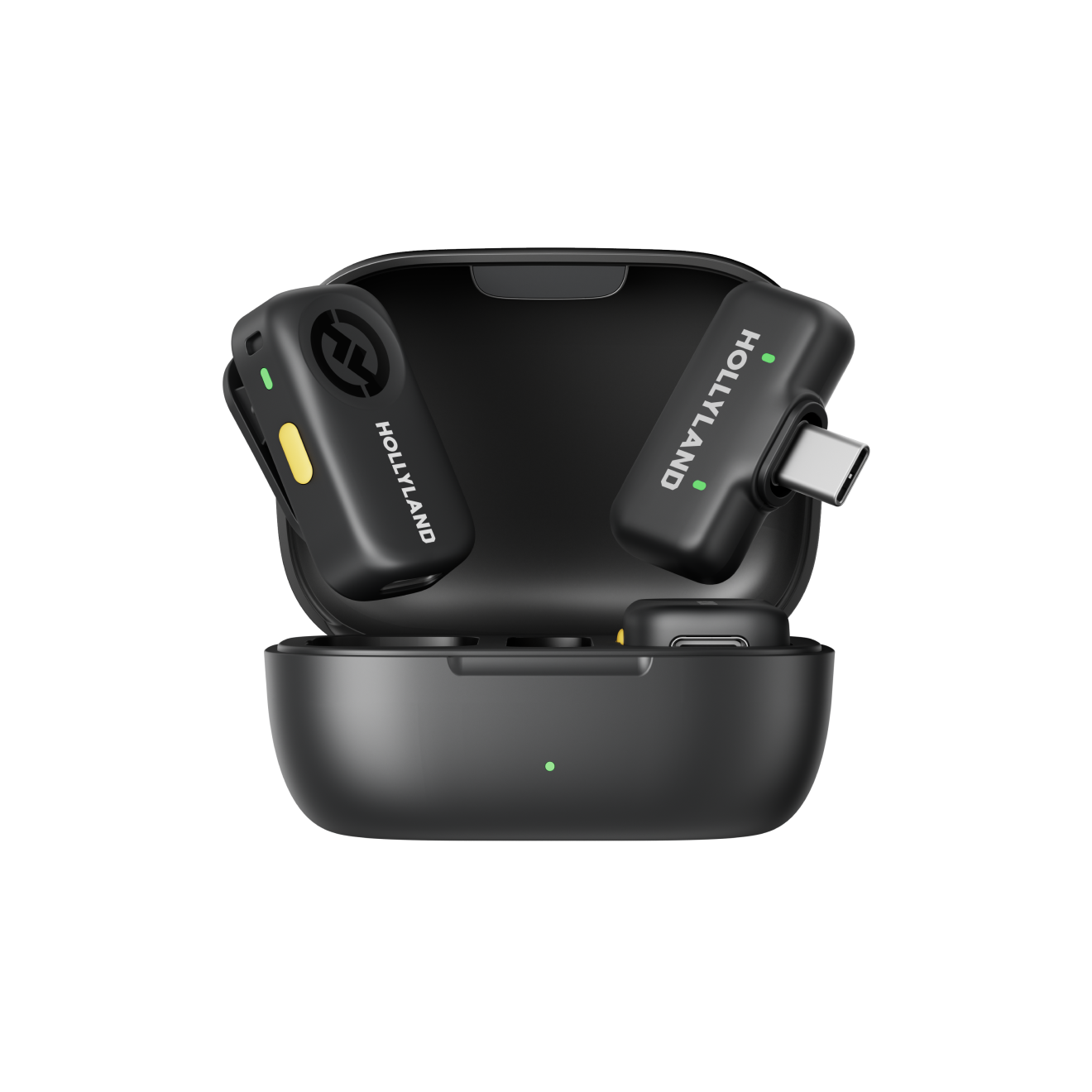
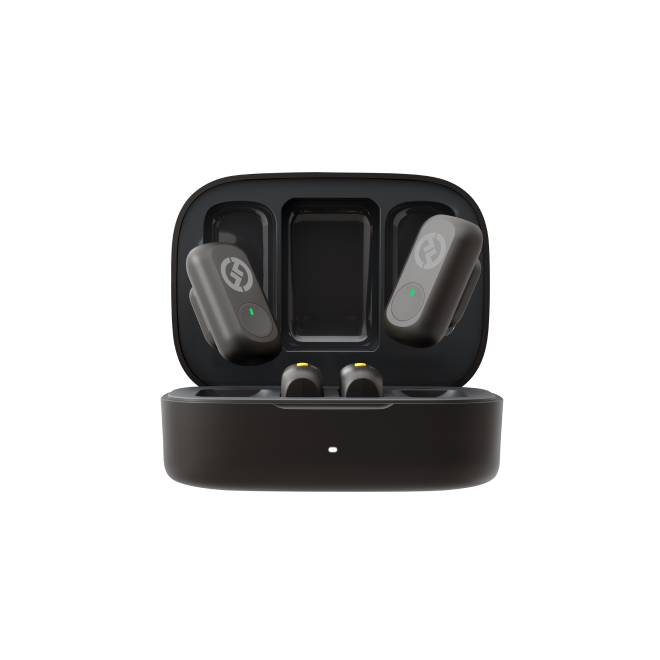
If you record sessions that involve movement — cooking demos, skincare routines, narrated craft projects — a wireless lavalier removes cable management as a distraction entirely. The Hollyland LARK A2 is one option built for this: its transmitter weighs 8.5 g, clips to a collar or neckline, and connects wirelessly to a phone or camera via a USB-C receiver. It records at 48 kHz/24-bit, capturing the detail quiet ASMR content requires. It’s worth considering if mobility and hands-free recording are priorities for your format — but if your sessions are primarily tapping or object sounds, a desktop condenser will serve you better.
Microphone Placement for Different ASMR Styles
Placement is where most beginners lose quality they could have kept. Getting it right costs nothing — it just requires knowing what to aim for.
Whispering
Position the microphone 8–15 cm from your mouth — closer than you’d expect for normal speech recording. Angle it slightly to the side of your mouth rather than directly in front; this reduces the force of plosive sounds (“p,” “b,” “t”) that cause low-frequency thumps on the track.
If you’re using a clip-on, attach it to your upper collar. The natural downward angle of your head as you whisper will direct your voice toward the capsule. Make sure the pickup hole faces upward toward your mouth — flipping it face-down against fabric substantially degrades audio quality.
Avoid recording with bare walls directly behind you. A soft backdrop — a bookshelf, heavy curtains, even a hanging blanket — reduces the room reflections that make whispers sound roomy and indistinct.
Food Preparation
The sounds you want are coming from the cutting board, the bowl, or the pan — not from your body. A boom-mounted microphone positioned 20–30 cm above or beside the work surface captures both food sounds and your voice naturally.
If you’re using a clip-on, leaning slightly over your work surface brings the microphone naturally closer to the action. Just make sure the clip is secure against a stable layer of clothing — aprons with no loose strings at chest level work well. Avoid bending or reaching movements that drag fabric against the clip.
Slime and Hand-Movement ASMR
The challenge here is that your hands are constantly moving, changing their distance from any fixed microphone. A clip-on worn at the upper chest picks up your voice consistently and captures hand sounds as your arms extend forward toward the camera.
Two rules apply regardless of which clip-on you use: keep the pickup hole facing upward, and never attach the microphone to anything sharp, moving, or unstable. Securing it to a rigid, stable layer of clothing keeps both the audio and the hardware safe.
Tapping and Scratching
These sounds need the microphone close to the surface being tapped — ideally 5–15 cm away, on a boom arm or desktop stand. A body-worn microphone picks up the sound at a distance, which softens transients and raises the relative level of room noise. If you’re running a mixed session that includes both whispering and some light tapping, position a desktop microphone for the tapping and accept that a clip-on worn for the whisper segments will capture the tapping with less detail.
Step-by-Step Recording Workflows
Food Preparation ASMR

- Clear the workspace. Remove anything that could rattle unexpectedly. A wooden cutting board produces warmer sounds than ceramic or glass.
- Position the microphone. Boom arm 20–25 cm above the surface, or clip-on at upper chest if you prefer hands-free. Test by chopping or stirring before the actual take.
- Check levels for your loudest sound. The sharpest knife strike or loudest stir will be louder than your test whisper. Record a sample of each and confirm nothing clips.
- Set noise cancellation to Medium. Kitchen environments — refrigerator hum, ventilation — benefit from slightly more aggressive reduction than a quiet bedroom.
- Wear stable clothing. Loose fabric near the clip generates rubbing noise during the reaching and bending movements common in cooking sessions.
Slime and Texture ASMR

- Set up your surface. A folded craft mat or towel under the container reduces hard surface echoes and gives you a stable, quiet base.
- Attach a clip-on at the upper chest. Run through the full range of arm movements you’ll use before starting — if you hear any fabric rubbing against the clip on playback, reposition before recording.
- Capture a room tone sample. Record 10 seconds of silence before the session. This clip can serve as a noise profile for gentle reduction in editing if needed.
- Set a conservative level. Slime can produce surprisingly loud sounds when squeezed or stretched suddenly. Setting levels slightly lower than you think you need prevents mid-session clipping without requiring you to stop and adjust.
- Record in segments. Slime texture changes as it warms up — and so does its sound. Shorter takes help you catch quality drift before it affects a long recording.
Editing, Settings, and Troubleshooting
Volume Balancing
ASMR listeners shouldn’t need to touch their headphone volume during a session. A gentle compressor — ratio around 2:1, attack around 20–40 ms — smooths out variation without flattening the natural dynamics of quiet sounds. Ratios above 4:1 create a “pumping” artifact and reduce the sense of intimacy that defines the format.
Choosing the Right Noise Cancellation Level
If you’re adjusting noise cancellation through a companion app rather than in post-production, the principle is the same as in editing: use the minimum amount that solves the problem.
Low (~10 dB) works for most quiet home environments and is the safest choice for whisper ASMR. Medium (~15 dB) handles kitchen or shared-space noise during food or texture sessions. High (~20 dB) is best reserved for genuinely difficult recording conditions — at that level, there’s a real risk of artifacts on delicate sounds.
The LARK A2 defaults to Medium via its app. That’s a reasonable starting point for most sessions, but whisper-focused creators should consider dropping to Low to keep breath and lip detail intact.
Preventing and Fixing Clipping
Clipping — distortion from a signal exceeding maximum recordable level — cannot be fully repaired in editing. The most reliable prevention is a conservative recording level combined with a safety track if your setup supports one.

The LARK A2’s Safety Track records a second channel simultaneously at −6 dB below the main track. If a sudden crinkle or tap clips the primary recording, the backup gives you a usable take at a lower level that can be brought up in editing without distortion. Its AI Auto-Limit Clip feature adds another layer of automatic peak control — useful when you can’t predict how dynamic a session will get.
If clipping has already occurred and no backup exists, Audacity’s “Clip Fix” tool can partially reconstruct brief isolated peaks. It can’t repair extended distortion — if a long segment is clipped, re-recording is faster and produces better results.
Fixing Muffled Audio
Muffled recordings almost always trace back to one of three causes: the pickup hole was blocked or facing away from the source; the microphone was too far from the source; or noise cancellation removed high-frequency content along with the noise.
In editing, a gentle high-shelf EQ boost around 6–8 kHz (+2 to +4 dB) can recover some presence. Don’t push above +6 dB — you’ll raise the noise floor equally. For future sessions, confirm pickup hole orientation before every take and reduce noise cancellation if the muffling recurs despite correct positioning.
Preserving Subtle Sound Detail
The most important principle for ASMR editing: do less, not more. Every processing step — EQ, compression, noise reduction — risks obscuring the fine texture detail listeners are there for.
Apply noise reduction conservatively. A reduction of 6–10 dB in Audacity using the “Get Noise Profile” method removes most room noise cleanly. Above 15 dB, most consumer editors introduce a metallic artifact that is more distracting than the original background noise.
Before finalizing, compare your edited audio to a high-quality ASMR recording you admire. Aim for transparency. Export at 48 kHz/24-bit WAV before compressing to MP3 or AAC for upload — this preserves the full transient detail captured during recording through to the final file.
Frequently Asked Questions
Can I record ASMR at home without a studio setup?
Yes. Most successful ASMR creators record at home. The key is minimizing background noise before it reaches the microphone — record in a room with soft furnishings, at a quiet time of day, with appliances turned off during takes. A bedroom or walk-in closet often outperforms a bare-walled office. Consistent quiet matters more than acoustic treatment.
Can I use a wireless microphone for ASMR?
A wireless lavalier works well for voice-forward ASMR styles — whispering, narration, food preparation, slime — where hands-free movement is helpful, and the microphone needs to stay close to the creator’s voice. It’s less suited for tapping or scratching, where a desktop microphone positioned near the surface captures far more texture detail.
Why does my ASMR recording sound muffled?
The most common causes are a blocked or incorrectly oriented pickup hole, too much distance between microphone and source, or noise cancellation set too high. Check orientation first. In editing, a gentle high-shelf boost around 6–8 kHz can partially recover lost brightness — but fixing the setup before the next session is a more reliable solution.
My ASMR recordings sound fine on my phone speaker but terrible through headphones. What’s going wrong?
Phone speakers naturally mask a lot — background hiss, subtle distortion, room echo. Headphones reveal all of it. What you’re likely hearing is a combination of a high noise floor (that constant hiss underneath everything) and room reflections making your voice sound small and distant. The fix starts before you hit record: choose a quieter room, get the microphone closer to your mouth, and always monitor your recordings through headphones during the editing stage. If a take sounds bad on headphones, it sounds bad to your audience too.
I recorded a great whispering session, then a loud crinkle completely ruined the track. Is there any way to recover it?
Sometimes — but the options are limited. If you recorded a safety track (a second channel captured simultaneously at a lower level), switch to that channel for the clipped segment and bring the level up in editing. It won’t be identical to the main track, but it’ll be usable.
Conclusion
Good ASMR audio comes from combining the right trigger, appropriate microphone placement, conservative recording settings, and light-touch editing — not from any single piece of equipment. The most common beginner mistakes — levels set too high, noise cancellation too aggressive, pickup hole facing the wrong way — are all fixable once you know what to listen for.
Start with what you have. Record test takes. Review them critically with headphones, and adjust one variable at a time. The craft develops faster than most beginners expect.
Ready to Go Hands-Free?
If your sessions involve a lot of movement — cooking, working with textures, or narrating while using both hands — the Hollyland LARK A2 is worth considering. It clips to your collar at just 8.5 g, connects wirelessly to your phone, and includes adjustable noise cancellation, a Safety Track backup channel, and AI Auto-Limit Clip for peak control. It won’t replace a desktop condenser for surface-based triggers, but for voice-forward, mobile ASMR workflows, it removes a significant amount of setup friction.


