







.png)
 简体中文
简体中文 
Posting YouTube Shorts consistently isn’t enough if nobody is searching for what you’re making. The creators growing fastest are strategic about what they create and when. Finding trending topics before you hit record is the difference between a Short that gets buried and one that lands on the Shorts shelf. This guide walks you through seven proven methods to discover what’s trending right now — and how to act on it fast.
Why Finding Trending Topics Is the Secret to Shorts Growth?
The YouTube Shorts algorithm prioritizes early engagement. When a topic already has built-in audience interest, your Short enters a stream of active searchers and curious browsers — giving it a far stronger starting point than a random upload into the void.
Trending content also compounds. A Short that gains traction in the first few hours gets surfaced to more viewers, pushed onto the Shorts shelf, and recommended alongside similar videos. That momentum is significantly easier to build when you’re riding a wave of genuine existing demand.
In short, choosing the right topic matters more than perfect editing or posting frequency. Get the topic right, and everything else has a better chance of working.
Start Inside YouTube — The Platform Tells You What’s Already Trending
The most reliable source of YouTube Shorts trend data is YouTube itself. The platform surfaces real-time viewer behavior and search demand — you just need to know where to look.
Browse the YouTube Shorts Feed Directly
Open YouTube, navigate to the Shorts tab, and scroll — ideally in an incognito or private browsing session so your watch history doesn’t filter what you see. As you scroll, watch for two things:
- Repeating formats or themes. If multiple creators are making Shorts on the same topic, challenge, or audio, the algorithm is surfacing what’s gaining traction. That repetition is a signal, not a coincidence.
- View count vs. subscriber count ratio. A Short with 500,000 views from a 2,000-subscriber channel signals that the topic is overperforming. The algorithm is pushing it because the subject has broad appeal — not because the creator already had an audience.
Spend 5–10 minutes scrolling and note recurring formats, hooks, and subjects. Patterns will emerge quickly.
Use YouTube Search Autocomplete
YouTube’s search bar reflects real query behavior from millions of users. To use it as a trend research tool:
- Type your niche keyword into the YouTube search bar.

- Add trending modifiers — “shorts,” “viral,” “2026,” or “trend” — and observe the autocomplete suggestions that appear.
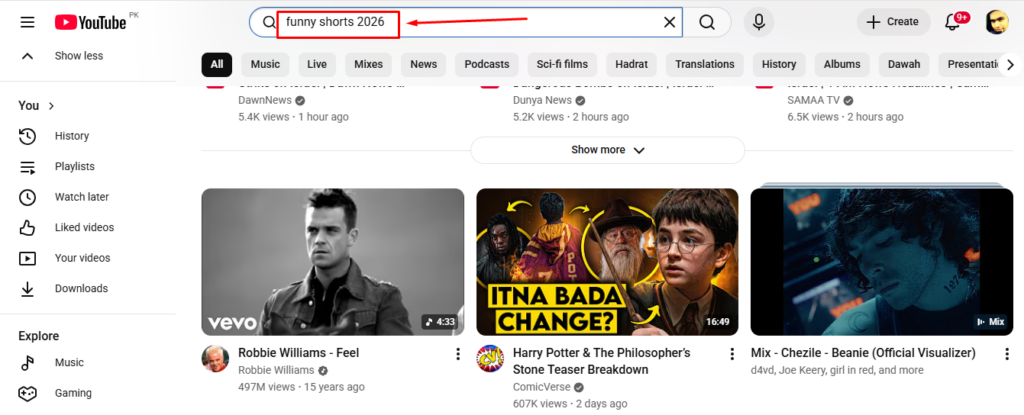
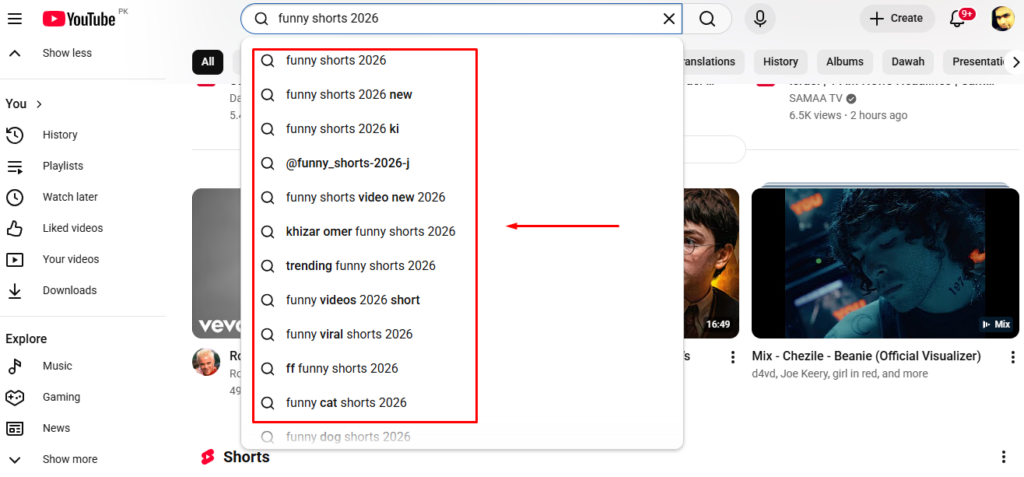
- Record the specific phrases. These represent what real users are actively searching right now.
For example, if you create fitness content, try “workout shorts 2026” or “fitness trend” and let autocomplete do the work. This method takes under two minutes and can surface a week’s worth of topic angles.
Check the YouTube Trending Videos
The Trending videos section lives under the Explore tab in YouTube’s menu. Here’s how to use it:
- Navigate to Explore.

- Use the category filters — Music, Gaming, News, Sports — to narrow results toward your niche.

- Focus on the “Trending videos” section, which shows the fastest-rising videos at the current moment, not all-time bestsellers.

Keep in mind the Trending tab skews toward long-form content and large channels. Its value for Shorts creators is identifying macro topics drawing broad attention, so you can create a Short that offers a fast, fresh angle on that subject.
Use Google Trends to Validate and Time Your Short
Google Trends is one of the most underused tools in a Shorts creator’s research stack. It doesn’t just show what people search — it shows when interest is rising, which is precisely the information you need to publish at the right moment.
Here’s how to use it specifically for YouTube Shorts research:
- Go to trends.google.com and enter your topic or keyword.
- Switch the data source from “Web Search” to “YouTube Search” using the dropdown menu. This filters results to reflect only searches happening on YouTube — far more relevant than general web behavior.


- Read the interest-over-time graph. A line climbing toward the right indicates a rising trend. A line that peaked weeks ago and is now declining means the primary window has likely closed.

- Scroll to “Related queries” and select the “Rising” filter. This reveals adjacent topics gaining momentum — often less competitive angles you can cover while the broader trend still has runway.

- Set the time range to 30–90 days for a view that shows both recent momentum and trend duration.

Practical example: Say you make cooking Shorts and want to check if “air fryer recipes” is still trending. Enter it into Google Trends, switch to YouTube Search, and read the graph. If interest is still climbing or holding steady, that’s a green light. If “Related queries (Rising)” shows “air fryer desserts” or “air fryer meal prep” gaining ground, those are your next topic candidates — more specific, less saturated, and still riding the broader trend wave.
The goal is to create while a trend is rising, not after it peaks. Google Trends makes that timing visible before you invest a single minute of production time.
Look at TikTok and Instagram Reels to Spot Trend Signals Across Platforms
YouTube Shorts trends rarely originate on YouTube. A significant portion starts on TikTok and migrates to Shorts one to three weeks later — giving you a real first-mover advantage if you’re watching the right signals.

- TikTok For You Page (FYP): Scroll your FYP or browse a fresh account. If a format or topic appears repeatedly from different creators in your niche, it’s already gaining momentum and headed toward YouTube.
- TikTok Creative Center (free tool): Visit the Creative Center at ads.tiktok.com and navigate to the Trends section. You can filter trending hashtags, sounds, and video types by region and time frame. This gives you structured trend data rather than just anecdotal scrolling.
- Instagram Reels Explore tab: Less data-rich than TikTok, but a topic performing heavily across both Reels and TikTok signals broad, cross-demographic appeal — which typically translates well to Shorts.
One critical rule: Adapt, don’t copy. Rebuilding a concept with a YouTube-native hook and your own execution is the strategy. Directly duplicating audio or format may violate platform terms and won’t resonate with the YouTube audience the same way.
Use Creator Tools (VidIQ and TubeBuddy)
Third-party tools built for YouTube creators surface data the platform itself doesn’t display clearly — search volume estimates, keyword competition scores, and how fast a topic is gaining traction.
| Tool | Key Feature | Free Tier Available | Best For |
|---|---|---|---|
| VidIQ | Trending Videos feed + daily topic ideas | Yes (limited) | Beginners and early-stage creators |
| TubeBuddy | Keyword Explorer + trending tags | Yes (limited) | Creators optimizing existing content |
| VidIQ Boost | Trend velocity scores + competitor tracking | Paid | Intermediate creators scaling output |
| TubeBuddy Star | Advanced keyword research + tag suggestions | Paid | Creators focused on search-driven growth |
VidIQ is the more beginner-accessible option. Its free browser extension that overlays keyword scores and view velocity directly onto YouTube search results, so you get trend signals without leaving the platform. The daily ideas feed also surfaces niche-matched topics.
TubeBuddy excels at keyword-level detail — particularly useful once you’re trying to rank Shorts for specific search terms alongside riding trends. Its Keyword Explorer shows estimated search volume and a competition score to help you spot high-demand, lower-saturation topics.
For most creators just starting out, install VidIQ’s free tier first and pair it with the native YouTube methods covered above.
Use Reddit, Twitter/X, and Niche Communities for Early Trend Detection
Social platforms beyond YouTube often show small trends days or weeks before they appear in general search data. The challenge is filtering out the noise and spotting the real signals.

- Reddit: Find 2–3 subreddits relevant to your content niche and sort by “Hot” or “Rising” to see what’s generating rapid engagement right now. A post in r/fitness or r/personalfinance climbing fast with strong comment activity often points to a topic ripe for a Short.
- Twitter/X: Use the Trending tab filtered by location or niche-relevant hashtags. Look for hashtags gaining velocity over a short window rather than ones that have trended for days and are already saturating.
- Niche communities: Discord servers, Facebook groups, and niche forums in your content category frequently surface insider topics your competitors haven’t spotted. A recurring debate or question appearing repeatedly across these spaces signals an unmet demand you can address in a Short.
Use these platforms as early-warning signals, not as your primary research source. Validate anything you find against Google Trends or the YouTube feed before committing production time.
How to Evaluate a Trend Before You Hit Record?
Discovering a trend and deciding whether to act on it are two different skills. Run each candidate topic through this checklist before you commit.
- Is the trend rising or has it already peaked? Check Google Trends with the YouTube Search filter and VidIQ’s velocity data if available. A declining graph means you’ve likely missed the window. A climbing or flat-holding line is a viable entry point.
- Is this trend relevant to your niche and audience? Trending globally doesn’t mean it belongs on your channel. Ask honestly whether your audience — or the audience you’re building — wants your take on this topic. A finance creator chasing a cooking challenge for views will confuse their subscribers and hurt long-term retention.
- Can you execute within 24–48 hours? Viral trends move fast. If producing your take requires extensive research, props, or travel you don’t have immediate access to, the window may close before you publish. Niche rising trends allow slightly more time — sometimes 1–2 weeks — but speed always matters.
- Is competition moderate enough to confirm demand, not so much that you’ll be buried? Search the topic directly on YouTube Shorts. Zero Shorts suggests it may not be a real trend. Thousands of uploads from this week alone may signal the window is already closing. A cluster of recent uploads from small channels with strong view counts is the sweet spot.
- Can you add a distinct angle? Even trending topics reward differentiation. If every existing Short uses the same hook and the same three points, identify how your perspective, expertise, or format variation makes yours worth watching, even as the 40th Short on the subject.
Most topics filter themselves out within two minutes of applying this checklist.
Turn Your Trending Topic Into a Short That Gets Watched
Once you’ve identified and validated a trend, execution speed determines whether you benefit from it. Your first priority is the hook — the opening 1–2 seconds must immediately signal that this Short is relevant and worth staying for. Trending topics already carry audience curiosity; your hook just needs to activate it.

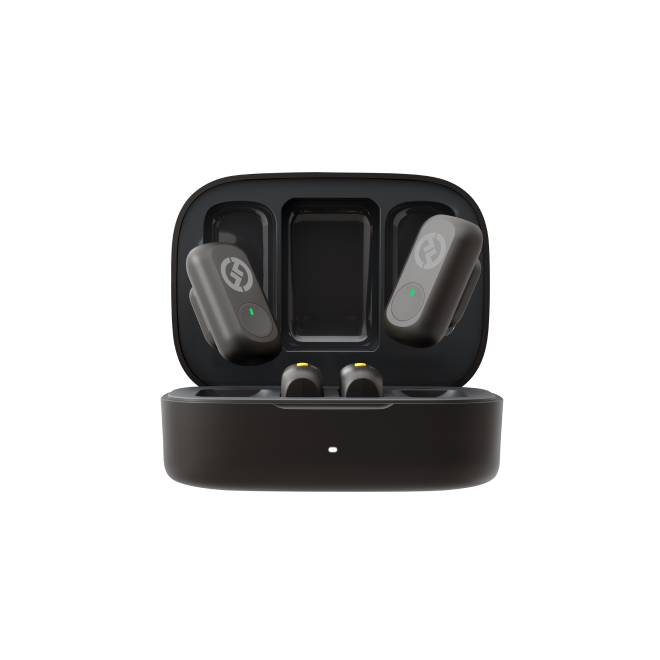
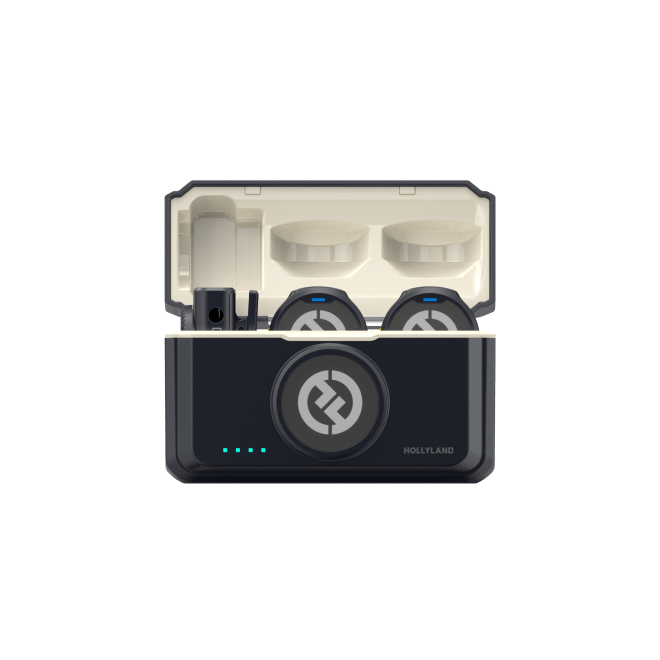
Strong visuals help, but audio makes or breaks retention. Viewers will tolerate imperfect lighting far longer than they’ll tolerate muffled or distorted sound. If you’re filming Shorts on location or on the move, a compact clip-on mic like the Hollyland LARK M2 — weighing just 9g with a 40-hour battery — lets you capture clean audio without slowing down your shoot or adding visible gear to the frame.
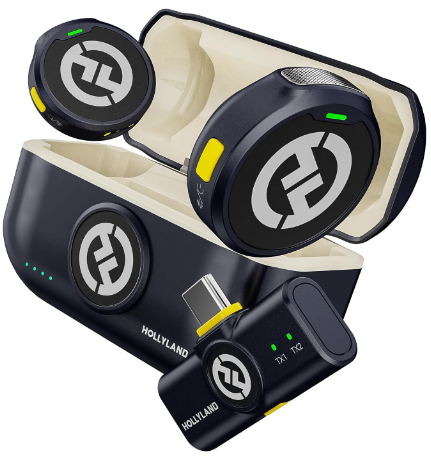
Hollyland LARK M2 - Mini Lavalier Microphone
An incredibly lightweight and compact wireless button microphone that captures high-fidelity audio.
Key Features: 9g Button Size | 48 kHz/24-bit | 40 Hours Battery
Pro Tip: A Short that’s timely and relevant usually does better than a perfect one posted too late. Don’t let editing hold you back from posting on time.
Frequently Asked Questions
Q: How often do YouTube Shorts trends change?
Trending topics can shift within days, especially for broad viral content. If you’re actively creating Shorts, check your primary sources — YouTube feed, Google Trends, and TikTok — at least 2–3 times per week. Niche trends tend to have longer windows, but a consistent research cadence ensures you never miss an early entry point.
Q: Can I use TikTok trends for YouTube Shorts?
Yes — many successful Shorts creators use TikTok as their primary trend radar. The key is adaptation: take the topic or concept and rebuild it with a YouTube-native hook and pacing. Avoid reposting TikTok content directly, both for platform policy reasons and because YouTube audiences respond better to content made specifically for them.
Q: What if my niche is too small to have trending topics?
Most niches have micro-trends even when they don’t appear on mainstream trending pages. Use Google Trends’ “Related queries (Rising)” filter, check relevant subreddits, and look for repeating questions in your niche communities. Micro-trends often carry less competition and a longer window — a strong opportunity for smaller or newer channels.
Q: Is VidIQ free to use for trend research?
VidIQ’s free tier includes a browser extension, basic keyword scores, and limited trend data — enough for early-stage creators to get meaningful value. Paid tiers unlock trend velocity scores, daily topic ideas matched to your niche, and deeper competitor tracking. The free tier is a solid starting point when paired with native YouTube research methods.
Q: How quickly do I need to act on a trend?
For broad, viral trends: aim to publish within 24–48 hours of identifying them. For niche or rising trends that haven’t hit mainstream saturation, you typically have 1–2 weeks before the field becomes crowded. Use Google Trends’ trajectory and current Shorts search competition to judge timing for each specific topic.
Conclusion
Trend research doesn’t need to be a daily project — it needs to be a consistent habit. Build a simple repeatable loop:
- Check YouTube natively — Shorts feed, search autocomplete, Trending tab
- Validate timing with Google Trends — filter by YouTube Search, read the trajectory
- Cross-reference cross-platform signals — TikTok Creative Center, VidIQ
- Evaluate fit — run it through the five-question checklist
- Create quickly — timeliness beats perfection every time
Pick two or three methods from this guide that match your niche and schedule, and make them your weekly routine. Once trend-spotting becomes a habit, running out of content ideas stops being a problem.