.png)
.png) Deutsch
Deutsch .png) Italiano
Italiano .png) 日本語
日本語 .png) Português
Português  Español
  简体中文
简体中文 
3 Solutions to Screen Record Netflix Without A Black Screen
Netflix is everyone’s go-to streaming app. However, trying to record your favorite shows often leads to a frustrating black screen. It’s like hitting a wall in capturing epic moments or funny scenes.
This article is your guide to understanding the problem. We’ll break down why the black screen happens and share some tricks to help you record your favorite shows.
Why Do You See a Black Screen When Screen Recording on Netflix?
Netflix doesn’t allow screen recording to protect the copyrights and licensing agreements with studios and filmmakers. When you screen record on Netflix, it triggers a security mechanism that prevents video from being captured, explaining the black screen.
This restriction is in place to prevent illegal distribution and sharing of content, ensuring that the creators and distributions retain control over how their content is accessed.
With these measures, Netflix can maintain the integrity of its platform and comply with legal obligations.
Screen Record Using Browser (Disable Hardware Acceleration)
The quickest way to record on Netflix without a black screen is through a web browser. However, you need to disable hardware acceleration first to prevent the black screen from happening.
Google Chrome
- Open Google Chrome.
- Now, click on More Options in the upper right corner.
- Go to Settings.
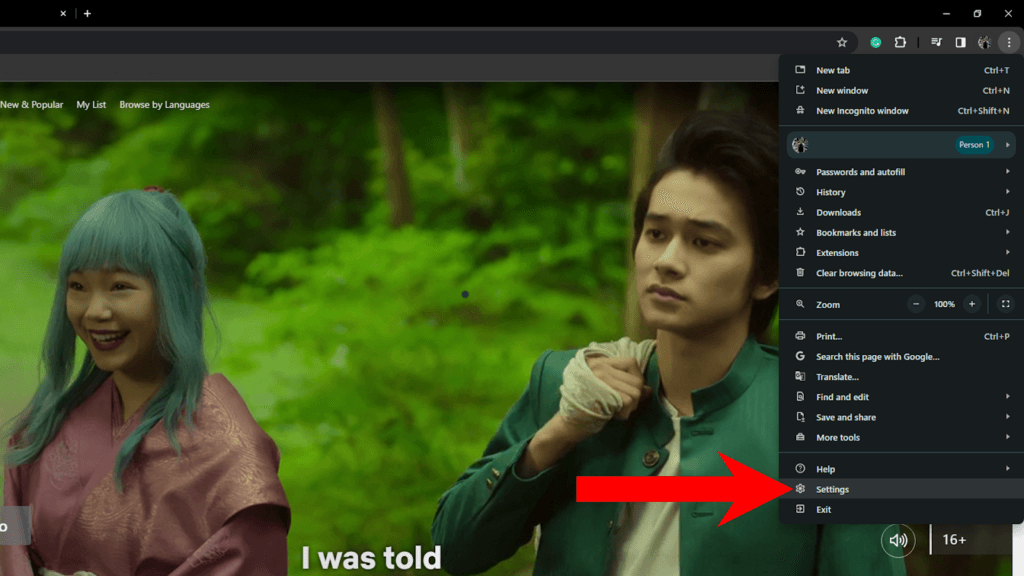
- On the side menu, click on System.
- Find ‘Use Hardware Acceleration When Available’ and disable it.
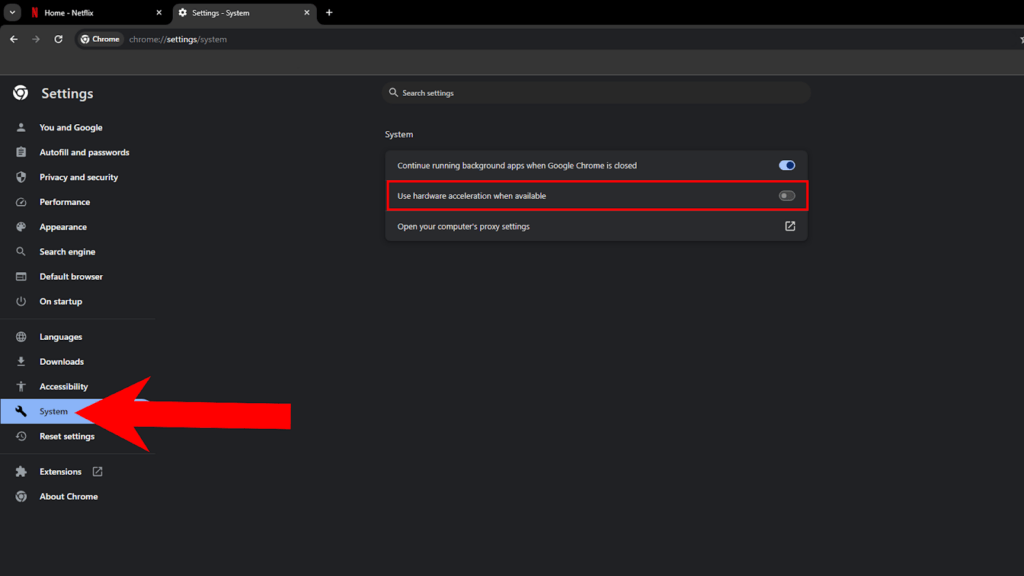
- Restart Google Chrome.
Firefox
- Open Firefox on your computer.
- Now, click on More Options.
- Go to Settings.
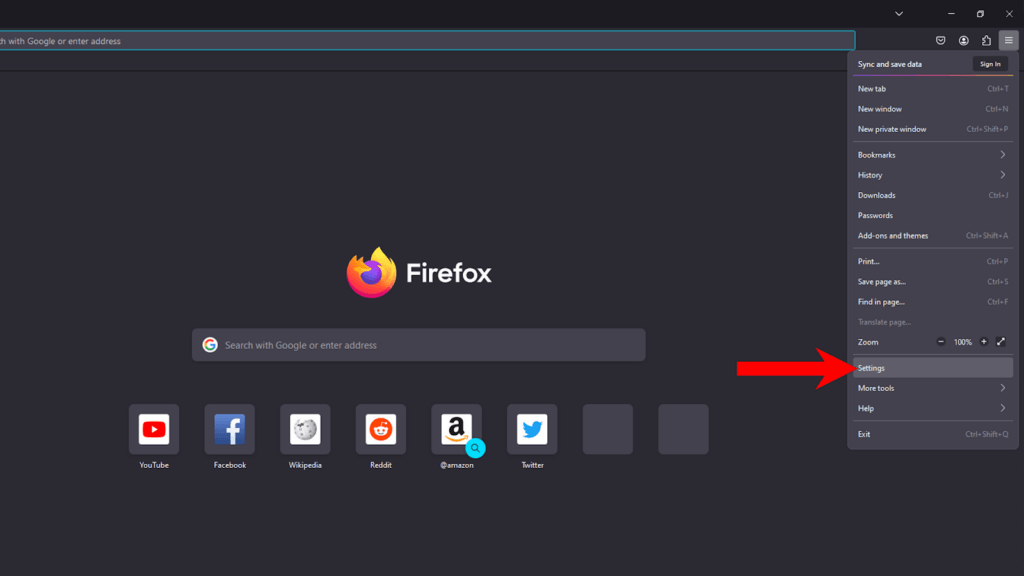
- Under General, scroll down to Performance.
- Uncheck the ‘Use Recommended Performance Settings’ option.
- Disable ‘Use Hardware Acceleration When Available’.
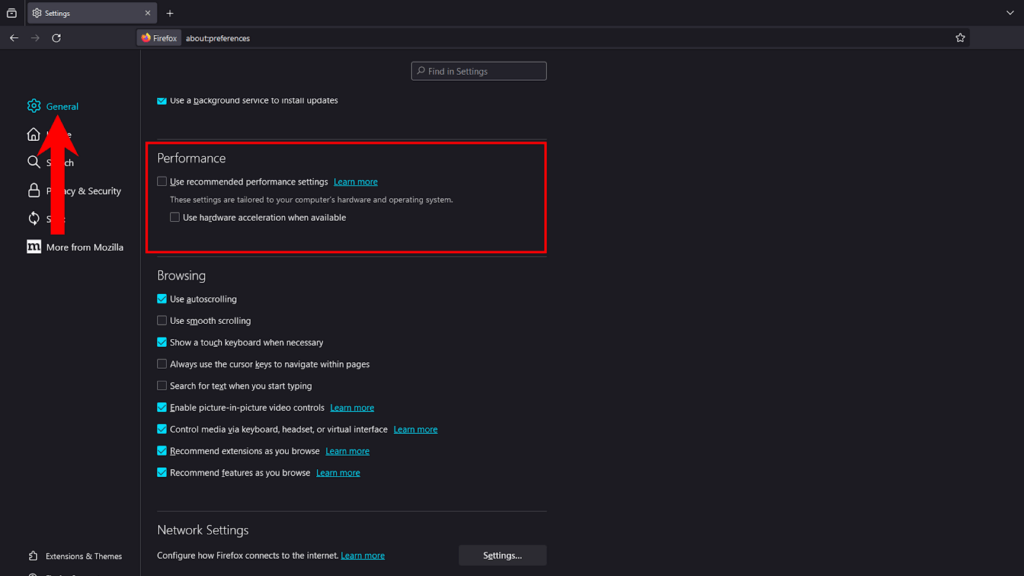
- Restart Firefox.
Microsoft Edge
- Open Microsoft Edge.
- Next, click on More Options.
- Select Settings.
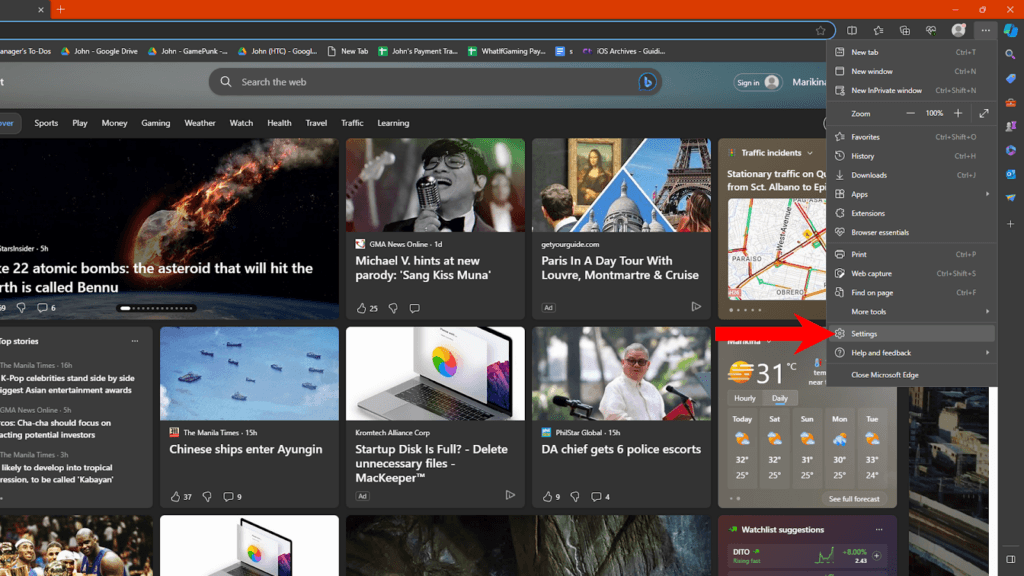
- Go to System and Performance.
- Under System, disable ‘Use Hardware Acceleration When Available’.
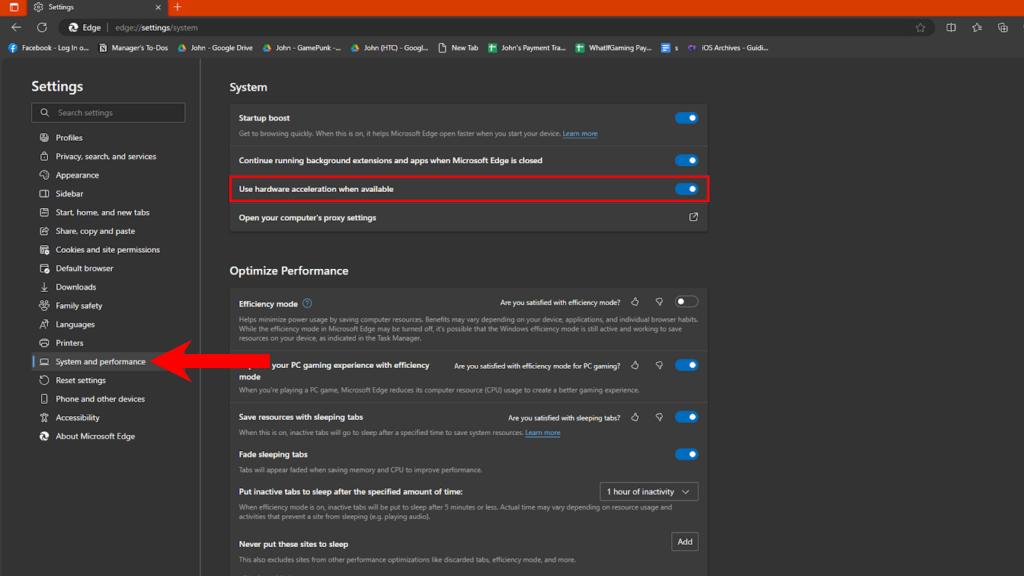
- Restart Microsoft Edge.
Once you’ve disabled hardware acceleration, press Windows + ALT + R on your keyboard to start screen recording using Windows Game Bar.
Safari
Unfortunately, Safari isn’t based on Chromium so it doesn’t have the option to manage hardware acceleration.
You can try screen recording using QuickTime Player to see if it will work:
- Open QuickTime Player.
- Go to File > New Screen Recording.
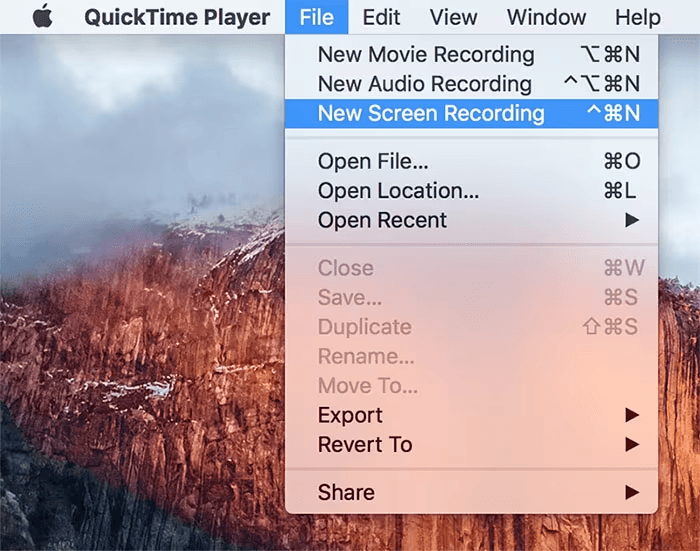
- Click Record to start.
Use Third-Party Screen Recorders
OBS Studio
OBS Studio is a powerful video recording and live streaming software. You can use it to create multiple scenes for streams, record favorite clips from movies and shows, or use it to apply filters to your camera.
Here’s how you can use it to record on Netflix without a black screen:
- Download and install OBS Studio on your computer.
- Next, open OBS Studio.
- Under Scenes, click the ‘+’ icon to add a scene.
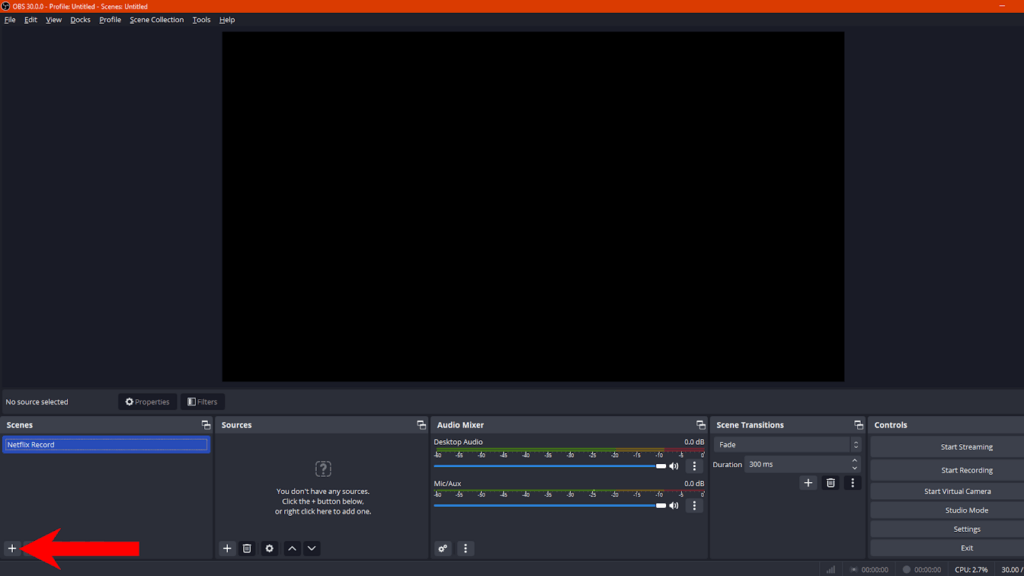
- Now, click the ‘+’ icon under Sources.
- Select Display Capture or Window Capture.
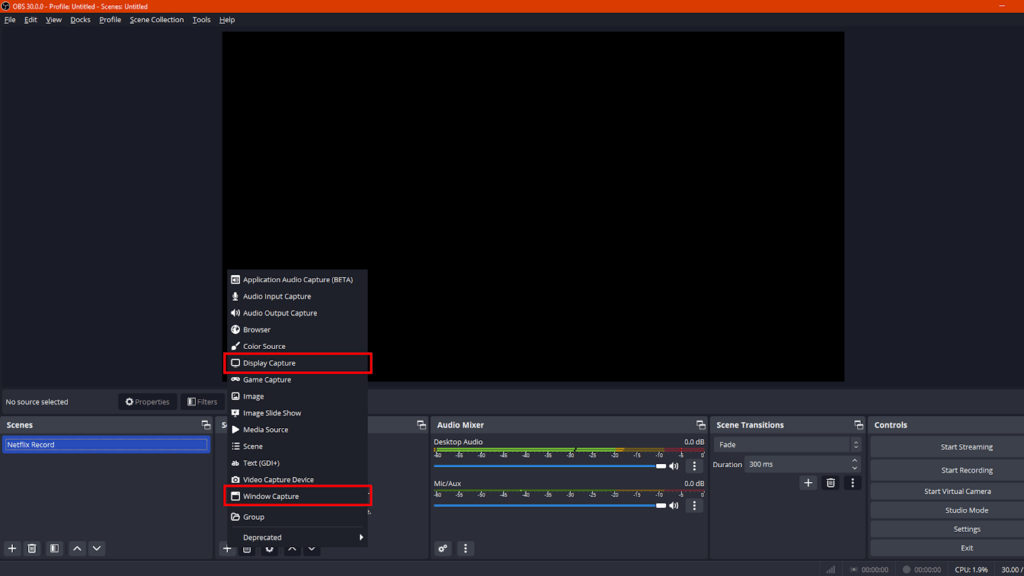
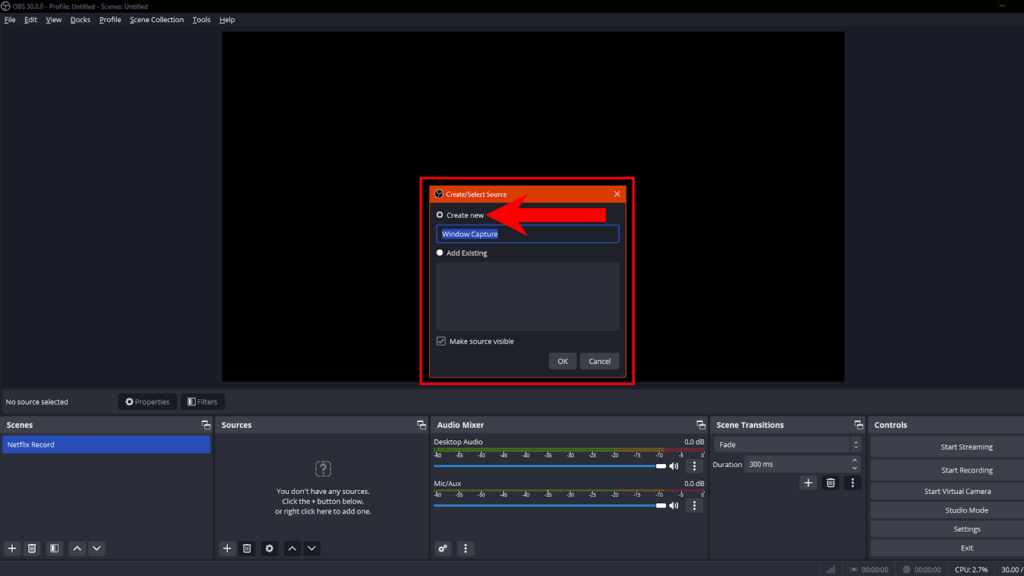
- If you choose Window Capture, select Create A New One.
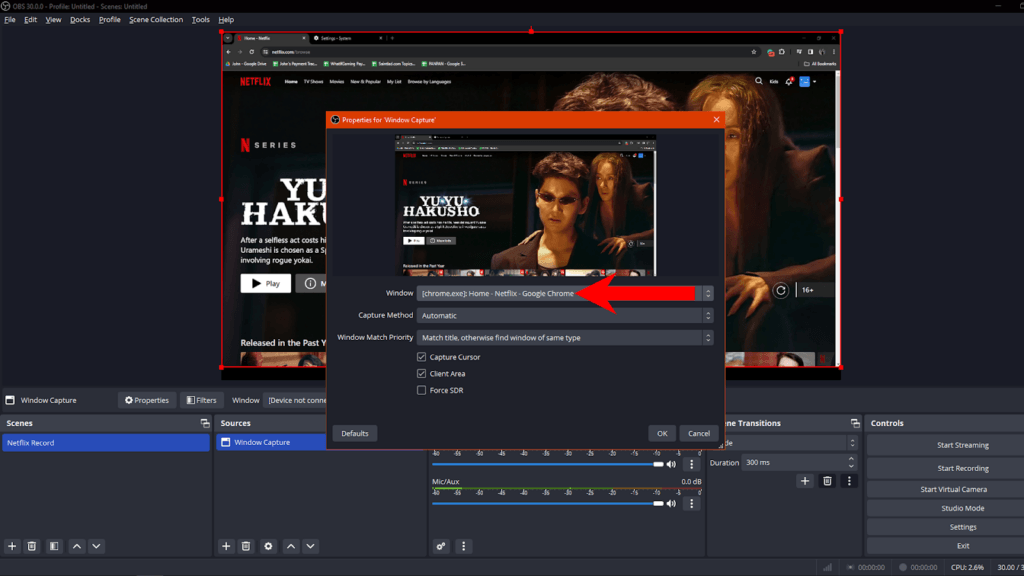
- Under Window, select the browser you’re using to watch Netflix. (I suggest Chrome)
- Click OK to save the changes.
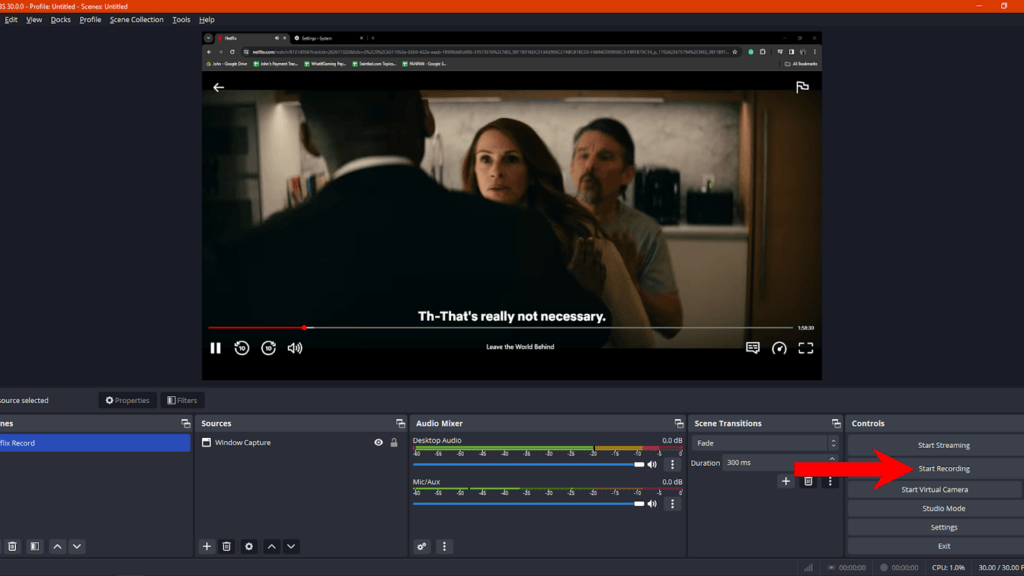
- Once you see your browser and Netflix on the preview window, click Start Recording.
Tip:
You can view your recordings by going to File > Show Recordings in the upper left corner.
OBS Studio Alternatives
Bandicam (Windows)
- High-quality video recording
- Real-time drawing
- Scheduled recording
EaseUS RecExperts (Windows, macOS)
- Full-screen recording
- Webcam overlay
- Scheduled recording
Joyoshare Screen Recorder (Windows, macOS)
- Record audio and video separately
- Support for various video formats
Streamlabs (Windows, macOS)
- Record audio and video
- Live video effects
- Multi streaming
- Cloud save.
Use Browser Extensions
If you don’t want to use third-party software to screen record, you can use browser extensions that support screen recording for Netflix and other streaming services.
FireShot
- Install the FireShot extension from the Chrome Web Store.
- Open Netflix and click on the FireShot icon.
- Choose the capture area and start recording.
Loom
- Install the Loom extension.
- Log in and select “Screen Only“.
- Open Netflix, start recording, and share the link.
Nimbus Screenshot & Screen Recorder
- Install the Nimbus Screenshot & Screen Recorder extension.
- Click on the Nimbus icon and select “Video Recorder“.
- Choose the recording area and begin capturing.
- Go to Netflix and play your preferred movie/show.
Troubleshooting Common Issues
Why Does Screen Record Don’t Have Audio?
If the footage captured doesn’t have audio, check your audio source settings and ensure that proper channels are selected during recording.
For Windows Game Bar:
- On Windows Game Bar, click the Speaker icon.
- Under Mix, click on Windows Default Output.
- Select the proper audio device.

- Adjust the volume until it’s clear on the recording.
For OBS Studio:
- Open OBS Studio.
- Try playing a random show on Netflix.
- Go to OBS and check the Audio Mixer Section.
- Make sure that audio is being detected.
- Adjust the volume slider if needed.

- Next, click the ‘+’ icon under Sources.
- Select Audio Input Capture.

- Choose Create New and click OK.
- Under Device, select your speaker or preferred audio device.

- Click OK.
Try recording again to confirm if audio is being recorded already.
How Can I Crop the Footage To Remove Browser Menus and Other On-Screen Elements?
If you need to remove other elements from the footage, you can use video editing software like Adobe Premiere, Final Cut Pro, Apple iMovie, Wondershare Filmora, or any other editing tool that supports video cropping.
Why Is the Screen Recording Blurry?
The quality of your screen recording depends on the recording software you used. Some screen recording apps allow you to tweak the resolution of screen recordings for better results.
On OBS Studio for instance, you can tweak the resolution of the recording to improve the quality:
- On OBS, click on File > Settings.
- Now, go to Output.
- Under Recording, click on Recording Quality and choose High Quality or Lossless Quality.
- Next, change the Recording Format to .MKV or .FLV. You can also use MP4 if you prefer this format.

- Once done, click on Apply, then OK.
Important Reminders
Legal and Ethical Aspects
Recording content from platforms like Netflix can lead to legal and ethical implications. While recording for personal use may be acceptable, distributing or sharing copyrighted material without permission is against the law and a breach of Netflix’s terms of service.
You should be aware that unauthorized reproduction and distribution of copyrighted content can result in legal consequences.
Alternative Routes
If your main plan is to consume content locally for personal use, consider using the ‘download’ feature from Netflix. This allows you to watch your favorite shows offline without sacrificing quality and avoid legal complications from recording movies and TV shows.
If you need to watch with friends, co-workers, or other people, you can use online platforms that offer screen-sharing features, instead of recording. This allows for synchronized viewing experience without the need for post-recording editing.
Conclusion
Disabling hardware acceleration in browsers is the simplest route to record without a black screen. However, you can also take advantage of powerful third-party screen recorders like OBS Studio, Streamlabs, and Bandicam.
Browser extensions like FireShot and Loom also offer reliable options without the need to install third-party software on your computer.
Above all, it’s important to consider the legal and ethical aspects of recording movies and TV shows from Netflix. While this guide equips you with tools to overcome the black screen issue, make sure to use it responsibly and never distribute copyrighted content without proper permissions.
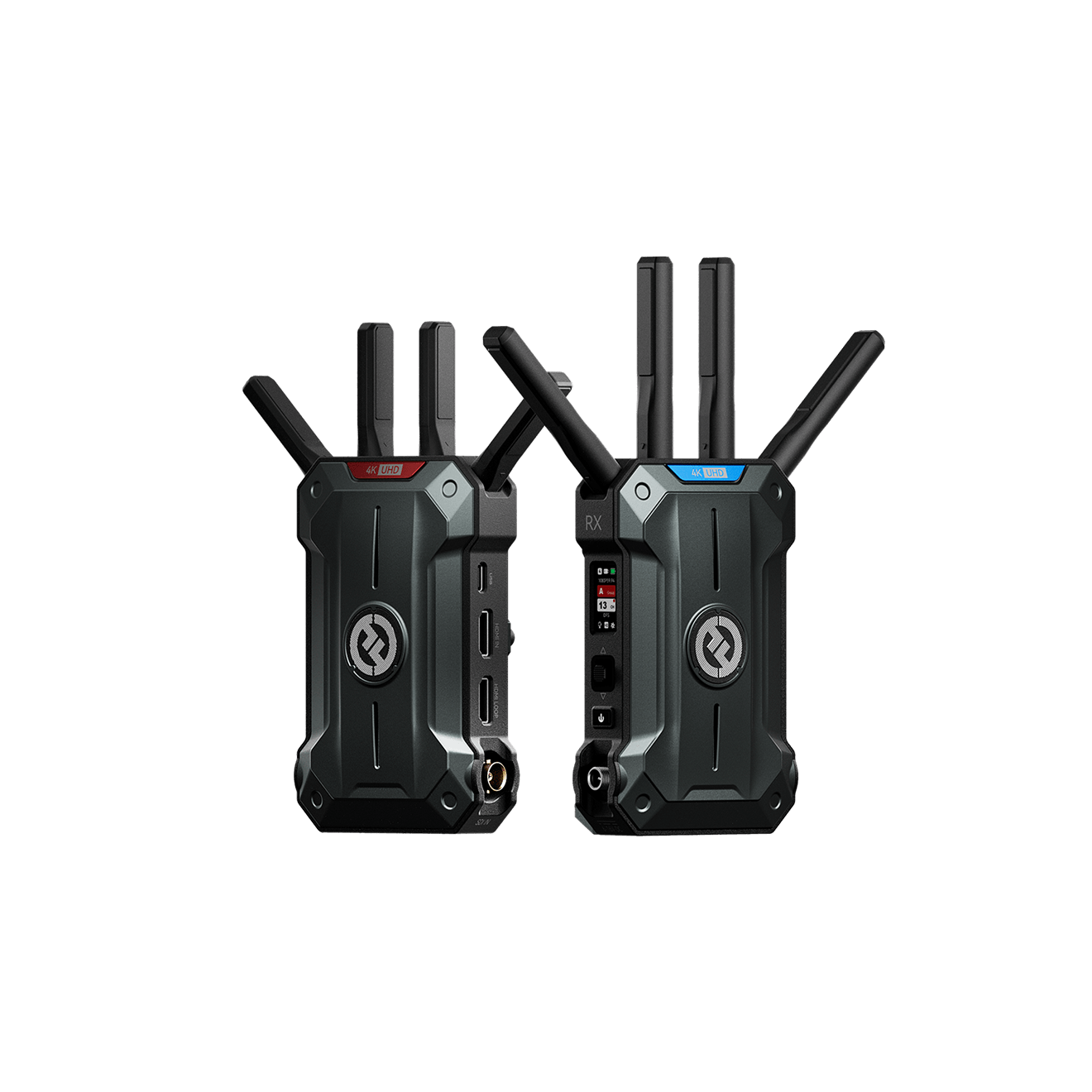
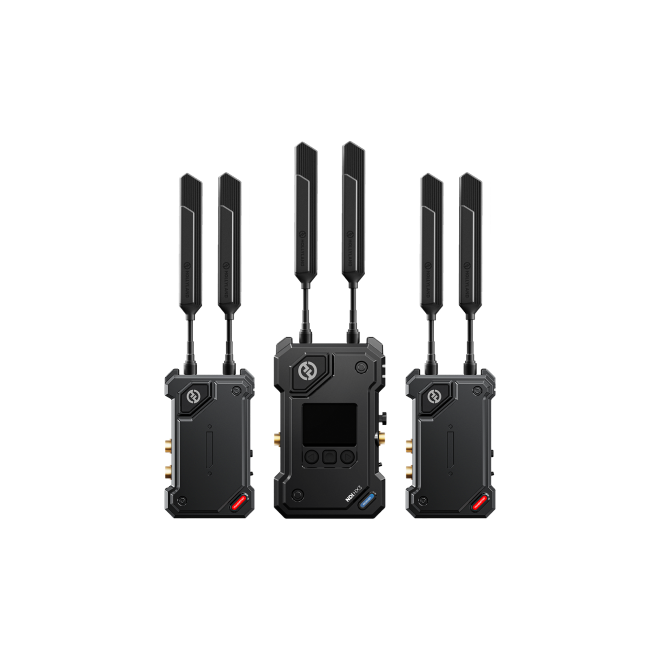
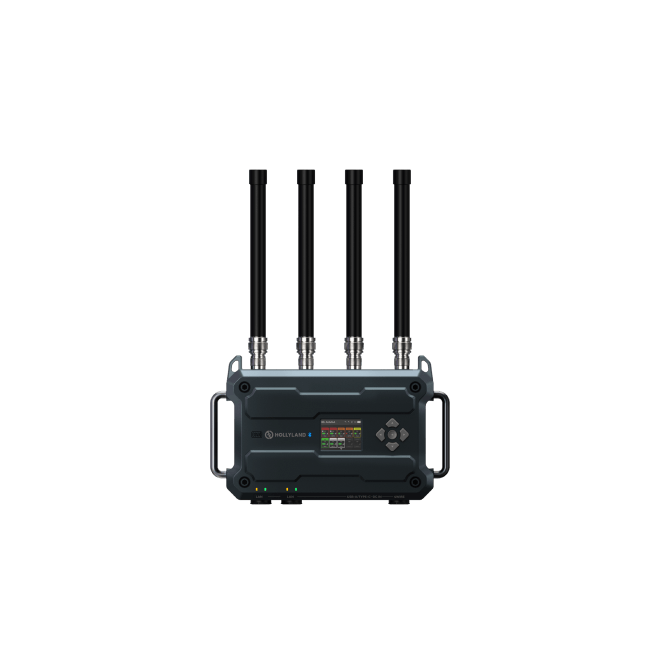
If you’re looking for flexible and reliable ways to efficiently share or record content from streaming services, a wireless video transmitter can significantly streamline your setup. With minimal latency and robust connectivity, it effortlessly transmits clear video signals, making screen-capturing tasks smoother and hassle-free.
FAQs
What Are the Potential Risks and Limitations of Disabling Hardware Acceleration?
Turning off hardware acceleration on your browser may lead to performance issues when browsing other sites. This affects some website features that rely on accelerated graphics like 3D pictures and animations.
Are there any alternative solutions besides screen recording for capturing specific scenes from Netflix?
You can use official download features provided by Netflix if you need to watch your favorite shows offline. If you simply need to share a specific scene and doesn’t care much about quality, you can use your phone’s camera to record the clip.
How can I ensure the quality of the recorded audio when capturing Netflix content?
Make sure that the correct audio source is selected on the capture software you’re using. You should also adjust the volume of the audio source and test accordingly before recording the entire show or film. You should also disable microphone input while recording to avoid background noise and people in your background from getting included in the recording.


Subscribe us
to get the latest news!