.png)
 简体中文
简体中文 
You’ve watched hundreds of ASMR videos. Someone turns pages slowly, taps a glass jar, or writes in a notebook, and somehow it’s the most relaxing thing you’ve heard all week. Now you’re wondering if you could make one yourself.
The answer is yes — and it’s simpler than you think.
ASMR, or autonomous sensory meridian response, describes the calm, tingly sensation many people experience in response to soft, deliberate sounds. Creating it doesn’t require a recording studio or expensive gear. A quiet room, a notebook, a pen, and a decent microphone are enough to make your first video today.
This guide walks you through every step: picking a style, setting up your space, recording a short sequence, editing it, and publishing it. By the end, you’ll have a clear, repeatable workflow you can use for every video after this one.
Step 1: Choose a Simple ASMR Style

Before you set up a single piece of equipment, decide what kind of ASMR you want to make. Choosing your style first tells you which props to gather and how to position your microphone — so you’re not making those decisions while the camera is already rolling.
For a first video, keep it to one of three options:

Whispering. No props required. You speak softly — describing something, reading a short passage, or simply narrating what you’re doing. It’s the most accessible entry point because everything you need is already in the room.

Tapping and scratching. Pick up any household object — a glass jar, a hardcover book, a ceramic mug — and tap or scratch its surface slowly and deliberately. Different materials produce different textures of sound, and ASMR audiences find the contrast satisfying.

Page turning and paper sounds. Open a book or magazine and slowly turn the pages near a microphone. Paper sounds are gentle, consistent, and easy to repeat, which makes them forgiving for beginners who are still getting comfortable on camera.
Any of these works for a first video. If you’re not sure which to try, go with page turning — it requires almost no performance, and the sounds are reliably pleasant on a microphone.
| Style | Props Needed | Difficulty |
| Whispering | None | Easy |
| Tapping & Scratching | Any household object | Easy |
| Page Turning | Book or magazine | Easy |
Step 2: Gather Your Basic ASMR Equipment
You don’t need much. The following four categories cover everything required to record a watchable, listenable first video.
Camera or Smartphone
A smartphone from the past three or four years shoots more than sufficient video quality for ASMR. You don’t need to buy a camera. Shoot horizontally if you’re uploading to YouTube, or vertically if you’re posting to TikTok or YouTube Shorts.
Microphone
This is the one upgrade that makes the biggest difference. The built-in microphone on a smartphone captures too much room noise, handling vibration, and background hiss for ASMR — a format where listeners are wearing earbuds and paying close attention to every sound.
An external microphone fixes that immediately.

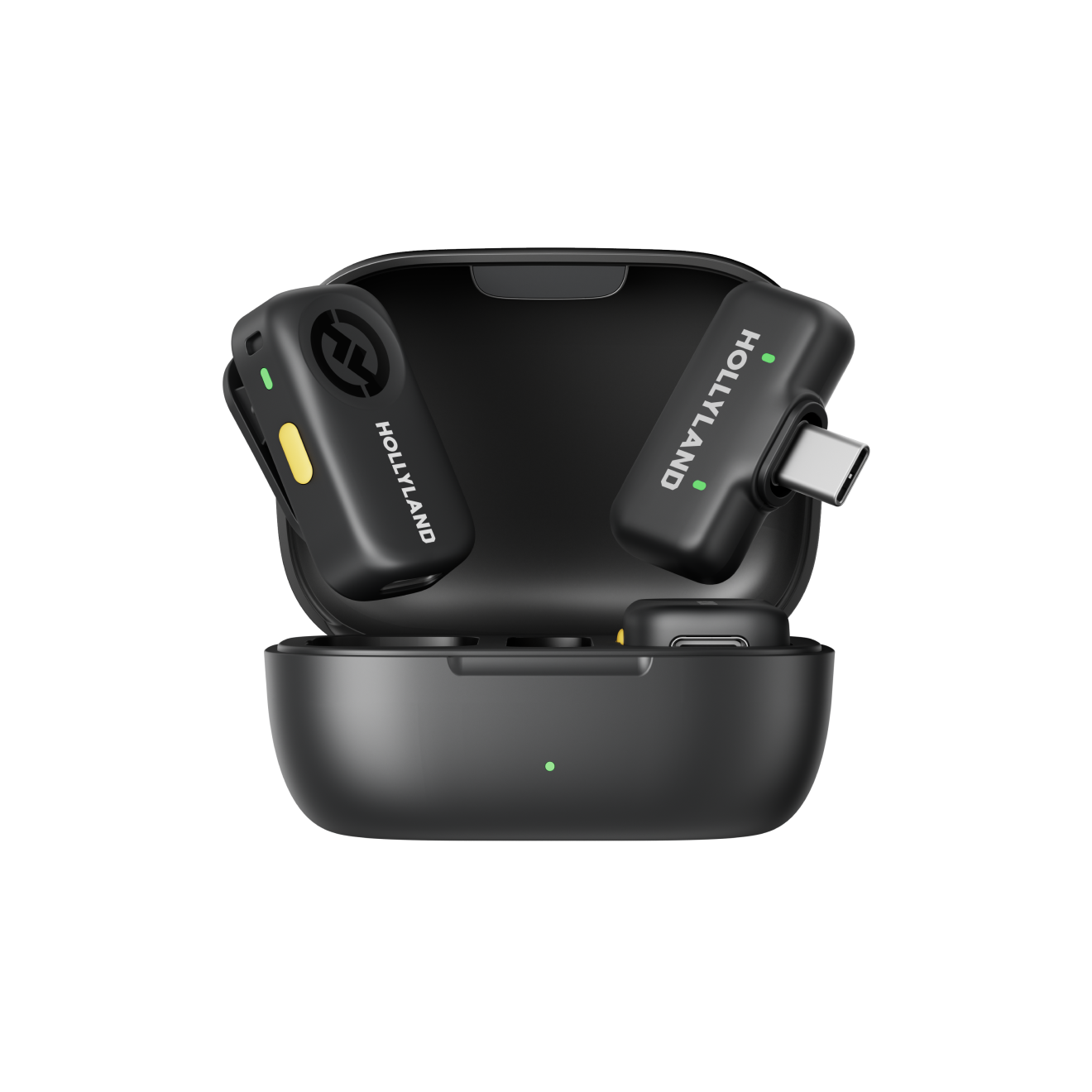
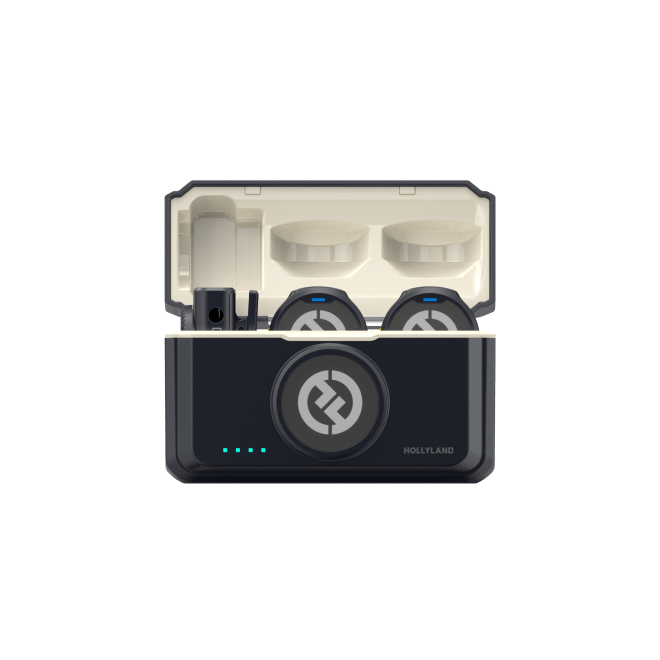
The Hollyland LARK A1 is a compact wireless lavalier microphone that connects directly to a smartphone without adapters. It records at 48kHz/24-bit — the kind of clarity that lets delicate sounds like pen-on-paper come through cleanly rather than getting buried in noise. It comes in five colors (black, white, blue, green, and pink), which is a small but nice detail if you’re filming in a tidy, aesthetic setup.

Hollyland LARK A1 - Affordable Wireless Microphone
A perfect starter mic for creators on a budget. It’s simple to use and features effective noise cancellation.
Key Features: 48kHz/24-bit | 3-Level Noise Cancellation | 54-Hour Battery
One thing worth knowing upfront: as a lavalier microphone, the LARK A1 is designed for close-range capture. It excels when clipped near your voice, but for object sounds like tapping or paper rustling, you’ll want to position it closer to the sound source rather than leaving it clipped to your collar. More on that in the recording step.
Basic Accessories

- A small tripod or a stable stack of books to hold your phone steady
- A folded blanket or towel on the desk surface to absorb vibration and reduce reflected sound
- A desk lamp positioned to the side for soft, even lighting — overhead lights tend to be too harsh
Step 3: Prepare Your Recording Space
A quiet room and a few minutes of preparation are more valuable than any piece of gear. ASMR audio is unforgiving — sounds that are invisible in a normal video become obvious when a viewer is listening on earbuds at full volume.
Reduce Background Noise
Choose the quietest room available, typically an interior room away from street-facing walls. Record in the early morning or late evening when ambient noise is lowest. Before you press record:
- Turn off fans, HVAC systems, and any running appliances
- Silence phone notifications
- Close windows and doors
Stabilize the Camera
Mount your phone on a tripod or prop it securely so the frame doesn’t shift during recording. For note-taking ASMR, a top-down or slight overhead angle works well — it shows the notebook and hands naturally and keeps the visual clean.
Arrange Your Props
Place your notebook and pen within easy reach so you’re not stretching off-camera mid-recording. Clear the background. A plain wall or a simple, uncluttered surface looks more deliberate than a busy shelf, and it keeps the viewer’s attention on the sounds rather than the scenery.
Lighting
Position a desk lamp to one side of the setup — side lighting is softer and more flattering than overhead or front-facing light. If you have a small ring light, that works too. The goal is an evenly lit frame without harsh shadows on your hands.
Step 4: Record Your First ASMR Video
Plan a Short Sequence
Keep your first video to two minutes maximum. That’s long enough to include a few satisfying trigger sounds and short enough to record in a single take.
For this guide, the recommended scenario is note-taking or journaling ASMR — two props, two distinct sounds, and a natural sequence that doesn’t require a script.

Here’s the three-part structure:
- Open: Slowly open the notebook and let the cover creak and pages settle.
- Middle: Rustle through several pages unhurriedly, then settle into a long pen-on-paper writing sequence — deliberate strokes, light pressure, slow pace. This is the core of the video. Let it run for 60–90 seconds.
- Close: Set the pen down gently, turn one final page, and let the sound fade.
Write these three stages on a small cue card and place it just outside the camera frame. You don’t need a full script — just a reference so you don’t lose your place.
Position the Microphone

For the note-taking sequence, the sound sources are on the desk surface — so the microphone should be there too. If you’re using the LARK A1, unclip the transmitter and position it on the desk a few centimeters from the notebook rather than clipping it to your clothing. This keeps it close to the paper and pen sounds where the detail actually lives.
Test Your Sound Sources First
Before recording the real take, do a 30-second test clip. Open the notebook, turn a page, write a few strokes. Then stop the recording and listen back — with earbuds, not phone speakers. Phone speakers compress and flatten audio in ways that mask problems. Earbuds reveal them.
Listen for three things:
- Is the audio clearly audible?
- Is there obvious background hiss or room noise?
- Do the paper and pen sounds come through with detail, or do they sound thin and distant?
Adjust the microphone position based on what you hear, then record the real sequence.
Step 5: Edit Your ASMR Video
ASMR editing is lighter than almost any other video format. There’s no music to mix, no complex transitions, and no color grading required. The entire editing process for a two-minute video should take under 15 minutes.
Use CapCut — it’s free, available on both iOS and Android, and handles everything below without requiring any technical knowledge.
Trim Dead Space
Import your clip into CapCut. Trim the silent pause at the beginning and any fumbled moments at the end. If a mistake happened mid-recording, tap Split at that point and delete the unwanted segment. Precision isn’t required — cutting within a second or two of the actual content is fine.
Balance the Volume
Tap the clip and use the volume slider to raise or lower the overall level. The target isn’t a specific number — it’s a simple earbuds test. Play the clip back with earbuds at a comfortable listening volume. If you can hear the sounds clearly without straining, the level is right. If it sounds uncomfortably loud or harsh, bring it down slightly.
Noise Reduction
Background hiss is the most common audio complaint on beginner ASMR videos — and one of the most fixable.

If you recorded with the Hollyland LARK A1, you may not need to do anything here at all. The LARK A1 has a built-in three-level noise cancellation system — just press the button on the transmitter once while recording to activate it. One press applies 10dB of noise reduction, two presses apply 15dB, and three presses apply 20dB for noisier environments. The noise reduction happens at the hardware level, before the audio reaches your phone, which means a cleaner signal from the start rather than trying to repair a noisy recording after the fact.
For those using a different microphone: CapCut includes a Noise Reduction toggle under audio settings. Turn it on, listen back with earbuds, and turn it off immediately if the audio sounds muffled, hollow, or unnatural. Software noise reduction is useful in small doses and damaging in large ones.
Final Review
Put your earbuds in and watch the full clip once before exporting. Ask only two questions: Is the audio clearly audible? Are there any jarring loud sounds or long dead silences that weren’t trimmed? If both answers are satisfactory, export at CapCut’s default quality setting.
Resist the urge to re-edit. The first video is a learning exercise, and the most valuable feedback will come from publishing it, not from perfecting it.
Step 6: Publish Your First ASMR Video
Write a Descriptive Title
Include the ASMR style and trigger type so the right viewers find it. For example: ASMR Note-Taking — Paper Sounds & Pen Writing for Sleep. Write it as a viewer would search for it, not as a list of keywords.
Create a Simple Thumbnail
A close-up of hands on the notebook, soft lighting, and no text overlay is a clean, effective thumbnail for ASMR content. Viewers in this genre respond to calm, uncluttered visuals. Consistent visual style across multiple videos builds recognition over time.
Write a Brief Description
Two to three sentences describing what sounds are in the video and the intended effect — relaxation, focus, sleep. If the video has distinct sections (page rustling, then writing), add simple timestamps to help viewers navigate.
Learn From the Response
After the video has been live for a few days, look at the audience retention graph in YouTube Analytics. The points where viewers stop watching tell you which sounds weren’t landing. Read comments for direct feedback on audio quality and pacing. The first video gives you a baseline — treat that data as the most useful part of the whole exercise.
Frequently Asked Questions
Can I Do ASMR with Just My Phone?
Yes. A smartphone handles video quality well enough for a first upload. The main limitation is the built-in microphone, which picks up room noise and handling vibration more than a dedicated external mic does. An affordable wireless lavalier addresses that gap without a large investment.
What Is the Easiest Type of ASMR to Try?
Whispering requires no props and no special setup — just a quiet room and a microphone. If you’d rather not speak on camera, page turning is the next simplest option. Both are forgiving for beginners and don’t require precise microphone positioning to produce decent results.
Do I Need a Special Microphone for ASMR?
A dedicated microphone improves audio clarity significantly, but it doesn’t need to be expensive or complex. A wireless lavalier like the LARK A1 connects directly to a smartphone, is small enough to position wherever the sound is, and produces noticeably cleaner audio than a phone mic — particularly for quiet, delicate sounds.
Do I Need to Show My Face in an ASMR Video?
No — and many successful ASMR creators never appear on camera at all. Hands-only framing is common and works particularly well for object-focused triggers like tapping, writing, and page turning. A top-down or close-up angle on your hands and props is visually clean and keeps the viewer’s attention on the sounds, which is exactly where you want it. Showing your face is a creative choice, not a requirement.
Conclusion
Here’s the full beginner workflow in one place: pick a style, gather minimal gear, prepare a quiet space, record a short two-minute sequence, do a light edit in CapCut, and publish.
Nothing in that list requires professional experience, expensive equipment, or a perfect first attempt. The note-taking scenario in this guide uses two props, produces two satisfying trigger sounds, and fits inside a structure you can remember without a script. It’s a realistic, repeatable starting point.
If you want to make one upgrade before your first recording session, a wireless lavalier microphone is the most impactful choice — and the LARK A1 keeps that entry point accessible without overcomplicating the setup.
Start small. Publish what you have. Then use what you learn from that first video to make the second one better.


