.png)
 简体中文
简体中文 
If you are tired of memorizing lines and doing endless retakes, you need a reliable script-reading setup. Finding the best teleprompter apps for TikTok and learning how to record scripts like a pro: how to record pro scripts with perfect audio is the secret to creating high-retention, professional talking-head videos.
Reading off a screen often leads to robotic delivery and echoey sound. In this guide, we will show you the best apps for looking right at the camera, along with the exact wireless microphone setup you need to make sure your voice sounds clear and natural. In this guide, we will show you the top apps to keep your eyes on the lens, along with the exact wireless microphone workflow you need to ensure your voice sounds crisp, clear, and natural.

Why You Need a Teleprompter App for TikTok (The Retention Secret)
TikTok growth relies entirely on the “Hook-Retain-Convert” model. You need to grab attention in the first three seconds, keep viewers watching until the very end, and drive them to take a specific action.
Scripted content is the most effective way to hit these beats without rambling. But reading a script from a laptop or a second monitor ruins the flow of your video.However, reading a carefully crafted script off a laptop or a second monitor kills your video’s momentum. The moment your eyes dart away from the camera lens, the viewer feels a disconnect. Your retention rate immediately drops.
Teleprompter apps fix this by placing your text directly over the camera lens. They eliminate the awkward “umms,” “ahhs,” and dead air of improvising while keeping your delivery natural.
Here are the top three reasons a teleprompter app is a mandatory tool for your workflow:

Why You Need a Teleprompter App for TikTok (The Retention Secret)
- Saves recording time: Stop doing dozens of takes just because you forgot the second half of your script. A teleprompter lets you get your dialogue right in one shot, which really cuts down the time you spend filming a bunch of videos at once.A prompter lets you nail your delivery in a single take, drastically cutting down your batch-filming time.
- Maintains direct eye contact: Eye contact builds immediate trust. By scrolling text right under your camera lens, you simulate a one-on-one conversation that keeps viewers glued to the screen.
- Ensures you hit every keyword in your script: SEO matters on TikTok just as much as it does on Google. A teleprompter ensures guarantees you naturally say your target keywords out loud, helping the algorithm accurately categorize and push your video to the right audience.
Top 5 Best Teleprompter Apps for TikTok Creators
Finding the right app comes down to your daily routine. Whether you want an all-in-one editor, voice-activated scrolling, or AI-powered eye contact, these five apps are the best tools to keep your delivery engaging.
1. CapCut (The Editor’s Choice)
If you already create content for TikTok, CapCut is an easy choice. Because ByteDance (TikTok’s parent company) owns it, the ecosystem integration is flawless. You can open the app, tap the built-in Camera feature, and immediately access a floating teleprompter over your recording screen. Once you finish your take, you drop directly into CapCut’s editing timeline.

- Pros:
- Seamless transition from recording to editing.
- Floating text box lets you position words close to the camera lens.
- Direct-to-TikTok exporting.
- Cons:
- Lacks advanced voice-tracking features.
- Scrolling speed must be set manually, which can force a rigid speaking pace.
- Pricing: Free (Standard version), $19.99/month, or $179.99/year for the Pro version.Free.
2. PromptSmart Pro (Best for Voice Tracking)
Nothing ruins a TikTok faster than a rushed delivery because you are trying to keep up with scrolling text. PromptSmart Pro solves this with its patented VoiceTrack technology. The app actively listens to your voice as you speak. If you pause for dramatic effect, the text stops. If you go off-script to ad-lib a joke, the app waits for you to go back to the written words before it starts scrolling again. return to the written words before scrolling again.

- Pros:
- Dynamic scrolling adapts to your natural speaking rhythm.
- Eliminates the need for a Bluetooth remote.
- Reduces the number of retakes caused by losing your place.
- Cons:
- Requires a relatively quiet environment for the microphone to track accurately.
- The interface focuses heavily on text and lacks built-in video editing tools.
- Pricing: Free trial available; $2.99/month or $29.99/year for the Pro version.
3. Teleprompter ProPremium (Best for Customization)
Professional creators who want absolute control over their setup swear by Teleprompter Pro (previously known as Teleprompter Premium)Premium. This app allows you to heavily customize the text width, keeping every word stacked perfectly under your phone’s camera lens. It also connects easily with Bluetooth remotes and gaming controllers.

- Pros:
- Excellent customization for text size, margins, and opacity.
- Great Bluetooth remote and Apple Watch integration for stealthy speed adjustments.
- Allows you to import scripts directly from Google Drive or Dropbox.
- Cons:
- The user interface is slightly dated.
- Has a steeper learning curve to dial in the perfect settings.
- Pricing: Free basic version; Premium unlocks for $19.99/year.
4. Captions App (Best for AI Eye Contact)
Captions is a highly capable post-production tool. If you struggle to read a screen without looking like you are reading, the Captions app offers a clever AI Eye Contact feature. You can record your video while looking slightly off-camera at a laptop. Once recorded, the app’s AI digitally locks your pupils directly onto the camera lens, creating unbroken eye contact with your audience.

- Pros:
- Completely hides the “reading” look.
- Includes dynamic, high-retention auto-captions.
- Great for batch-recording long, complex educational scripts.
- Cons:
- Heavy AI processing takes extra time and drains your phone battery.
- Occasional visual glitches if you move your head too fast.
- Pricing: 3-day free trial; $9.99/month or up to $69.99/month (depending on the plan)$54.99/year.
5. The Native TikTok Teleprompter
If you need to record a quick update and don’t want to leave the TikTok app, the native teleprompter gets the job done. Hidden inside the Effects menu on the camera screen, this tool allows you to paste a short script and record immediately. It is basic, but it removes the friction of jumping between third-party apps for casual content.


- Pros:
- Zero friction. It appearsn—built right into the TikTok recording screen.
- No extra downloads or account sign-ups required.
- 100% free.
- Cons:
- You cannot adjust text margins, leading to obvious eye movement.
- Very limited speed controls.
- Text disappears immediately after recording, making retakes frustrating.
- Pricing: Free.
The “Perfect Audio” Equation: Solving the Distance Problem
Teleprompter apps come with a hidden flaw that ruins most talking-head videos. To read a script without your eyes darting left and right, you must mount your phone two to four feet away from your face.
At this distance, your phone’s built-in microphone is virtually useless. Your voice will sound echoey, distant, and amateur. Poor audio kills viewer retention just as fast as a boring hook.
To solve the distance problem, pairing your app with a wireless lavalier microphone is an absolute necessity. It allows you to keep the prompter at the perfect visual distance while capturing crisp, studio-quality audio right at the source.
For High-Quality Vlogging and& TikToks: Hollyland LARK M2
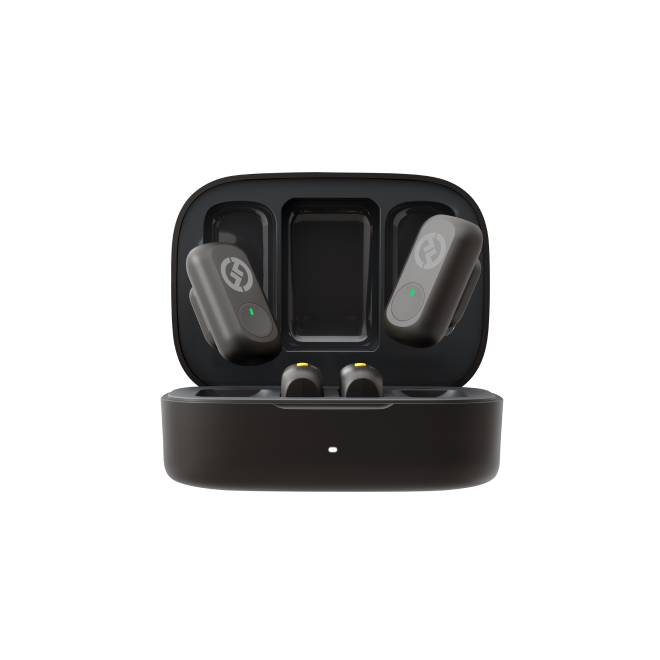
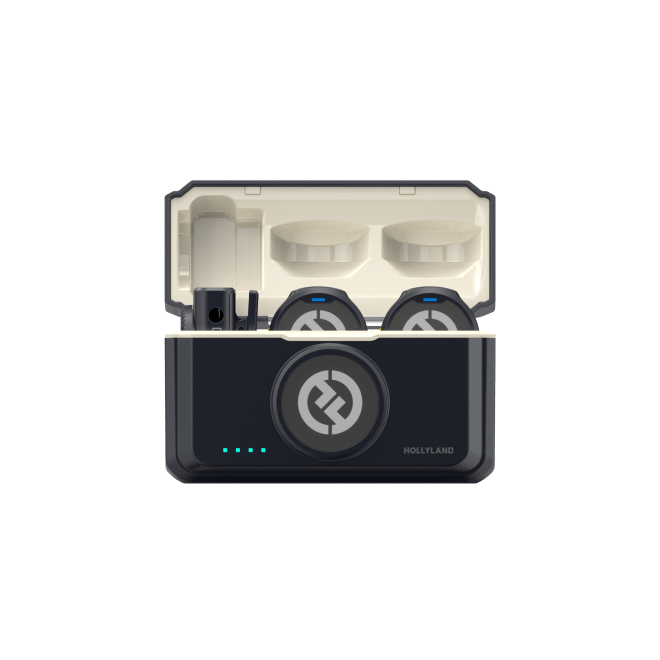
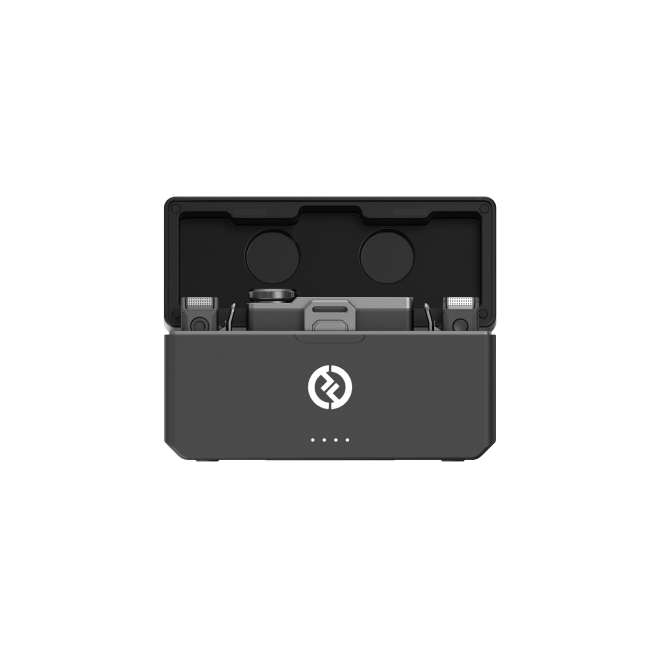
If you want professional audio without looking like you are wearing bulky tech, the Hollyland LARK M2 is a brilliant solution for creators.
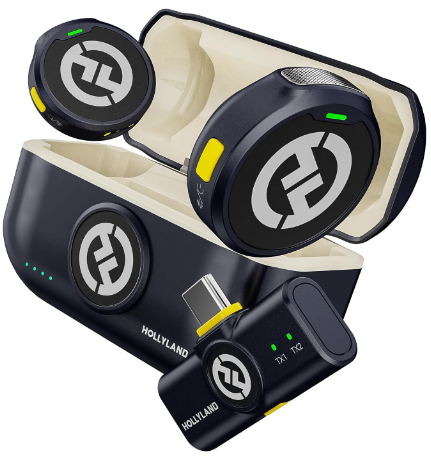
Hollyland LARK M2 - Mini Lavalier Microphone
An incredibly lightweight and compact wireless button microphone that captures high-fidelity audio.
Key Features: 9g Button Size | 48 kHz/24-bit | 40 Hours Battery
- Coin-Sized and& Invisible: Weighing just 9 grams, this mic is the size of a button. It magnetizes securely to your collar and remains practically invisible, ensuring your outfit stays the focus.
- Batch-Filming Ready: With a massive 40-hour battery life, you can spend the entire weekend batch-recording scripts without pausing to recharge.
- Pro Note: If your TikToks involve fast outdoor movement or sports, check out the Hollyland LARK M2S, which features a rugged built-in titanium clip for maximum security.
For Beginners and& Students: Hollyland LARK A1
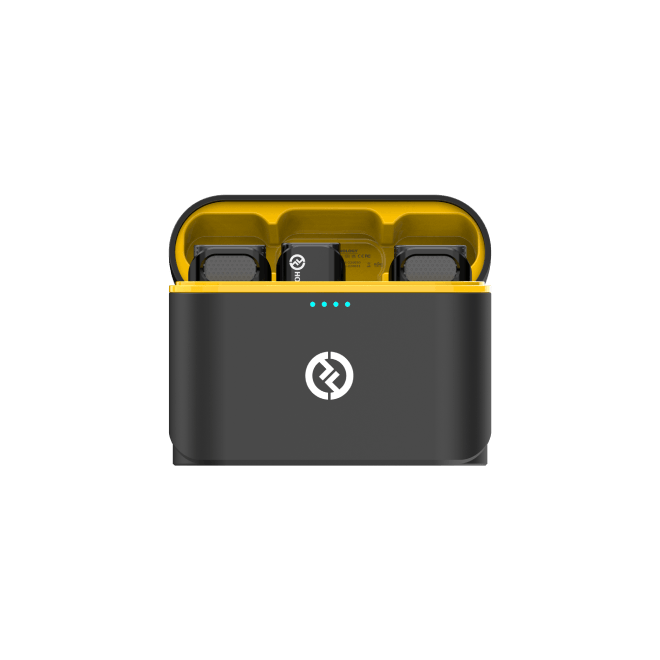
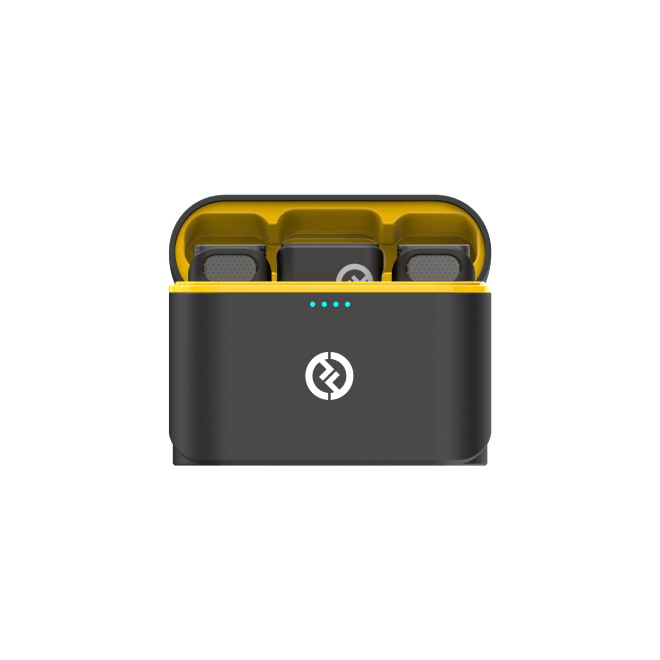
If you are just starting out and need a budget-friendly fix for echoey room audio, the Hollyland LARK A1 is your best bet.

Hollyland LARK A1 - Affordable Wireless Microphone
A perfect starter mic for creators on a budget. It’s simple to use and features effective noise cancellation.
Key Features: 48kHz/24-bit | 3-Level Noise Cancellation | 54-Hour Battery
- Ultra-Affordable Pro Sound: Get premium audio clarity and eliminate room echo without the premium price tag.
- True Plug and& Play: The receiver plugs directly into your phone’s charging port. Open your teleprompter app, and it instantly recognizes the external audio without getting into complicated Bluetooth pairing.—no complicated Bluetooth pairing required.
- 3-Level Noise Cancellation: Filming in a noisy dorm or a room with a loud AC unit? The built-in noise cancellation isolates your voice and removes background hums with a single click.
How to Record Pro Scripts: A Step-by-Step Workflow
To create high-retention videos without looking like a robot, you need a repeatable system. Here is exactly how to record a TikTok with a teleprompter:

- Format for the Lens: The biggest giveaway that you are reading a script is darting eyes. Narrow the text margins in your app so the words stack tightly and sit directly under the camera lens. This forces your eyes to stay centered.
- Sync Your Audio: Because your phone must be pushed back to fit the prompter frame, your built-in microphone will capture unusable room noise. Plug your Hollyland receiver into your phone, attach the LARK M2 to your collar using the magnetic attachment,magnetize the LARK M2 to your collar, and do a quick sound check for pristine wireless audio.
- Set the Speed: Reading too fast makes you sound frantic, while reading too slow drains your energy. Do a dry run to find your natural speaking pace. For most creators, a conversational speed sits right around 130 to 150 words per minute.
- Action and& Gestures: Teleprompters often trick creators into freezing their bodies. Don’t go stiff. Actively use your hands, shift your weight, and incorporate natural head movements to break up that rigid posture.
3 Pro Tips to Avoid Looking Like You’re Reading
Even with the best app and pristine audio, your video will flop if you look like a hostage reading a ransom note. The secret to high-retention TikToks is making a scripted video feel completely off-the-cuff. Here is how industry pros hide the fact that they are using a prompter.

1. Master the “Margin Trick”
We mentioned narrowing your margins earlier, but here is the exact formula: shrink your text width so the words occupy only the middle 30% of your screen.
This forces the text into a narrow column directly underneath your camera lens. As you read, your eyes will only move up and down. On camera, this translates to maintaining unbroken eye contact with the viewer.
2. Write Exactly How You Speak
We write differently from the waythan we speak. If you paste a formal essay into your teleprompter app, your delivery will sound stiff.
Script your videos using contractions, slang, and conversational phrasing. Instead of writing “I am going to demonstrate,” write “I’m gonna show you.” Always read your script out loud before loading it into your app. If you naturally stumble over a specific sentence, rewrite it until it flows effortlessly.
3. Use the “Look Away” Technique
Nobody maintains 100% unbroken eye contact in a real conversation. Staring unblinkingly into the lens for a full 60 seconds feels unsettling and instantly exposes that you are reading.
Break the tension by using the “Look Away” technique. When you reach a thoughtful pause, a joke, or a transition in your script, intentionally glance off-camera for a split second before snapping back to the lens. This mimics natural human behavior and makes your highly scripted delivery feel completely spontaneous.
Frequently Asked Questions (FAQs)
Does TikTok have a built-in teleprompter?
Yes, TikTok has a native teleprompter feature built directly into the app. You can access it by opening the camera, tapping “Effects,” and searching for “Teleprompter.” While convenient for quick videos, it lacks the advanced speed controls and text formatting options found in dedicated recording apps.
How do I stop my eyes from moving when reading a teleprompter?
To stop your eyes from darting back and forth, shrink the text margins in your app so the words are stacked tightly under your camera lens. Additionally, mount your phone further away. Distance drastically reduces the visible side-to-side eye movement required to read the text.
Can I use a wireless mic while using a teleprompter app?
Absolutely. When you plug a wireless receiver into your phone, teleprompter apps like CapCut and PromptSmart automatically capture that audio. Using an external option like the Hollyland LARK M2 providesguarantees crystal-clear sound, completely solving the echo problem when your phone is mounted far away.
Conclusion & Call to Action
The secret to high-retention TikToks is simple: deliver a smooth script with zero eye-darting, backed by studio-quality sound. Combining a reliable teleprompter app like CapCut or PromptSmart with true wireless audio turns your videos from amateur clips into authoritative, engaging content.
Remember, the moment you move your phone back to hide your reading eyes, your built-in microphone becomes useless. That’s why getting a wireless microphone to cover that distance is something professional creators just have to do.Bridging that distance with a dedicated wireless microphone is non-negotiable for professional creators.
So, don’t let echoey audio ruin a perfectly scripted video. Upgrade your setup with the coin-sized Hollyland LARK M2 for an invisible, premium audio experience, or grab the ultra-affordable Hollyland LARK A1 for a simple plug-and-play solution.
Download your favorite prompter app, clip on your Hollyland mic, and start batch-recording your next viral talking-head videos today.